
- Title: Pure AOSP V1 TF
- Listed: March, 2015
- Last modified: 03/16/2015 4:47 pm
- Version: 4.4.4
You must be logged for ROM download.
50913 total views, 5 today
17 Total favorites

 Member Info
DESCRIPTION
Jiayu S3 Pure AOSP V1 TF
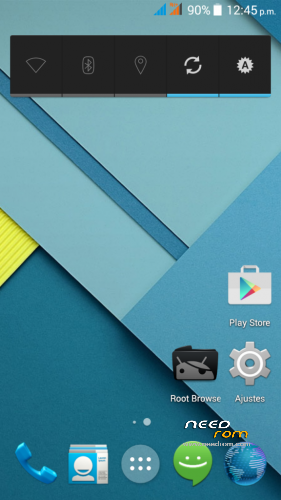
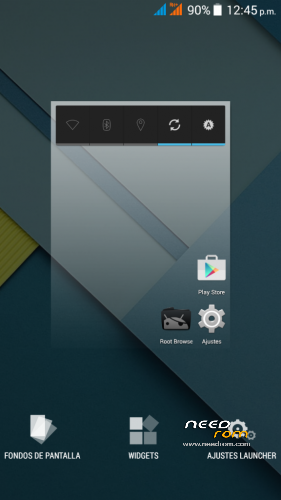
From Android Developers TF we present to Jiayu S3 one PURA AOSP rom.
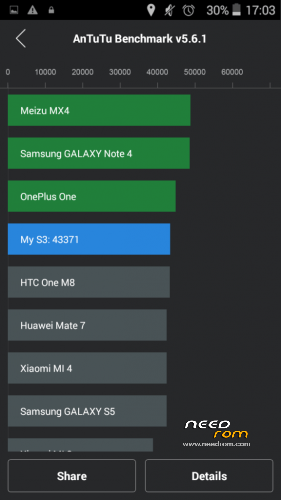
All the charm and simplicity of AOSP, offering in this great terminal fluidity never seen before with no current rom for Jiayu S3 also from TF Android Developers have developed and including SSTM so it will be what every gamer and those who do not are both expected an unparalleled user experience and fluency.
Title: Jiayu S3 Pure AOSP V1 TF.
Version : 4.4.4.
Date : 14/03/2015.
Size : 424,5MB.
Changelog:
- Android 4.4.4 fully AOSP
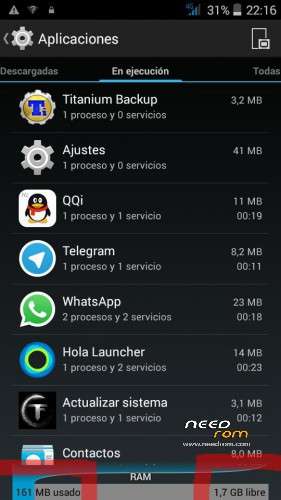
- Very low RAM consumption
- Root
- Busybox
- init.d
- MaxxAudio mediatek (many thanks to XDA arcatac)
- * TF SSTM Android Developers mode (faster mode on upon first boot)
- OTA TF Android Developers Updates
Changelog Updates:
-Update 1.1: Deleted icons large network status bar; modified library of sensors; modified app optimization (including app description); init.d error corrected; changed some APN; modification of some xml permissions. Download HERE.
-Update 1.2 -Fixed bug in contacts app; corrected images of status bar (red); removed default browser (error 403); including Google Chrome as default browser; updated google Framework; APN corrected Lowi; updated launcher default icon Chrome (required erase data from launcher to view). Download HERE.
-Update 1.3: Included smartwake, advanced audio menu, removed warning second SIM missing. Download HERE.
-Update 1.4:
- Included Creative Kernel
- Fixed bug when pasting and copying in File Manager
- Fixed sound recording
- Añdido sheep Widget
- Included option to delete all my memory
- Changed app musica
- Fixed recording app
- Correction app gesture control (security issues)
- Fixed Settings. Download HERE.
* SSTM Mode (Super Speed Trick Mode):
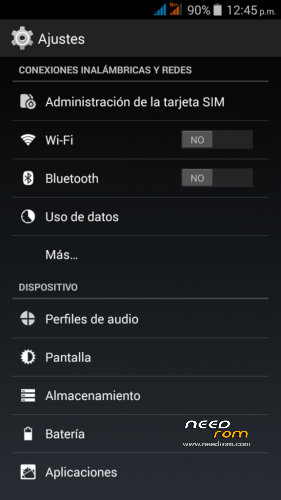
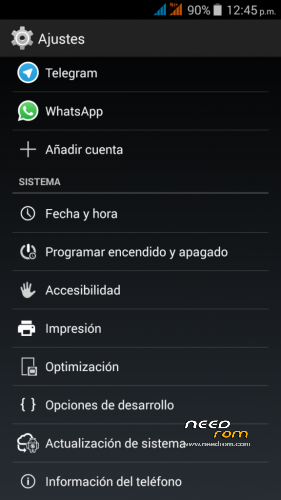
In order to switch modes, you have to go to settings/optimisation.
This mode improves graphics interface response as well as speed in games.
It basically works by reducing screen resolution so as to increase FPS and reduce the size of images and texts (frees up RAM) without taking away image quality.
There are three modes:
- Normal: Average resolution values of the device (1920×1080).
- Fast: Resolution values reduced to 1280×720 (increase to 5fps in 3D).
- Faster: Resolution values recuded to 960×540 (increase to 10fps in 3D).
Installation:
It installs recovery, we recommend TWRP you can download from our website.
- Download ROM and copy it to the internal SD.
- Enter TWRP Recovery.
- Wipe Data (Optional, and makes installation)
- Wipe Cache. (Optional, and makes installation)
- Wipe Dalvik Cache. (Optional, and makes installation)
- Format system. (Optional, and makes installation)
- Install ROM from SD.
- Automatic restart.
Note to publishers : the modification of this work, reproduction in any forum or website without citing the official website and / or the original link of our work is prohibited or put another download link than those officers without express consent of Android Developers TF .
※Please make a backup of your device before installing or updating ROM
I don’t remember the changelog…
Something about kernel bug fixes (so I think that repaired the security problem)
I didn’t check the led colours….
changelog
- Included Creative Kernel
- Fixed bug when pasting and copying in File Manager
- Fixed sound recording
- Añdido sheep Widget
- Included option to delete all my memory
- Changed app musica
- Fixed recording app
- Correction app gesture control (security issues)
- Fixed Settings
I forgot something i think
the led problem?
This phone only have red and green, and flash correctly if you configure red or green on an app.
If you choose in any app a color that isnt supported the led dont flash
You are talking about that?
Yes, has this notification LED issue been addressed in the latest update? This is literally the only thing holding me back from changing over to AOSP
Just heard from another fellow user of this rom that the notification LED still only flashes red, even after the latest update is applied. Are you saying that it is possible to get it to flash green?
https://www.needrom.com/downlo.....reative-kernel/
Added Update 1.4 at the first post.
is it neccesary to download the rom from the mega link before flashing the update 1.4 or can i just flash the update directly from stock S3SW 20150213-171816
and thank you for all your hard work…most excellent… : )
This update is only compatible with this AOSP Rom. It is not compatible with the stock S3SW 20150213-171816 rom and could cause some major issues if flashed on top of this rom.
Hi guys,
So I finally took the plunge and decided to try the AOSP rom. Unfortunately I have a strange issue that after playing with it for a little bit, it suddenly asks for a password to unlock the phone, but I never set any password.
Then I wiped everything in TWRP (except the SD card) and even formatted the Data partition, then reinstalled the AOSP rom but it is STILL asking for a password… First of all, how is that even possible after everything is wiped, and second of all (and more importantly), why am I being asked for a password when I never even set one?
Anyone got any idea how to reset the password feature?
Hmm… Seems like it's related to the Anti-Theft setting, which I, of course, turned on and now cannot remember the password for… Looks like I'll have to format the phones entire EMMC storage through the SP Flash Tools…
poor wifi and gsm signal on 1.4 update … i didnt encountered this problem with previous version
Yes, just as SSX2 stated. There is poor mobile network (GSM) signal, and WIFI seems to be weaker as well.
I also have an issue with caller ID not working. No information about an incoming call is displayed. However, this could be an issue with GravityBox.
Also, please fix notification LED.
how about nfc?