
- Title: Pure AOSP V1 TF
- Listed: March, 2015
- Last modified: 03/16/2015 4:47 pm
- Version: 4.4.4
You must be logged for ROM download.
50911 total views, 3 today
17 Total favorites

 Member Info
DESCRIPTION
Jiayu S3 Pure AOSP V1 TF
From Android Developers TF we present to Jiayu S3 one PURA AOSP rom.
All the charm and simplicity of AOSP, offering in this great terminal fluidity never seen before with no current rom for Jiayu S3 also from TF Android Developers have developed and including SSTM so it will be what every gamer and those who do not are both expected an unparalleled user experience and fluency.
Title: Jiayu S3 Pure AOSP V1 TF.
Version : 4.4.4.
Date : 14/03/2015.
Size : 424,5MB.
Changelog:
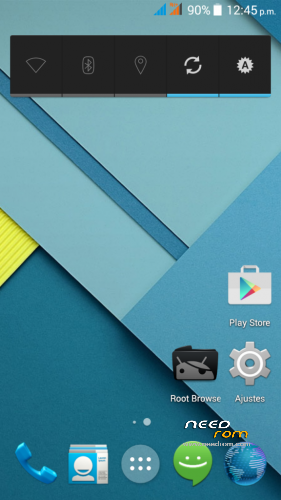
- Android 4.4.4 fully AOSP
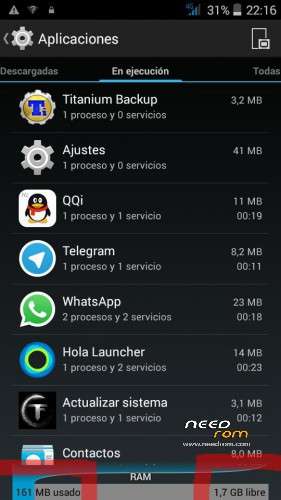
- Very low RAM consumption
- Root
- Busybox
- init.d
- MaxxAudio mediatek (many thanks to XDA arcatac)
- * TF SSTM Android Developers mode (faster mode on upon first boot)
- OTA TF Android Developers Updates
Changelog Updates:
-Update 1.1: Deleted icons large network status bar; modified library of sensors; modified app optimization (including app description); init.d error corrected; changed some APN; modification of some xml permissions. Download HERE.
-Update 1.2 -Fixed bug in contacts app; corrected images of status bar (red); removed default browser (error 403); including Google Chrome as default browser; updated google Framework; APN corrected Lowi; updated launcher default icon Chrome (required erase data from launcher to view). Download HERE.
-Update 1.3: Included smartwake, advanced audio menu, removed warning second SIM missing. Download HERE.
-Update 1.4:
- Included Creative Kernel
- Fixed bug when pasting and copying in File Manager
- Fixed sound recording
- Añdido sheep Widget
- Included option to delete all my memory
- Changed app musica
- Fixed recording app
- Correction app gesture control (security issues)
- Fixed Settings. Download HERE.
* SSTM Mode (Super Speed Trick Mode):
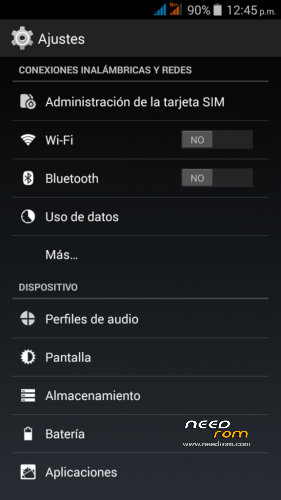
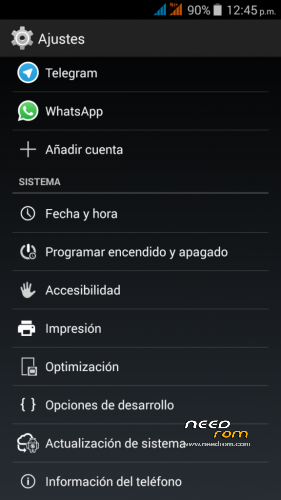
In order to switch modes, you have to go to settings/optimisation.
This mode improves graphics interface response as well as speed in games.
It basically works by reducing screen resolution so as to increase FPS and reduce the size of images and texts (frees up RAM) without taking away image quality.
There are three modes:
- Normal: Average resolution values of the device (1920×1080).
- Fast: Resolution values reduced to 1280×720 (increase to 5fps in 3D).
- Faster: Resolution values recuded to 960×540 (increase to 10fps in 3D).
Installation:
It installs recovery, we recommend TWRP you can download from our website.
- Download ROM and copy it to the internal SD.
- Enter TWRP Recovery.
- Wipe Data (Optional, and makes installation)
- Wipe Cache. (Optional, and makes installation)
- Wipe Dalvik Cache. (Optional, and makes installation)
- Format system. (Optional, and makes installation)
- Install ROM from SD.
- Automatic restart.
Note to publishers : the modification of this work, reproduction in any forum or website without citing the official website and / or the original link of our work is prohibited or put another download link than those officers without express consent of Android Developers TF .
※Please make a backup of your device before installing or updating ROM
How to open multitasking?
i think it missing on this rom
after i update google service, now it's show
I must say again just to make sure it is clear that WIFI is not only poor performance, but it is EXTREMELY POOR performance. I get better throughput on 2G than I do on WIFI on the last update.
I am going to downgrade to get WIFI performance back.
Also, when an app is running and you press home button, it takes you to recent apps list instead of going home.
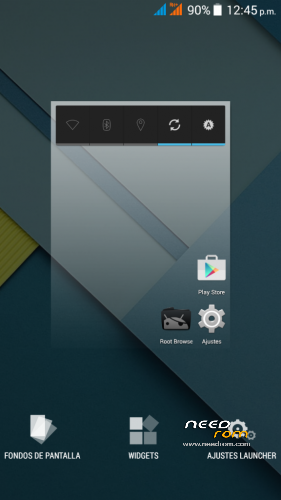
hey guys i must say what awesome work you have done with this rom and kernel…feel like a totaly new device right now and very snappy,may i ask is it possible to get the launcher settings in english please as they are onlt in spanish at the mo' so pretty hard to undrstand unless you dobla espaniol,which i do not…LOL…am getting very good signal with wifi here in uk,(link speed 72mbs),but i have not checked data yet as i still have my sim card in my oppo but will check to see if it is working ok as people have been mentioning
may i also ask is it possible to change the screen density in build prop and it will not affect the device during speed optimisation the current ro.sf.lcd.density is 455 but i would prefer smaller icons as these stock icons are HUGE and i would like to keep the stock launcher rather than use nova to reduce icon size….thanks again for all your hard work….p.s. forgot to mention…loving the OTA auto update you guys have added makes things so much easier…. : )
well seem to be able to install black wallpapers but when i go to apply them it tells me the app is not installed when it clearly is…???
In the menu SIM management appears the choice of SIM set for video calling but then you can not do it. The telephone could really make a video call? you can implement in the next release the video call (no skype call)? Thanks
thanks for the new update…can confirm NFC works great…also i solved the issue with the black wallpaper,seems i had to download then as images from zedge then apply them from pick image from my gallery
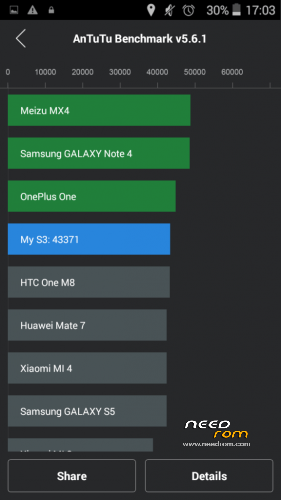
would like to know why i cannot use superSU as my superuser app instead of kinguser…no matter what i do superSU will not be allowed to become my superuser app,is this because kinguser has been added as a system app…???…can i use titanium to uninstall as a system app then change superuser to superSU,apart from that managed to push the system to 43009 in antutu…outstanding
one thing i have noticed is that my p.c. has a problem connecting to the device to transfer files and pics there is no drop down menu from the status bar to choose MTP,USB or any other mode to transfer files…the only option i get is to turn on/off usb debugging nothing else so as a result even with usb debugging turned off i have no access to the system when connected to my p.c.
update 1.5 solved the radio problems (wi-fi and gsm/3g signal) i will test more and come back if something wrong found
you gotta love the jiayu S3S
also am getting this message in TWRP is this normal…..?
Change the res back to 1920×1080 an I bet your Antutu score will go back down to 40000
@rene.kuhs…. yeah i tweaked the system a little,used the inbuilt speed booster and put it up to super duper fast,downloaded 3c toolbox and changed the kernel to performance popped the min CPU up to max and all straight after a factory reset for maximum POWER…wanted to see how hard i could push the system…still a very respectable score for a $200 device…i pushed my oneplus one to just under 50,000 in antutu..hehe
Developers(fraggel), video playback from gallery is broken with the 1.5 update. Clicking on videos stops gallery.
Compass still not working even though it was included in the patch.
LED noitifications are still only RED.
Data throughput seems to be improved, however mobile signal is still very low.
Update v1.5 is available OTA now.