
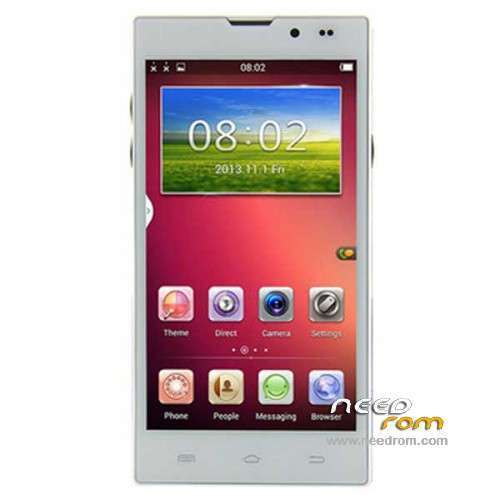
- Title: STAR HD5000
- Listed: March, 2014
- Last modified: 03/27/2014 3:15 am
- Version: ROM Android 4.2.2
You must be logged for ROM download.
31410 total views, 7 today
102 Total favorites
 Member Info
DESCRIPTION
ROM Phone STAR HD5000– ROM Android 4.2.2
Update ROM STAR HD5000 Version: V11.140313 – vh085_w_emmc_jhgg_v5 – G-WET-FULL-JB5.W1337
————————————————————————————————————————————————
Official ROM STAR HD5000 Version: V10.140218 – vh085_w_emmc_jhgg_v5 – G-WET-FULL-JB5.W1337
Gapps include – No Rooted
Language support: Multilang
Install ROM :
- Unpack FlashTools, and Click on Flash_tool.exe
- Select a the MT6582_Android_scatter_emmc.txt in ROM
- Wait file to be added into Flash Tool
- choose Option->USB Model,click USB Model
–> Choose Option->DA DownLoad All->Speed->High Speed, click High Speed
- Turn off your phone, remove the battery.
- "Press F9 (hit Download button)" OR " if upgrade ROM Firmware->Upgrade "
- and connect your phone into the computer via USB data cable.
- The process will start and a red progress bar will appear after color purple, yellow.
- And green circles display
- Finish !
- You can now safely disconnect your phone and turn it on.
※Please make a backup of your device before installing or updating ROM
Hello se_rafa,
Thank you for the reply. I have tried "lgcamera" but it does not fix the blurred right edge problem.
I actually find that lgcamera takes worse pictures than the stock app, and you cannot select ISO settings with lgcamera. I like to choose ISO 100 for lowest noise.
Thanks all the same.
vitw1844
hello everyone
i had some issues,tried a factory reset and after that the phone is not booting.
it made one boot, the was no launcher, then it rebooted again, after that
it starts booting but it stops on android logo boot screen.
i tried flashing it but it simply wont start the flash procedure.
any ideas?
i had some pda net drivers installed with another 6582 device/unistalled them tried everything but nothing happens
The video camera works excellently, and thus maybe a few more updates will resolve the problem.
Have a look at this for the video quality!
https://www.youtube.com/watch?.....eature=youtu.be
vitw1844
Yes, the video camera is really good, but my stock app doesn't record with continuous focus, and then use lgcamera, only for the video.
I also up a video recorded with lgcamera: https://www.youtube.com/watch?.....v=PjSQXEY2Ri8
Hi @all.
the OTG function does not work with this ROM. In settings it is grey, i tried with some different OTG cable and usb sticks, which works on other Phones.
Do anybody have an Idea?
Best regards
It doesn't works because the mobile doesn't support it, not for the rom.
Greetings.
what is this rom. miui or note3?
I have a problem of this type,
when I make a call if I click on the keypad I get this message:
"com.android the process has stopped working"
and the phone shuts down,
thank you!
I have the same problem like "blanco"
-When do you connect your phone to the pc? Is the phone connected before you take the battery out?
-And where you find this option?
"- choose Option->USB Model,click USB Model
–> Choose Option->DA DownLoad All->Speed->High Speed, click High Speed"
In my Flashtool i have only
Option – Apperance -Key -Language -Startup and Shutdown -Tracing -Connection -Download -Install Update
-Do i need to install android SDK?
Best regards
Hello everybody,
I have tried this ROM in my Q5000, and works great. For the camera, I use "Camera ZOOM FX". It takes better pictures than the stock ROM. The OTG doesn't work to me either.
OTG function works well, but it gives no power to 5V line, so You need a cable like this one:
I connected a mouse, a keyboard and an external drive in parallel via USB HUB and everything was ok! Except that there is no charging during the OTG operation… You can find this cable as low as 1.1 USD shipped on ebay!
Hello!
I bought this cable, but it doesn't work.
I DID EVERYTHING ACCORDING TO INSTRUCTIONS HOWEVER WHEN I CLICK "DOWNLOAD" AND CONNECT THE PHONE, THE FLASHTOOL DOESNT PROCEED… ANY IDEAS WHY?