
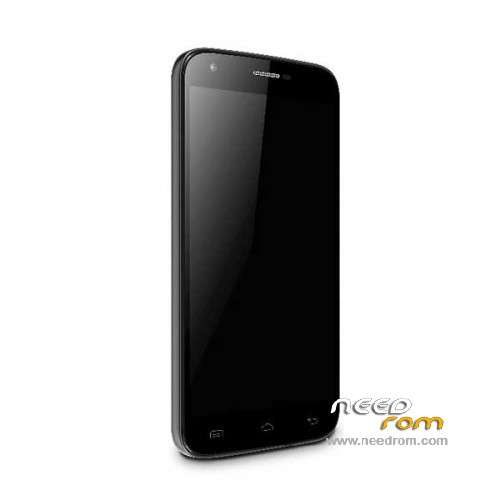
- Title: Doogee Y100 Pro
- Listed: July, 2015
- Last modified: 04/26/2016 4:38 pm
- Version: ROM Android 5.1
You must be logged for ROM download.
54801 total views, 1 today
40 Total favorites
 Member Info
DESCRIPTION
ROM Mobile Doogee Valencia 2 Y100 Pro - ROM Android 5.1
ONLY MT6735M
ROM 3 – Official ROM Doogee Valencia 2 Y100 Pro version: DOOGEE-Valencia2_Y100pro-Android5.1-B13-AUO3.3-20160419 – full_n316b-user 5.1 LMY47D
mt6735m_n316b_a31tbsauo_daoge_cc_128gbitp16d3_lp1_lte_3m-fdd-cs_mul
I don't know if this ROM is compatible with ROM 1
——————————————————————————————————————————————————————————
ROM 2 – Official ROM Doogee Valencia 2 Y100 Pro version: DOOGEE-Valencia2_Y100pro-Android5.1-B23-20160308 – full_n316b-user 5.1 LMY47D
mt6735m_n316b_a31t-y100pro_daoge_cc_128gbitp16d3_lp1_lte_3m-fdd-cs_mul
I don't know if this ROM is compatible with ROM 1
——————————————————————————————————————————————————————————
ROM 1 – Update Official ROM Doogee Valencia 2 Y100 Pro version: DOOGEE-Valencia2_Y100pro-Android5.1-R08-20151229
——————————————————————————————————————————————————————————
ROM 1 – Official ROM Doogee Valencia 2 Y100 Pro version: DOOGEE-Valencia2_Y100pro-KL-Android5.1-20151102 – full_n316b-user 5.1 LMY47D
mt6735m_n316b_a31tbs-croatia_daoge_cc_128gbitp16d3_lp1_lte_3m-fdd-cs_mul
This ROM is given for country : Croatia
——————————————————————————————————————————————————————————
ROM 1 – Update Official ROM Doogee Valencia 2 Y100 Pro version: DOOGEE-Valencia2_Y100pro-Android5.1-R08-20150831
——————————————————————————————————————————————————————————
ROM 1 – Official ROM Doogee Valencia 2 Y100 Pro version: DOOGEE-Valencia2_Y100pro-Android5.1-R06-20150730
mt6735m_n316b_a31tbs_daoge_cc_128gbitp16d3_lp1_lte_3m-fdd-cs_mul – full_n316b-user 5.1 LMY47D
Gapps include – No Rooted
Language support: Multilang
Install ROM:
- Unpack FlashTools, and Click on Flash_tool.exe
- Select "scatter-Loading" and search MT6735M_Android_scatter.txt in ROM
- Wait file to be added into Flash Tool
- Select "Download Only" or if upgrade "Firmware upgrade"
- Turn off your phone, remove the battery (if the battery is removable) and replace it after some seconds (and don't turn on the phone).
- Press “Download” button to start
- and connect your phone into the computer via USB data cable.
- The process will start and a red progress bar will appear after color purple, yellow.
- And green circles display
- Finish !
- You can now safely disconnect your phone and turn it on.
※Please make a backup of your device before installing or updating ROM
hello
I have MT6735P , It is compatible with this rom, because after ota update I can not put widget on the screen.
thanks
This is for doogee y100 pro, non for any 6735p! for your problem please use another launcher from. Playstore (cm launcher)
Sorry, my doogee y100 Pro is MT6735P,
This Rom and Doogee y100Pro?
Why did you write only for MT6735M?
So I can not use it?
Thanks and sorry for my confusion.
This is for y100 pro, mt6735p 1ghz.there is only 1 y100 pro 2gb ram 16gb rom
Excuse then what you mean ONLY MT6735M in its description?
Y100 Pro is not MT6735P?
The mt6735m in description is referred to scatter file that is common to all 6735 platform. So don’t care about this , the rom is for valencia 2 y100 pro
Thank you for answering the Emanuel83 ... my doubts was the same and you resolvel ... thanksThanks, for replies, and for support.
So doing the Flash ROM of all, the smartphone returns to factory around?
I apologize to the many questions.
thank you i repared my doogee
i tried the update with flash tool black screen
update via recovery ?
Since I installed the official update of doogee can not get the phone boot . I have tried to restore and nothing , it stays on the screen " Starting Applications " . I can not get my computer to recognize the phone. I need help. Thank you
Is there any possibility of applying the update from the SD card ?
I've managed to recover the phone. He did not recognize me the phone until you've selected "format all + downloadl ," I hope that I can serve someone else.