
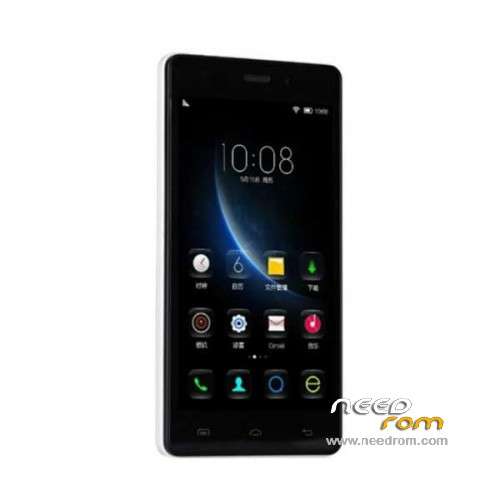
- Title: Doogee X5
- Listed: December, 2015
- Last modified: 05/06/2016 12:57 am
- Version: ROM Android 5.1
You must be logged for ROM download.
83702 total views, 6 today
61 Total favorites
 Member Info
DESCRIPTION
ROM Mobile Doogee X5 – ROM Android 5.1
ONLY MT6580
ROM 3 – Official ROM Doogee X5 version: DOOGEE-X5-B-Android5.1-2016.05.04 – g931bm-dg-a37-wg-hd-64g8g-ddr3 – full_hct6580_weg_a_l-user 5.1 LMY47I
Not compatible with ROM 1 or ROM 2
—————————————————————————————————————————————————————-
ROM 1 – Update Official ROM Doogee X5 version: DOOGEE-X5-Android5.1-V19-2016.03.31 – g931bm-dg-a37-wg-hd-64g8g – full_hct6580_weg_a_l-user 5.1 LMY47I
—————————————————————————————————————————————————————-
ROM 2 – Official ROM Doogee X5 version: DOOGEE-X5-Android5.1-W900-V09-20160226 – g931bm-dg-a37-wg-hd-64g8g-b128 – full_hct6580_weg_a_l-user 5.1 LMY47I
I don't know if this ROM is compatible with ROM 1 or ROM 3
—————————————————————————————————————————————————————-
ROM 1 – Update Official ROM Doogee X5 version: DOOGEE-X5-Android5.1-V18-2016.02.22 – g931bm-dg-a37-wg-hd-64g8g – full_hct6580_weg_a_l-user 5.1 LMY47I
—————————————————————————————————————————————————————-
ROM 1 – Update Official ROM Doogee X5 version: DOOGEE-X5-Android5.1-V17-2016.01.31 – g931bm-dg-a37-wg-hd-64g8g – full_hct6580_weg_a_l-user 5.1 LMY47I
—————————————————————————————————————————————————————-
ROM 1 – Update Official ROM Doogee X5 version: DOOGEE-X5-Android5.1-V17-2015.12.25 – g931bm-dg-a37-wg-hd-64g8g – full_hct6580_weg_a_l-user 5.1 LMY47I
—————————————————————————————————————————————————————-
ROM 1 – Official ROM Doogee X5 version: DOOGEE-X5-Android5.1-V16-2015.12.04 – g931bm-dg-a37-wg-hd-64g8g – full_hct6580_weg_a_l-user 5.1 LMY47I
Gapps include – No Rooted
Language support: Multilang
Install ROM:
Install with SP MDT:
1). Turn off the smartphone. Cable is not connected to the computer.
2). Remove the battery and insert it again
3). Connect your phone to a computer cable. The operating system detects a new device
4). Disconnect the cable from the computer.
5). Run SPMultiPortFlashDownloadProject.exe
6). Choose File> Open File Agent download and specify the file MTK_AllInOneDA.bin (it is in the folder SP_MDT).
7). Click Scatter File and select the MT6580_Android_scatter.txt file (it's in the folder with the rom).
8). Click "Start all".
9). Connect your phone to a computer cable. The program should see and blink. If the phone is not detected, then unplug it from the computer,
remove and insert the battery (if the battery is removable) and reconnect it to the computer.
10). After (OK) click Stop and disable any phone.
11). Completed.
※Please make a backup of your device before installing or updating ROM
It works so far – downloaded it and updated my X5 from V15 to V17 with SP-Flash Tool (User-Data and Cache deselected) from the "Gapps" Section. No problems found until now.
comment faire j un doogee x5 ancien carte mere et quand j fait le flache il bloque et bug tros avec la v17 solution stp
the update is very good with new features like the transprent status bar in apps and many more; thank you veru much
thank you
can not find checksum.ini. flash program not working
Flashed my X5 successfully with above instructions.
Nice to know what is new in version from 31/01/2016.
@sjarkara: Execute CheckSum_Gen.exe (from CheckSum_Generate_exe_v3.1536.00.00.zip in SPMDT-package in Tuto-problem-with-PORT-or-Checksum-Folder) inside the rom-folder with all the img-files. It will generate Checksum.ini.
Hint: After flash i had to restore the IMEI-numbers with engineer mode.
Very Good 100% !!!
it function for zenfone go???
it is for italy?
thanks very good..!!
please help me my doogee x5 dont download the rom!! they have a one video please!!
Thank you for new update v17-2016.01.31, my question is "what´s new" in this update, in comparsion with "oldiest" v17-2015.12.25 ?
Thanks for the update …. exactly same as happyBOY78 … "what´s new" in this update, in comparsion with "oldiest" v17-2015.12.25 ?