
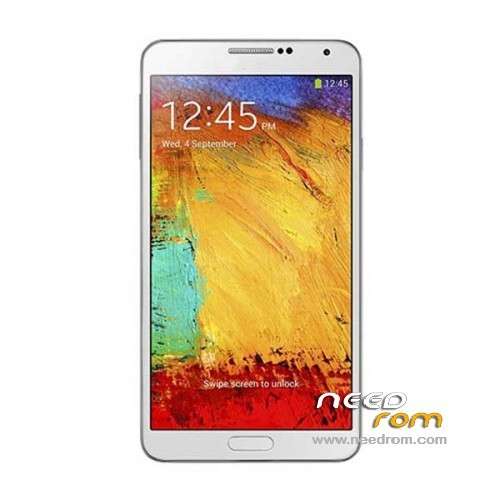
- Title: HDC Galaxy Note 3 N9006
- Listed: December, 2013
- Last modified: 09/18/2014 4:14 pm
- Version: ROM Android 4.4 (not Really)
You must be logged for ROM download.
173076 total views, 6 today
52 Total favorites
 Member Info
DESCRIPTION
ROM Mobile HDC Galaxy Note 3 N9006 - ROM Android 4.4 ( not Really )
ONLY MT6582
Features ROM:
Update Official Version : N9006V228En20140718 ( I don't know the changelog )
———————————————————————————————————————————————–
Update Official Version : N9006V224En20140529 ( I don't know the changelog )
———————————————————————————————————————————————–
Update Official Version : N9006V212En20140326 ( I don't know the changelog )
———————————————————————————————————————————————–
Update Official Version : N9006V206En20140305 ( I don't know the changelog )
———————————————————————————————————————————————–
Update Official Version : N9006V119En20131227 ( I don't know the changelog )
———————————————————————————————————————————————–
Official Version : N9006V112En20131128
Gapps include – No Rooted
Language support : Multilang
Install ROM:
- Unpack FlashTools, and Click on Flash_tool.exe
- Select a the MT6582_Android_scatter.txt in ROM
- Wait file to be added into Flash Tool
- choose Option->USB Model,click USB Model
–> Choose Option->DA DownLoad All->Speed->High Speed, click High Speed
- Turn off your phone, remove the battery.
- "Press F9 (hit Download button)" OR " if upgrade ROM Firmware->Upgrade "
- and connect your phone into the computer via USB data cable.
- The process will start and a red progress bar will appear after color purple, yellow.
- And green circles display
- Finish !
- You can now safely disconnect your phone and turn it on.
※Please make a backup of your device before installing or updating ROM
my devices is looked touuc and recovery not found and debug usb is disabilitated
I can not synchronize my google contacts… What do I wrong? Also when I try t create a new contact I can only save on SIM and on Phone but not on Google?! Do I have to install something?! PlayStore is working… Please help
I had to install the GoogleContactsSyncAdapter.apk (Version 4.2.2!!!) on this 4.4 device to get my contact sync up and running
Hello friend, I have the same problem of sync, my phone is an Note3 N9006 (SM-N9006) with Android 4.4, where you get the app? how you installed?, running it or copying it to a folder on your system?
You can send me the app? I appreciate your help
Download the 4.2.2 GAPPS from here: http://forum.xda-developers.co.....038;postcount=1
Install "Root Browser" https://play.google.com/store/.....oot.browserfree
Extract the GAPPS and copy only the GoogleContactsSyncAdapter.apk on your mobile phone copy it with the Root Browser to "system/app" and set the permissions to "rw- r– r–" http://cloud.addictivetips.com.....Permissions.jpg
Kind regards
thanks friend, now it is synchronizing calendar and contacts from my google account.
another question, you already installed the ROM from this website? how it worked?
Your solution for synchronize contacts gmail is very good. Thank you !
After flashing the ROM let the mobile phone start and WAIT a few minutes then reboot -> all apps are installed including the stylus ones… I only habe the problem that due ti the theme some fonts are quite dark and hard to read… how to "deaktivate" the theme?
This ROM works great even with my S-View clone flip case (with chip) but I do not know if I need the chip But the battery does not last that long… but this looks like a problem the phone itself…
But I can not get GPS to work at the moment
how I can make a backup of my ROM? I tested with the program ROM manager but it says clockworkmode not available for my phone … the seller sent me a ROM and want to try it, but if something goes wrong I would like to restore that I have currently.
Thank you.
this is the ROM seller sent to me
http://pan.baidu.com/s/
scatter file from this ROM says "MT6589_Android_scatter_emmc.txt" and my phone it's a MT6582 SM-N9006, I'm not sure the ROM he sent me works for my phone, right?
http://forum.xda-developers.co.....8;postcount=417
does it work on n9006 max?
Thanks peter123