
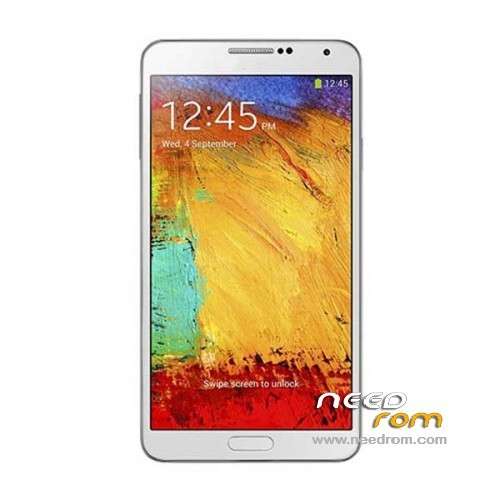
- Title: HDC Galaxy Note 3 N9006
- Listed: December, 2013
- Last modified: 09/18/2014 4:14 pm
- Version: ROM Android 4.4 (not Really)
You must be logged for ROM download.
173077 total views, 7 today
52 Total favorites
 Member Info
DESCRIPTION
ROM Mobile HDC Galaxy Note 3 N9006 - ROM Android 4.4 ( not Really )
ONLY MT6582
Features ROM:
Update Official Version : N9006V228En20140718 ( I don't know the changelog )
———————————————————————————————————————————————–
Update Official Version : N9006V224En20140529 ( I don't know the changelog )
———————————————————————————————————————————————–
Update Official Version : N9006V212En20140326 ( I don't know the changelog )
———————————————————————————————————————————————–
Update Official Version : N9006V206En20140305 ( I don't know the changelog )
———————————————————————————————————————————————–
Update Official Version : N9006V119En20131227 ( I don't know the changelog )
———————————————————————————————————————————————–
Official Version : N9006V112En20131128
Gapps include – No Rooted
Language support : Multilang
Install ROM:
- Unpack FlashTools, and Click on Flash_tool.exe
- Select a the MT6582_Android_scatter.txt in ROM
- Wait file to be added into Flash Tool
- choose Option->USB Model,click USB Model
–> Choose Option->DA DownLoad All->Speed->High Speed, click High Speed
- Turn off your phone, remove the battery.
- "Press F9 (hit Download button)" OR " if upgrade ROM Firmware->Upgrade "
- and connect your phone into the computer via USB data cable.
- The process will start and a red progress bar will appear after color purple, yellow.
- And green circles display
- Finish !
- You can now safely disconnect your phone and turn it on.
※Please make a backup of your device before installing or updating ROM
rugwarrior, this is the address that the seller sent me to download the ROM, said to be the correct ROM for my phone SM-N9006 MT6582
http://pan.baidu.com/s/1jGx9WP.....4
Thank you
I will have a look at it
I could fix GPS, Sync and Battery!
I installed an app to delete the battery statistics file (after completely loading for at least 8 hours) and now it seems to work
What is the app called? Thanks in advance
LOGO SAMSUNG POWER IS GONE!
is multiwindow works in this rom?
hi peter123, after unpack flash tool then select MT6582_android_scetter_emmc.txt in rom, i can't see the file. where i can search that file on my computer, (or must be instal/unpack HDC Galaxy note 3 N9006.rar/HDC Galaxy note 3 N9006 update 12/27/2013.rar ???). thanks
Unpack the .rar archive, open flash tools, and then select the scatter-file which is in the folder you extracted.
peter, I think the app to calibrate the battery is battery calibration, is the one I use…
- "Press F9 (hit Download button)" OR " if upgrade ROM Firmware->Upgrade "
- and connect your phone into the computer via USB data cable.
- The process not work guys….
help me pliss
while the phone still connect via usb cable, turn off your phone.
upgrade will start after your phone completely shut down
thanks before but still not work…or seting parameter (OTP) first ?????
hi all, after format+download with flashtool, my phone looks androinphone (not look like note 3). no logo, boot and shutdown original note 3. anyone help me?
reset factory after flash this rom.
hi peter123 :
Get 'Root Explorer' and go to /systen/media
Then rename "bootanimation1.zip" to "bootanimation.zip" and "shutanimation1.zip" to "shutanimation.zip"
Then go into the "images" folder there and remove "boot_logo" and rename "boot_logo1" to "boot_logo"
how to get root explorer, peter ???
You can get it in the Google Play Store