
- Title: HDC/1:1 S5 G9006V
- Listed: July, 2014
- Last modified: 09/02/2014 7:41 pm
- Version: ROM Android 4.4.2
You must be logged for ROM download.
56622 total views, 1 today
11 Total favorites
 Member Info
DESCRIPTION
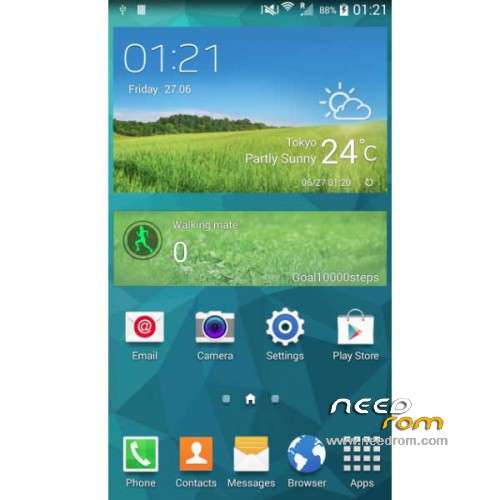
ROM Mobiles HDC Real 1:1 S5 G9006V– ROM Android 4.4.2
ONLY MT6592
Update Official ROM HDC and Real 1:1 S5 G9006V Version: A215_MULA_4G_V1.0_V01_2014-08-25 – KOT49H
Install with SP MDT:
1). Turn off the smartphone. Cable is not connected to the computer.
2). Remove the battery and insert it again
3). Connect your phone to a computer cable. The operating system detects a new device
4). Disconnect the cable from the computer.
5). Run SPMultiPortFlashDownloadProject.exe
6). Choose Database Factory menu> Configuration File data source and specify the file MTK_DATABASE.mdb (it is in the folder SP_MDT).
7). Choose File> Open File Agent download and specify the file MTK_AllInOneDA.bin (it is in the folder SP_MDT).
8). Click File and select the MT6592_Android_scatter.txt file (it's in the folder with the rom).
9). Click "Start all".
10). Connect your phone to a computer cable. The program should see and blink. If the phone is not detected, then unplug it from the computer, remove and insert the battery and reconnect it to the computer.
11). After (OK) click Stop and disable any phone.
12). Completed.
———————————————————————————————————————————————————————-
Official ROM HDC and Real 1:1 S5 G9006V Version: A215_MULA_4G_V1.0_V01_2014-07-19 – KOT49H
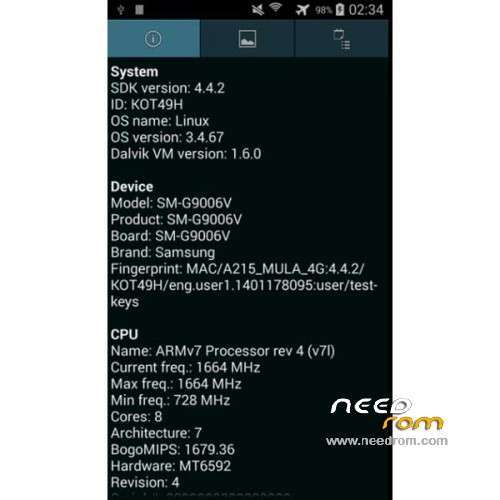
MT6592 + 720×1280 + 8G Rom + 1G Ram + single sim
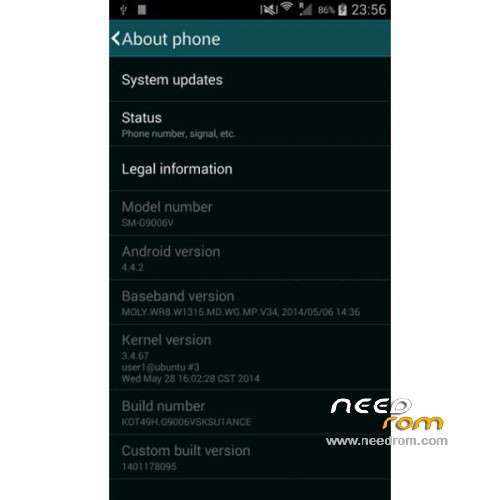
CPU: MTK6592 Octa core @ 1.7 GHz
Android: 4.4.2 KitKat
Baseband: MOLY.WR8.W1315.MD.WG.MP.V34 (2014/05/06)
Kernel: 3.4.67 user1@ubuntu #3 (2014/05/28)
Build Number: KOT49H.G9006VSKSU1ANCE
Gapps include – No Rooted
Language support: Multilang
Install ROM :
- Unpack FlashTools, and Click on Flash_tool.exe
- Select a the MT6592_Android_scatter.txt in ROM
- Wait file to be added into Flash Tool
- choose Option->USB Model,click USB Model
–> Choose Option->DA DownLoad All->Speed->High Speed, click High Speed
- Turn off your phone
- "Press F9 (hit Download button)" OR " if upgrade ROM Firmware->Upgrade "
- and connect your phone into the computer via USB data cable.
- The process will start and a red progress bar will appear after color purple, yellow.
- And green circles display
- Finish !
- You can now safely disconnect your phone and turn it on.
※Please make a backup of your device before installing or updating ROM
Hello
thanks you for this rom
with custom rom ?
thanks in advance
hello this Rom comprises applying apk smart remote?
thanks
How to root this Firmware ?
Why still release un-rooted firmware ?
It is not easily rooted, as none of the automated rooting tools support it yet. You should be able to do it manually be editing the ROM with MTK Droid Tools, I think.
This ROM does include the Smart Remote app just like the old ROM does. However, it's the same version and still crashes when you select LG as the TV manufacturer.
This ROM includes new features. For example, Power Saving mode now works, whereas before, enabling it did nothing. Also, when the phone is unpluigged from the charger or a computer, you are given a reminder to close the cover for USB charging port.
I do not know what else has changed as there is no changelog for the updated ROM, and what I've posted above are the changes I've noticed so far.
With just a few 3rd party apps installed (so far), this updated ROM is running smoothly with no slowdowns at all.
hi i have
Hardware : MT6592
Model : SM-G9006V
Build number : KOT49H.G9006VSKSU1ANCE
Build date UTC : 20140618-033905
Android v : 4.4.2
Baseband v: MOLY.WR8.W1315.MD.WG.MP.V34, 2014/05/06 14:36
Kernel v : 3.4.67 (user1@ubuntu) (gcc version 4.7 (GCC) ) #1 SMP Wed Jun 18 11:36:46 CST 2014
dual sim
it would suit me?
It is impossible to root! How to be ROOT? Thank you
GReat rom!!!
to root it watch this : http://youtu.be/s66e-kwvKUU
thanks for video…root cell g9006v!
I have a really silly question – will this work on a non-HDC phone? reason for asking all my specs etc match that of the original post (apart from ram and rom)
ie: CPU: MTK6592 Octa core @ 1.7 GHz
Android: 4.4.2 KitKat
Baseband: MOLY.WR8.W1315.MD.WG.MP.V34 (2014/05/06)
Kernel: 3.4.67 user1@ubuntu #3 (2014/05/28)
Build Number: KOT49H.G9006VSKSU1ANCE
all match perfectly.
The camera burst mode is not working, it says "Does not support continuous shot", anyone facing same issue with me ? how to fix it ?
The root of G9006v with 1GB-8GB real aki mtk6592 is very easy
Download this: https://mega.co.nz/#!ltwHwLzD!.....jrvB026k0_6GK0s
recovery and use SPFlash tools for flashing. After that, download the SuperSU here
http://download.chainfire.eu/4.....perSU-v2.00.zip
and flash it.
Thanks
Thanks for that. I have now finally rooted my phone.