
- Title: HDC/1:1 S5 G9006V
- Listed: July, 2014
- Last modified: 09/02/2014 7:41 pm
- Version: ROM Android 4.4.2
You must be logged for ROM download.
56973 total views, 3 today
11 Total favorites
 Member Info
DESCRIPTION
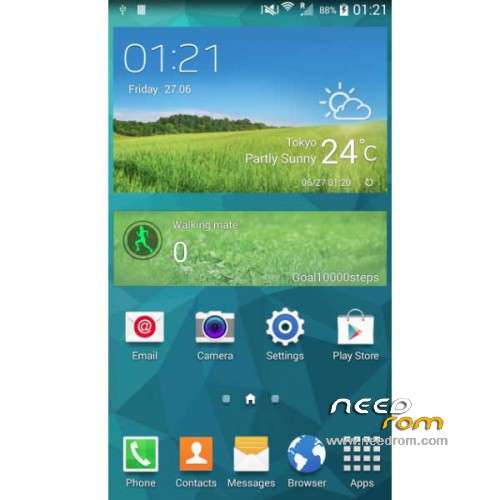
ROM Mobiles HDC Real 1:1 S5 G9006V– ROM Android 4.4.2
ONLY MT6592
Update Official ROM HDC and Real 1:1 S5 G9006V Version: A215_MULA_4G_V1.0_V01_2014-08-25 – KOT49H
Install with SP MDT:
1). Turn off the smartphone. Cable is not connected to the computer.
2). Remove the battery and insert it again
3). Connect your phone to a computer cable. The operating system detects a new device
4). Disconnect the cable from the computer.
5). Run SPMultiPortFlashDownloadProject.exe
6). Choose Database Factory menu> Configuration File data source and specify the file MTK_DATABASE.mdb (it is in the folder SP_MDT).
7). Choose File> Open File Agent download and specify the file MTK_AllInOneDA.bin (it is in the folder SP_MDT).
8). Click File and select the MT6592_Android_scatter.txt file (it's in the folder with the rom).
9). Click "Start all".
10). Connect your phone to a computer cable. The program should see and blink. If the phone is not detected, then unplug it from the computer, remove and insert the battery and reconnect it to the computer.
11). After (OK) click Stop and disable any phone.
12). Completed.
———————————————————————————————————————————————————————-
Official ROM HDC and Real 1:1 S5 G9006V Version: A215_MULA_4G_V1.0_V01_2014-07-19 – KOT49H
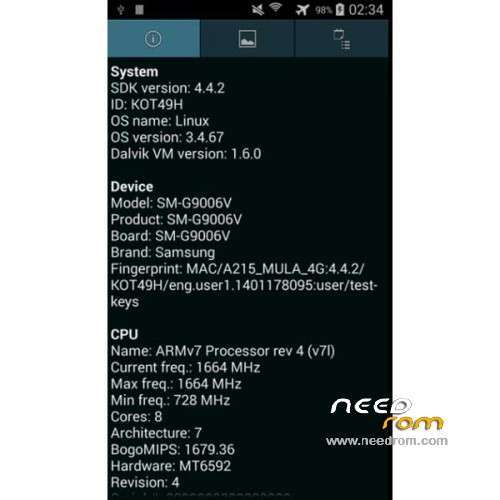
MT6592 + 720×1280 + 8G Rom + 1G Ram + single sim
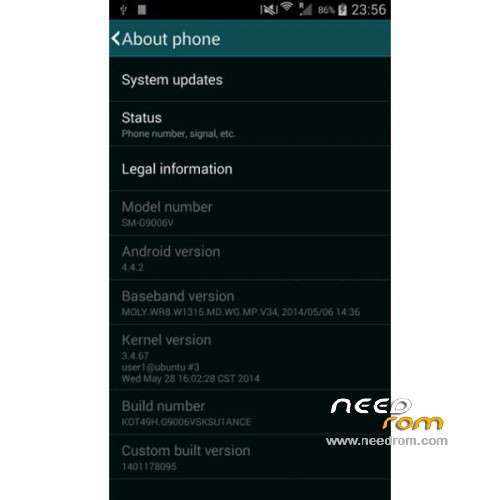
CPU: MTK6592 Octa core @ 1.7 GHz
Android: 4.4.2 KitKat
Baseband: MOLY.WR8.W1315.MD.WG.MP.V34 (2014/05/06)
Kernel: 3.4.67 user1@ubuntu #3 (2014/05/28)
Build Number: KOT49H.G9006VSKSU1ANCE
Gapps include – No Rooted
Language support: Multilang
Install ROM :
- Unpack FlashTools, and Click on Flash_tool.exe
- Select a the MT6592_Android_scatter.txt in ROM
- Wait file to be added into Flash Tool
- choose Option->USB Model,click USB Model
–> Choose Option->DA DownLoad All->Speed->High Speed, click High Speed
- Turn off your phone
- "Press F9 (hit Download button)" OR " if upgrade ROM Firmware->Upgrade "
- and connect your phone into the computer via USB data cable.
- The process will start and a red progress bar will appear after color purple, yellow.
- And green circles display
- Finish !
- You can now safely disconnect your phone and turn it on.
※Please make a backup of your device before installing or updating ROM
Can't find the disable vibration when call is connected, radio does not respond to headset buttons as in the previous firmwares.
thanks i try it,,,
Thank you very mach
thanks..
thank bro,work for me
THANKS SIR