
- Title: HDC/1:1 S5 G9006V
- Listed: July, 2014
- Last modified: 09/02/2014 7:41 pm
- Version: ROM Android 4.4.2
You must be logged for ROM download.
56623 total views, 2 today
11 Total favorites
 Member Info
DESCRIPTION
ROM Mobiles HDC Real 1:1 S5 G9006V– ROM Android 4.4.2
ONLY MT6592
Update Official ROM HDC and Real 1:1 S5 G9006V Version: A215_MULA_4G_V1.0_V01_2014-08-25 – KOT49H
Install with SP MDT:
1). Turn off the smartphone. Cable is not connected to the computer.
2). Remove the battery and insert it again
3). Connect your phone to a computer cable. The operating system detects a new device
4). Disconnect the cable from the computer.
5). Run SPMultiPortFlashDownloadProject.exe
6). Choose Database Factory menu> Configuration File data source and specify the file MTK_DATABASE.mdb (it is in the folder SP_MDT).
7). Choose File> Open File Agent download and specify the file MTK_AllInOneDA.bin (it is in the folder SP_MDT).
8). Click File and select the MT6592_Android_scatter.txt file (it's in the folder with the rom).
9). Click "Start all".
10). Connect your phone to a computer cable. The program should see and blink. If the phone is not detected, then unplug it from the computer, remove and insert the battery and reconnect it to the computer.
11). After (OK) click Stop and disable any phone.
12). Completed.
———————————————————————————————————————————————————————-
Official ROM HDC and Real 1:1 S5 G9006V Version: A215_MULA_4G_V1.0_V01_2014-07-19 – KOT49H
MT6592 + 720×1280 + 8G Rom + 1G Ram + single sim
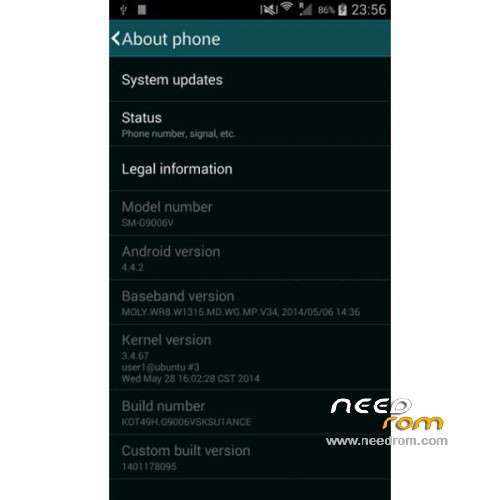
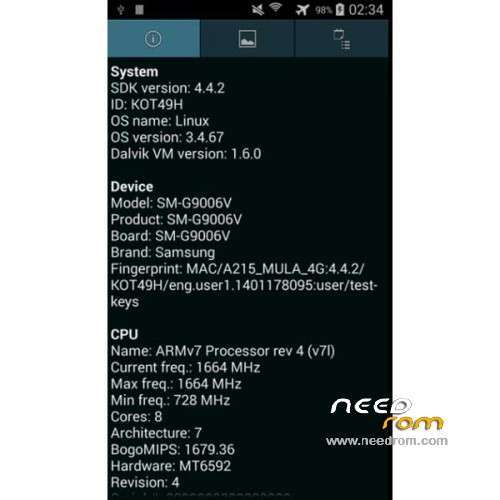
CPU: MTK6592 Octa core @ 1.7 GHz
Android: 4.4.2 KitKat
Baseband: MOLY.WR8.W1315.MD.WG.MP.V34 (2014/05/06)
Kernel: 3.4.67 user1@ubuntu #3 (2014/05/28)
Build Number: KOT49H.G9006VSKSU1ANCE
Gapps include – No Rooted
Language support: Multilang
Install ROM :
- Unpack FlashTools, and Click on Flash_tool.exe
- Select a the MT6592_Android_scatter.txt in ROM
- Wait file to be added into Flash Tool
- choose Option->USB Model,click USB Model
–> Choose Option->DA DownLoad All->Speed->High Speed, click High Speed
- Turn off your phone
- "Press F9 (hit Download button)" OR " if upgrade ROM Firmware->Upgrade "
- and connect your phone into the computer via USB data cable.
- The process will start and a red progress bar will appear after color purple, yellow.
- And green circles display
- Finish !
- You can now safely disconnect your phone and turn it on.
※Please make a backup of your device before installing or updating ROM
hello i installed this rom but the network is not working pls help me
hi this rom was not installon my phone the tool asking the PMT what i do pls help me
I try to install this ROM ( the updated one ) but why when i check on phone information ( about phone ) its not same like your screenshot ?
mine shows .
Model Number : A215_MULA_4G
Android Version : 4.4.2
Baseband : I9500XXUAMDK
Kenel Version : 3.4.5-526212 se.infra@SEP-111 #1 Tue Apr 23 23:00:57 KST 2013
Build Number : A215_MULA_4G_V1.0_V01_2014-08-25_12:04:01
Custom BUild Ver : 1408939339
Am i missed something ?
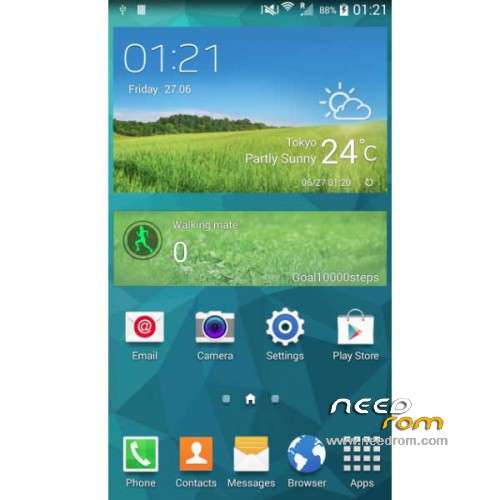
The screenshots have been not been updated, they are showing a previous ROM. What your phone is showing that the new ROM is installed.
mine shows the same, but no SIM has not service now
Help!
Anyone know if this would work on a hdc g900h 2gb 8gb mtk 6592.
Thanks in advance.
HELLO.
MY DEVICE:
Hardware : MT6592 DUAL SIM
Model Number : SM G9006V
Android Version : 4.4.2
Baseband Version : G9006VVZNU1AND1
Kenel Version : 3.4.0-965559dpi@SWDD561# 1 WED Apr 02
15:17:34 KST 2014
Build Number : KOT49H.G9006VSKSU1ANCE
Custom BUild Ver : 1406129219
THIS FIRMWARE TO IT?
Hi phone turn in brick after flashing – no service found.
your ROM seems to be same as mine. Can you give me a backup copy of your ROM?
thanks.
hello
my device:
Model number: GT-I9600
Android version :4.4.2 but really is 4.2.2
Baseband version : i9600xxUAMDE
Kernel version :3.4.5 linux@Xzserver #1 Fri Apr 4 18:04:05 CST 2014
Build number : JDQ39.I9600ZSUAMDF
Custom build version : Galaxy.20140404.A9FM.V019
when i connect it with pc computer says but when i connect with play store there says vodafone alps gt-I9600
can someone tell me if i can install this rom to my galaxy s5 clone ?
computer says MT65xx
Is this real kit kat?
Yes it is real KitKat. You can verifiy this by installing Google Camera (which does not work with earlier versions of Android).
Great Rom, fast and stable! .
.
Only one thing…I added my google account and it works, but when I look under Settings->Accounts I cannot see my account to specify the sync settings.
This is also for WhatsApp. The accounts are added and working, but not visible
Anyone the same problem….and the solution?
Thanx in advance.
Is it support for MHL ?????
Is there a dialcode to set the 4G icon back to 3G?
I edited the systemUI.apk icon files, but it won't work (i think because of the odex file).
The systemUi is not loaded anymore.
Tried with SYSTEMUI ICONS but it doesn't change them…..
Try entering *#364015# in the dialer