
- Title: HDC/1:1 S5 G9006V
- Listed: July, 2014
- Last modified: 09/02/2014 7:41 pm
- Version: ROM Android 4.4.2
You must be logged for ROM download.
56975 total views, 5 today
11 Total favorites
 Member Info
DESCRIPTION
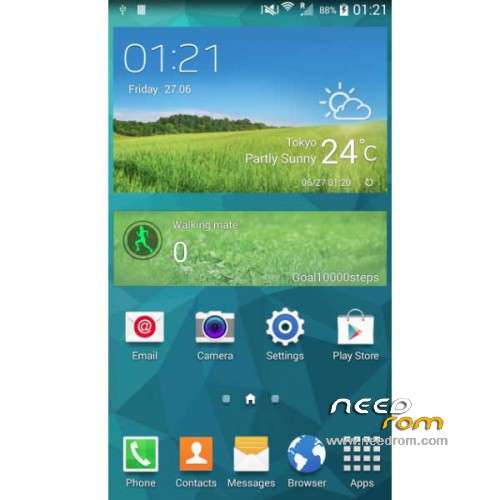
ROM Mobiles HDC Real 1:1 S5 G9006V– ROM Android 4.4.2
ONLY MT6592
Update Official ROM HDC and Real 1:1 S5 G9006V Version: A215_MULA_4G_V1.0_V01_2014-08-25 – KOT49H
Install with SP MDT:
1). Turn off the smartphone. Cable is not connected to the computer.
2). Remove the battery and insert it again
3). Connect your phone to a computer cable. The operating system detects a new device
4). Disconnect the cable from the computer.
5). Run SPMultiPortFlashDownloadProject.exe
6). Choose Database Factory menu> Configuration File data source and specify the file MTK_DATABASE.mdb (it is in the folder SP_MDT).
7). Choose File> Open File Agent download and specify the file MTK_AllInOneDA.bin (it is in the folder SP_MDT).
8). Click File and select the MT6592_Android_scatter.txt file (it's in the folder with the rom).
9). Click "Start all".
10). Connect your phone to a computer cable. The program should see and blink. If the phone is not detected, then unplug it from the computer, remove and insert the battery and reconnect it to the computer.
11). After (OK) click Stop and disable any phone.
12). Completed.
———————————————————————————————————————————————————————-
Official ROM HDC and Real 1:1 S5 G9006V Version: A215_MULA_4G_V1.0_V01_2014-07-19 – KOT49H
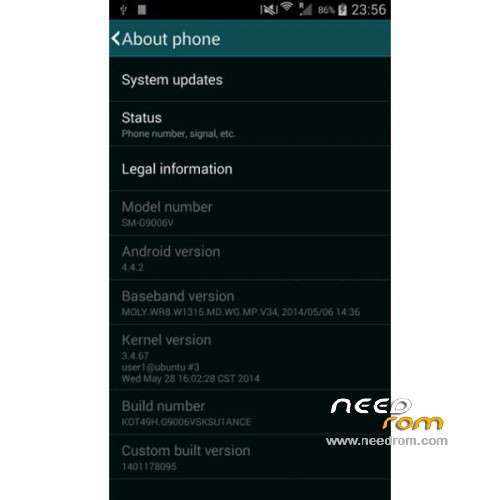
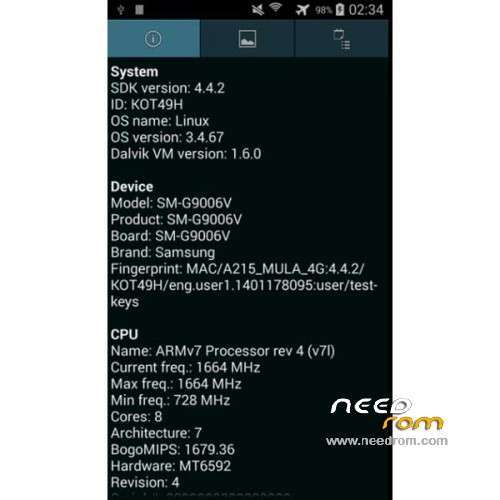
MT6592 + 720×1280 + 8G Rom + 1G Ram + single sim
CPU: MTK6592 Octa core @ 1.7 GHz
Android: 4.4.2 KitKat
Baseband: MOLY.WR8.W1315.MD.WG.MP.V34 (2014/05/06)
Kernel: 3.4.67 user1@ubuntu #3 (2014/05/28)
Build Number: KOT49H.G9006VSKSU1ANCE
Gapps include – No Rooted
Language support: Multilang
Install ROM :
- Unpack FlashTools, and Click on Flash_tool.exe
- Select a the MT6592_Android_scatter.txt in ROM
- Wait file to be added into Flash Tool
- choose Option->USB Model,click USB Model
–> Choose Option->DA DownLoad All->Speed->High Speed, click High Speed
- Turn off your phone
- "Press F9 (hit Download button)" OR " if upgrade ROM Firmware->Upgrade "
- and connect your phone into the computer via USB data cable.
- The process will start and a red progress bar will appear after color purple, yellow.
- And green circles display
- Finish !
- You can now safely disconnect your phone and turn it on.
※Please make a backup of your device before installing or updating ROM
Any new rom for this model?
Or custom rom?
how to swap internal to sd card from this room ? internal phone is to small for my obb games , if any have an idea please release jellybean for 1:1 g9006v octacore please ^_^
You mean root? Is posibble and simple with ibaby rom, you have it i section hdc s5.
Great rom!!!thank you guys,also got rooted with spflash tool,flash a cwm recovery and then flash the su.zip like the guy named cpiafro tells us how to do in the first page of comments..thank you Cpiafro!
It's OK horvalos
Athens-Greece
ακομα τιποτα με το gps μονο με ιντερνετ και αν … το θεμα ειναι να μπορει χωρις ιντερνετ .. καμια ιδεα ??
kai ego apo ellada magkes,dn ksero gt vgazei kypro,isos logo sundesis me cyta..ontos maniki ayto to gps alla ntaksei zoyme k xoris ayto..
mobile uncle tools dokimases?
Perfect ROM on G9006V.
Someone knows how to restore s*****g logo on boot?
Thanks in advance.
Thank you. When the new update?
Anybody try to install MIUI on this device?