
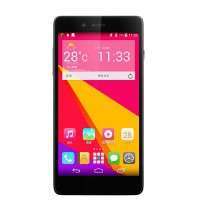
- Title: InFocus M512
- Listed: July, 2014
- Last modified: 07/22/2014 5:05 pm
- Version: ROM Android 4.4.2
You must be logged for ROM download.
39415 total views, 7 today
8 Total favorites
CUSTOM

 Member Info
DESCRIPTION
ROM Mobile InFocus M512 – ROM Android 4.4.2
Features ROM:
Based on Official ROM InFocus M512 version: 15CN_1_03A
Gapps include - Rooted
Language support : Multliang
Install ROM :
used InFocus_M512_15CN_1_03A.cmd for install
※Please make a backup of your device before installing or updating ROM
How is cmd method? I can´t find pc recognize the phone. thanks a lot
Double click infocus cmd file for execute.
Before run infocus cmd file go to settings in your device > about phone > tap about 7 times build number. Now you’ll have developer options. Settigs > developer options > USB debugging (must be active).
For recognize you must install drivers (connect phone and windows autorun will show you setup.exe). After that you can use MTP (maybe MPT? I dont remember) or mass storage option for SD explore.
worked like a charm!!!! can you provide the update.zip released by infocus?!!!! theres a new update from this version
It worked for me too, now the phone is rooted, but let me ask you a question, does your m512 sync satellites? Mine does not, when I try with gps test app, it always shows "IN VIEW" 0 "IN USE" 0. I have already done a factory reset.
mine works 100% fine!!! it syncs very fast
Hello, when i run InFocus_M512_15CN_1_03A国际版 then the phone restarts.
In the cmd box comes a error "wainting for device"
What do i wrong?
i dont understand How to installer
the phone seems to have a newer update 15CN_1_080. But, when i update it, it goes into recovery and installation fails. Any ideas whats up with the update.
Go to https://www.google.com/android...../devicemanager and delete your device. It will “reboot” (just wait), then you can update (superSU remains installed)
yes that updade allways fails!!! dont know why, and really dont care cause it runs fine
I did this update by putting the zip in my external sd, and then dialed *#*#874#*#*. It showed me that the update was ready to install, then the phone restarted in recovery, installed succesfully, but then I saw it had only english/chinese languages… so I decided to flash this rom rooted, but I tell you, I did this before flash this rooted rom…
@jackgar, it seems the update is only for non european versions… that why it gaves and error….
But in my case I was able to install it, but before rooting, that may be the reason for the error…
Someone install custom recovery?