
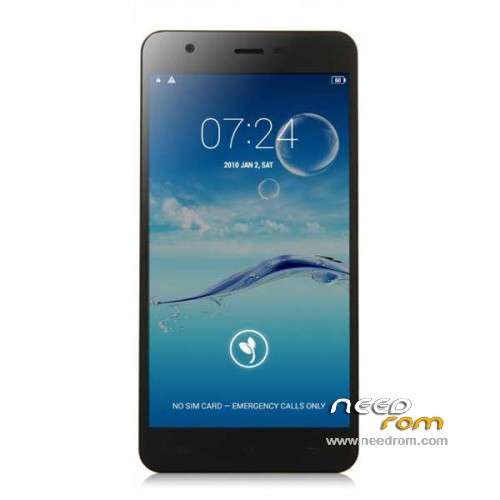
- Title: JIAYU S3
- Listed: January, 2015
- Last modified: 05/08/2015 7:28 pm
- Version: ROM Android 4.4.4
You must be logged for ROM download.
259218 total views, 15 today
217 Total favorites
 Member Info
DESCRIPTION
ROM Phone JIAYU S3 – ROM Android 4.4.4
ONLY MT6752
Update ROM 1 - S3S 20150507-083407- mt6752_h560_s3s_jyt_cc_128-24_kk_lte_5m-cs_tphone – KTU84P – Advanced – 3G Ram – no gapps – Multilang
Install Flash or OTA
———————————————————————————————————————————————————————————
Update ROM 2 – S3 20150430-131240 – mt6752_h560_s3_jyt_cc_kk_lte_5m-cs_tphone – KTU84P – Basic – 2G Ram - no gapps – Multilang
Install Flash or OTA
———————————————————————————————————————————————————————————
Update ROM 1 – S3S 20150411-154516 – mt6752_h560_s3s_jyt_cc_128-24_kk_lte_5m-cs_tphone – KTU84P – Advanced – 3G Ram – no gapps – Multilang
Install Flash or OTA
———————————————————————————————————————————————————————————
Update ROM 2 – S3 20150411-155027 – mt6752_h560_s3_jyt_cc_kk_lte_5m-cs_tphone – KTU84P – Basic – 2G Ram - no gapps – Multilang
Install Flash or OTA
———————————————————————————————————————————————————————————
ROM 4 – S3SW 20150314-141844 – mt6752_h560_s3sw_jyt_cc_128-24_kk_lte_5m-cs_mul_tphone – KTU84P – Advanced – 3G Ram – gapps – Multilang
———————————————————————————————————————————————————————————
Update ROM 2 – S3 20150319-073039 – mt6752_h560_s3_jyt_cc_kk_lte_5m-cs_tphone – KTU84P – Basic – 2G Ram - no gapps – Multilang
You've a Tuto for install
———————————————————————————————————————————————————————————
Update ROM 1 – S3S 20150127-151447 – mt6752_h560_s3s_jyt_cc_kk_lte_5m-cs_ldata_tphone – KTU84P – Advanced – 3G Ram – no gapps – Multilang
Update ROM 2 – S3 20150204-161147 – mt6752_h560_s3_jyt_cc_kk_lte_5m-cs_tphone – KTU84P – Basic – 2G Ram - no gapps – Multilang
Update ROM 3 – S3W 20150205-141543 – mt6752_h560_s3w_jyt_cc_kk_lte_5m-cs_mul_tphone – KTU84P – Basic – 2G Ram - gapps – Multilang
———————————————————————————————————————————————————————————
ROM 3 – S3W 20150123-225823 – mt6752_h560_s3w_jyt_cc_kk_lte_5m-cs_mul_tphone – KTU84P – Basic – 2G Ram
ONLY WCDMA
Gapps include – No Rooted
Language support: Multilang
———————————————————————————————————————————————————————————
Update ROM 2 – S3 20150120-121651 – mt6752_h560_s3_jyt_cc_kk_lte_5m-cs_tphone – KTU84P – Basic – 2G Ram
———————————————————————————————————————————————————————————
Official ROM JIAYU S3 version :
ATTENTION Two version :
ROM 1 – S3S 20150113-142450 – mt6752_h560_s3s_jyt_cc_kk_lte_5m-cs_ldata_tphone – KTU84P – Advanced – 3G Ram
ROM 2 – S3 20150117-172407 – mt6752_h560_s3_jyt_cc_kk_lte_5m-cs_tphone – KTU84P – Basic – 2G Ram
Gapps not include – No Rooted
Language support: Multilang
Install ROM :
- Unpack FlashTools, and Click on Flash_tool.exe
- Select a the MT6752_Android_scatter.txt in ROM
- Wait file to be added into Flash Tool
- choose Option->USB Model,click USB Model
–> Choose Option->DA DownLoad All->Speed->High Speed, click High Speed
- Turn off your phone
- "Press F9 (hit Download button)" OR " if upgrade ROM Firmware->Upgrade "
- and connect your phone into the computer via USB data cable.
- The process will start and a red progress bar will appear after color purple, yellow.
- And green circles display
- Finish !
- You can now safely disconnect your phone and turn it on.
※Please make a backup of your device before installing or updating ROM
New System UI from Jiayu
http://bbs.ejiayu.com/thread-1.....262812-1-1.html
Download:
Brush driver and utility software: http://pan.baidu.com/s/1kT7pmB.....1
good domain S3 high version of the new UI wire brush package: http://pan.baidu.com/s/1qWJW39.....M extract Password: u7xg
Looks like Jiayu made factory rom from this TF rom :)
https://www.needrom.com/downlo.....ooee-rom-v1-tf/
Is there a ROM which extends the battery life?
is your battery life bad? how bad?
System programs consume too much.I erased the firmware when your restore IMEI as its probyval through engineering menu did not work as a change IMEI?
Well the GPS works very good, as proof look at this photo (P.S.: don't mind the bug report … it is hard to take an screenshoot with the silicone case on the phone
  ), btw this screenshoot it is made after maximum 2 minutes after i started iGo
One small problem that i found is with the face camera… the face front camera is ok, works great, but when you make an "selfie" the photo is saved in mirror ( the left side becomes the right side … for those who don't understand )
What IGO version you have?
I have iGO primo israel 9.6.29.390522 and he positioned me off the road.
lollipo news??? or Rom 4 update ?
Has anybody noticed OTG does not work on the newest version, 2GB version?
Hello,
I need to install international version ROM with gapps for 3gb version, yet I cannot use flashtool because of the driver not working. Can I install ROM 4 for OTA installation or is it flashing only?
Thanks!
ROM 4 Rules.
I finally decided to do it. I had a chinese version (ROM 1 – S3S 20150113-142450) with Gapps added by myself and I've had some problems with it. One that got on my nerve was, that I couldn't connect contact with my google contacts. I could do it with linkedin, facebook, etc, but not with google contacts. Once I've upgraded to ROM 4, all those problems are gone. Also All my data are gone – do a backup of your valuble selfies and stuff .
.
For all of you that can't decide on doing it, as I couldn't – just do it. It's well worth doing it although it took me another 20 hours to install all my apps and accounts and other fancy stuff I use.
Few other thoughts: Don't use Windows 10. It doesn't work on. I've succeeded with Windows 7. Another thing is Drivers. You can get those at Jiayu.es, but the chrome reports that google has detected some virus on the page. So I've used their(jiayu.es) android APP found on google play. There you can download drivers safely. No virus there. Unpack the drivers somewhere, switch off the phone, connect the switched off phone to the computer, "reinstall" drivers through device manager". Then folow the instruction found up here on this page.
ROM 4 is the one to go with if you're from Europe and you have the 3GB version, that is The Advanced version of the Jiayu S3.
[...] ROM 4 is the one to go with if you're from Europe and you have the 3GB version, that is The Advanced version of the Jiayu S3.[...]
I agree, and if you are handy, you can incrementally apply S3S updates, that is: only change what changed.
Hi,
If someone could explain this to me, I'd appreciate it:
1 – Unpack FlashTools, and Click on Flash_tool.exe Do I run the exe that's on my PC or the one that's on my phone? Because if I use the one on my phone it crashes when I turn my phone off at step 5.
2 – Select a the MT6752_Android_scatter.txt in ROM Selected the one that's on my phone
3 – Wait file to be added into Flash Tool Loads perfectly fine
4 a – choose Option->USB Model,click USB Model I expect this talks about the "connection" tab -> select USB and NOT UART
b –> Choose Option->DA DownLoad All->Speed->High Speed, click High Speed Checked both of these
5 – Turn off your phone Now when I turn off my phone and hit the download button for the next step it crashes.
6 – "Press F9 (hit Download button)" OR " if upgrade ROM Firmware->Upgrade " Flash tool crashes when I do this. — Also when I load Flashtool from my computer and select the scatter.txt file in the ROM in my phone OR the file txt file that I have on my computer, and then continue to turn of my phone and hit the download button, it doesn't do anything when I connect my phone via USB (in step 7).
7 – and connect your phone into the computer via USB data cable.
8 – The process will start and a red progress bar will appear after color purple, yellow. In no way do I get any starting processes or colored bars.
9 – And green circles display
10 – Finish !
- You can now safely disconnect your phone and turn it on.
Please Help! Thanks!