
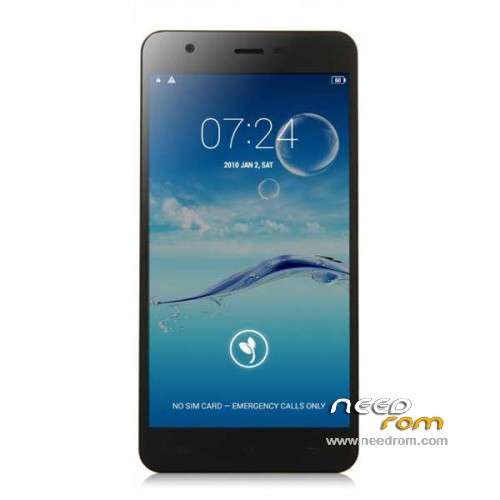
- Title: JIAYU S3
- Listed: January, 2015
- Last modified: 05/08/2015 7:28 pm
- Version: ROM Android 4.4.4
You must be logged for ROM download.
259220 total views, 17 today
217 Total favorites
 Member Info
DESCRIPTION
ROM Phone JIAYU S3 – ROM Android 4.4.4
ONLY MT6752
Update ROM 1 - S3S 20150507-083407- mt6752_h560_s3s_jyt_cc_128-24_kk_lte_5m-cs_tphone – KTU84P – Advanced – 3G Ram – no gapps – Multilang
Install Flash or OTA
———————————————————————————————————————————————————————————
Update ROM 2 – S3 20150430-131240 – mt6752_h560_s3_jyt_cc_kk_lte_5m-cs_tphone – KTU84P – Basic – 2G Ram - no gapps – Multilang
Install Flash or OTA
———————————————————————————————————————————————————————————
Update ROM 1 – S3S 20150411-154516 – mt6752_h560_s3s_jyt_cc_128-24_kk_lte_5m-cs_tphone – KTU84P – Advanced – 3G Ram – no gapps – Multilang
Install Flash or OTA
———————————————————————————————————————————————————————————
Update ROM 2 – S3 20150411-155027 – mt6752_h560_s3_jyt_cc_kk_lte_5m-cs_tphone – KTU84P – Basic – 2G Ram - no gapps – Multilang
Install Flash or OTA
———————————————————————————————————————————————————————————
ROM 4 – S3SW 20150314-141844 – mt6752_h560_s3sw_jyt_cc_128-24_kk_lte_5m-cs_mul_tphone – KTU84P – Advanced – 3G Ram – gapps – Multilang
———————————————————————————————————————————————————————————
Update ROM 2 – S3 20150319-073039 – mt6752_h560_s3_jyt_cc_kk_lte_5m-cs_tphone – KTU84P – Basic – 2G Ram - no gapps – Multilang
You've a Tuto for install
———————————————————————————————————————————————————————————
Update ROM 1 – S3S 20150127-151447 – mt6752_h560_s3s_jyt_cc_kk_lte_5m-cs_ldata_tphone – KTU84P – Advanced – 3G Ram – no gapps – Multilang
Update ROM 2 – S3 20150204-161147 – mt6752_h560_s3_jyt_cc_kk_lte_5m-cs_tphone – KTU84P – Basic – 2G Ram - no gapps – Multilang
Update ROM 3 – S3W 20150205-141543 – mt6752_h560_s3w_jyt_cc_kk_lte_5m-cs_mul_tphone – KTU84P – Basic – 2G Ram - gapps – Multilang
———————————————————————————————————————————————————————————
ROM 3 – S3W 20150123-225823 – mt6752_h560_s3w_jyt_cc_kk_lte_5m-cs_mul_tphone – KTU84P – Basic – 2G Ram
ONLY WCDMA
Gapps include – No Rooted
Language support: Multilang
———————————————————————————————————————————————————————————
Update ROM 2 – S3 20150120-121651 – mt6752_h560_s3_jyt_cc_kk_lte_5m-cs_tphone – KTU84P – Basic – 2G Ram
———————————————————————————————————————————————————————————
Official ROM JIAYU S3 version :
ATTENTION Two version :
ROM 1 – S3S 20150113-142450 – mt6752_h560_s3s_jyt_cc_kk_lte_5m-cs_ldata_tphone – KTU84P – Advanced – 3G Ram
ROM 2 – S3 20150117-172407 – mt6752_h560_s3_jyt_cc_kk_lte_5m-cs_tphone – KTU84P – Basic – 2G Ram
Gapps not include – No Rooted
Language support: Multilang
Install ROM :
- Unpack FlashTools, and Click on Flash_tool.exe
- Select a the MT6752_Android_scatter.txt in ROM
- Wait file to be added into Flash Tool
- choose Option->USB Model,click USB Model
–> Choose Option->DA DownLoad All->Speed->High Speed, click High Speed
- Turn off your phone
- "Press F9 (hit Download button)" OR " if upgrade ROM Firmware->Upgrade "
- and connect your phone into the computer via USB data cable.
- The process will start and a red progress bar will appear after color purple, yellow.
- And green circles display
- Finish !
- You can now safely disconnect your phone and turn it on.
※Please make a backup of your device before installing or updating ROM
I uploaded ROM 3 – JIAYU S3 – Update 02/05/2015 to my phone and can I confirm that it works great and has google apps and google store.
Any difference compared to the non update ROM 3?
Can someone explain steps how to install needed drivers before flashing?
Drivers are from http://pan.baidu.com/s/1jGvcBj.....g
Try the following:
Open the Windows device manager before connecting the (turned off) phone. After connecting it, you will probably see a device without a driver pop up for a few seconds. Right click it before it disapears and install the downloaded preloaddriver. The next time flashing should work fine.
"Any difference compared to the non update ROM 3?"
Main difference are gapps included and no china apps – it is European Version.
"
Can someone explain steps how to install needed drivers before flashing?
Drivers are from http://pan.baidu.com/s/1jGvcBj.....g"
I did not install these drivers (I have others) – switch off your phone, then plug it to computers's USB – it should find MK65xx preloader – install correct driver. After that you can start working with Flash Tool
http://thebroodle.com/microsof.....ers-in-windows/
Tested Update ROM 3 and seems fine. 4G is also working.
if you install ADB you won't need to install drivers anymore.
thanks , perfect this update rom 3 , 4G is also working, and it has gapps
janaman with this rom the gps its ok?
yes , i tried it is perfect link
Can someone please tell, are any of these updated roms fixing the battery draining issue? Or calling issue which some of you might have?
Last update should fix issues about battery charge and all issues about sound (speaker, loudspeaker, headset).
About battery drain, try to uncheck "smart battery manager" or something like that (I don't know exact english entry). That algorytm was not so smart: it drains battery and it gets some trouble during charge.
Hi. Help me please. A friend of mine who lives in China bring me the jiayu s3 2gb ram. He bought it from there. How can i install google play store? Please tell me the steps and thank you.
Flash last "S3W" ROM right from here. Use SP Flash Tool (look for instructions by using google)
International version not support TD-SCDMA.3G dont work in China.
Really strange! However, try to enable TD-SCDMA from engineering menu
It is only wcdma version.