
- Title: MIUI V7 for ZP980+
- Listed: September, 2015
- Last modified: 12/09/2016 2:20 pm
- Version: MIUI V7 6.5.19
You must be logged for ROM download.
76526 total views, 18 today
39 Total favorites
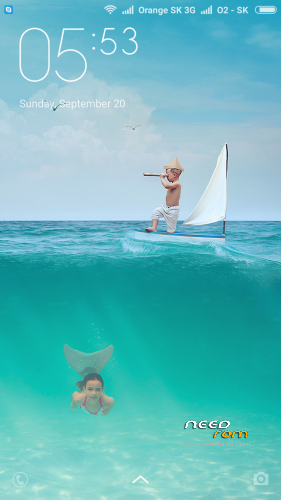
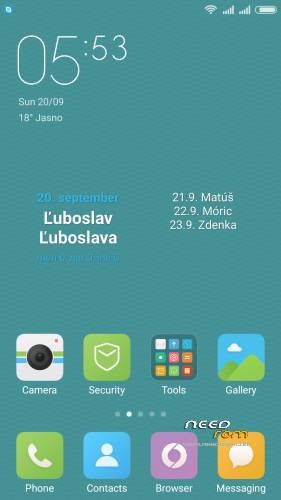
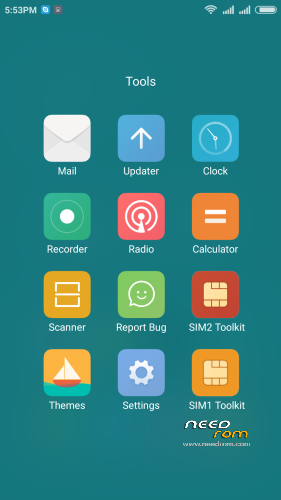
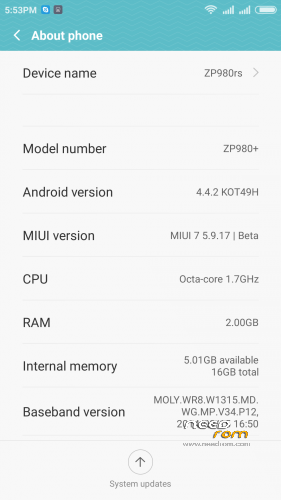
 Member Info
DESCRIPTION
05.21.2016 – added MIUI V7 6.5.19
03.20.2016 – added MIUI V7 6.3.17
01.26.2016 – added MIUI V7 6.1.21
12.29.2015 – added MIUI V7 5.12.24
11.21.2015 – added MIUI V7 5.11.19
ROM is ported from official ROM for Xiaomi Redmi Note 3G (xiaomi.eu_multi_lcsh92_wet_jb9_6.x.x_v7-4.4)
ROM is multi lang.
Please always make backup before install! Flash at your own risk. I am not responsible for bricked devices or any damages caused due to the ROM.
For first Installation:
1. Download the. zip file and put it in to internal memory,
2. Go to Recovery – recomended TWRP 2.8.1, or newer
3. Do factory reset (wipe Data, System, Davlik cache, Cache),
4. Reboot recovery,
5. Select Install – choose zip file with ROM,
6. After install reboot your device.
For update from my previous version of MIUI V6, V7:
1. Download the. zip file and put it in to internal memory,
2. Go to Recovery – recomended TWRP 2.8.1, or newer
3. Select Install – choose zip file with ROM,
4. After install, do cache and dalvik wipe only, then reboot your device.
For backup and restore lost IMEI look at here: http://tvoje.blogspot.sk/
※Please make a backup of your device before installing or updating ROM
jede erdenkliche sprache aber wo ist die deutsche?
Good day sir Norton, Avien is my Son, we have 2 Zopo ZP980+ 2gb Ram and 16gb int. memomry, yesterday and today i tried again flashing your ROM (TWRP 2.8.1.0), for 5 times as of today, but still same problem as avien said to you, root is now ok and sms. the problem i can not solve is the memoryreader (reads internal memory very low and IMEI, I already backup IMEI before with Mobile Uncle and MTK droid Tools, but it didn't work when i restore,also in *#*#3646633#*#*(radio info). I do a full wipe, i tried a lot of wiping but still the same proble. When i flash to original OS and other custom rom Mobile Uncle works for the IMEI. Please help me with this 2 problems(IMEI, memory reader), I like your custom rom so much. By the way I use V 5.7.3 and 5.7.26 first installation. Do I need install first your older version to solve this problem? Please help. Thanks in advance and for your quick response.
ja imei ist bei mir auch weg
habe versucht mit tools apps wie chamelephone oder bb imei generator aber das geht nicht. dazu muss das gerät gerootet sein. jaja da staune auch ich denn es ist doch gerootet. zumindest muss ja irgendwo eine einstellung sein.
ich habe auch versuch mit dem mtkdroidtool auch dort gibt es fehlermeldungen.
schade ich kann kein englisch und daher ist es für mich noch viel schwerer eine lösung für die fehlende imei zu finden.
hat oder besser hatte denn jemand dasgleiche problem? und eventuell eine lösung?
mfg
habe leider das gleiche problem… habe meine imei.bak auch eingespielt – kein erfolg -.-
DON'T FLASH!!
With the ZP980+ (2GB/16GB) you will lose your IMEI and you can't access internal storage….
d3s4nn,
Good Day,
What do you mean do not Flash, can you help me step by step how to install this ROM, as of now i am using Jiayu G6. I install this rom for how many times but my problem is always IMEI and memory. Please help. Thanks in advance.
look here http://tvoje.blogspot.sk/
hey avien,
I mean that you rather don't flash this rom, cuz it killed my COMPLETELY NVRAM partition, and my IMEI backup was useless!!!
I had to use Factory Tools of MEDIATEK in chinese to write a new NVRAM partition with my IMEI, I spent 8 hours to get my phone working again…
Now I'm on stock firmware 4.2.2 JB
d3s4nn,
can you help me step by step how to back to original my NVRAM partition and how to download and use Factory tools? Again thank you very much in advance.
Hello
I have Problem, that I can´t found root in the menu
MIUI is rooted. root managing is in – Security – Permissions – Root access. Here you can enable or disable root access for aplications.
The phone is still un root
help me plase
I send you PM.
Installed the last version (MIUI V7, 28/08/2015), but there's absolutely NO WAY to restore my IMEI… I tried all of the methods said in the link in the description, and i also tried mtk tools, but i absolutely can't restore it… Is there any way to avoid to overwrite the IMEI, so i can just keep the original one?
Installed this rom yesterday and it works great! I didnt't have issues with IMEI or any at all. I was using Jiayu G6 port when I have decided to install this rom.
Here's what I did:
0. Make backup of your current rom.
1. Copy the rom miui_multi_zp980_5.8.27_v7-4.4 to your SD Card.
2. Reboot your phone to recovery mode (mine was CWM).
3. Do factory reset /wipe all (Format). (No need to wipe Dalvik & Cache).
4. Reboot your phone to normal mode and configure initial/basic android settings (sim/WIFI/etc.).
4. Reboot your phone to recovery mode again.
5. Install the rom from your SD Card.
6. Reboot and your done
Hey testprod did you use the recovery from the g6 rom ?
After installing Google Play service error, after update everything ok.
No error IMEI.
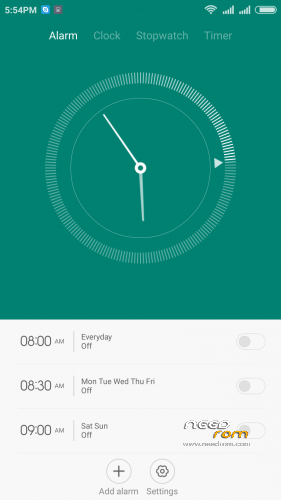
Small errors in time setting and date setting display alarm clock / calendar..