
- Title: MIUI V7 for ZP980+
- Listed: September, 2015
- Last modified: 12/09/2016 2:20 pm
- Version: MIUI V7 6.5.19
You must be logged for ROM download.
76516 total views, 8 today
39 Total favorites

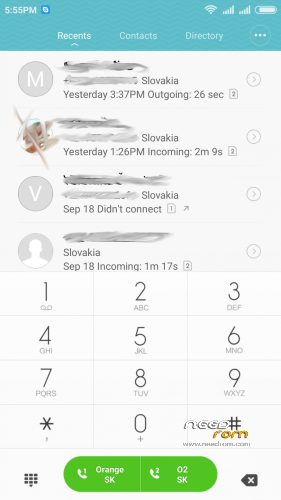
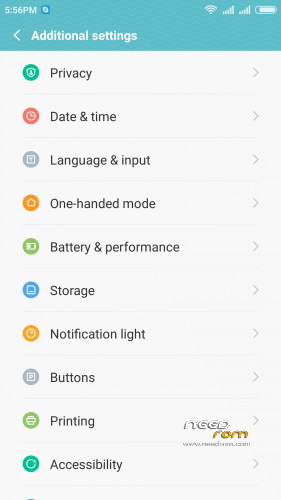
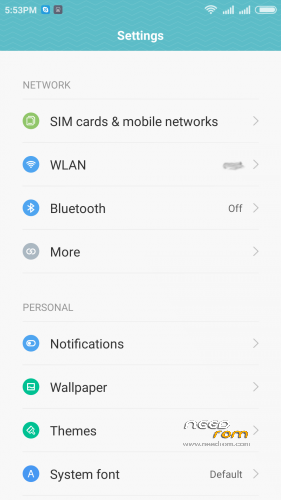
 Member Info
DESCRIPTION
05.21.2016 – added MIUI V7 6.5.19
03.20.2016 – added MIUI V7 6.3.17
01.26.2016 – added MIUI V7 6.1.21
12.29.2015 – added MIUI V7 5.12.24
11.21.2015 – added MIUI V7 5.11.19
ROM is ported from official ROM for Xiaomi Redmi Note 3G (xiaomi.eu_multi_lcsh92_wet_jb9_6.x.x_v7-4.4)
ROM is multi lang.
Please always make backup before install! Flash at your own risk. I am not responsible for bricked devices or any damages caused due to the ROM.
For first Installation:
1. Download the. zip file and put it in to internal memory,
2. Go to Recovery – recomended TWRP 2.8.1, or newer
3. Do factory reset (wipe Data, System, Davlik cache, Cache),
4. Reboot recovery,
5. Select Install – choose zip file with ROM,
6. After install reboot your device.
For update from my previous version of MIUI V6, V7:
1. Download the. zip file and put it in to internal memory,
2. Go to Recovery – recomended TWRP 2.8.1, or newer
3. Select Install – choose zip file with ROM,
4. After install, do cache and dalvik wipe only, then reboot your device.
For backup and restore lost IMEI look at here: http://tvoje.blogspot.sk/
※Please make a backup of your device before installing or updating ROM
Strange. Have you tried to take out the battery, connect the phone to the power cable, push volume up button and then, with volume up button pressed, press also the power button. Hold them both a few seconds and you should enter recovery
Ok, got into recovery finally, Vol+ and then Power. Re-read the instructions and figured out I didm't follow them!!!! Doh!!! So did it all again and no problems.
Hi pmerril, do you have also the IMEI problem solved now? If so, what are the steps you take?
IMEI was ok when I first rebooted but the second time I rebooted it was gone. In addition, entering engineering mode was not possible. I got in with Mobile Uncle but when I tried AT Command Tool I got the message "Unfortunately, the process com.android.phone has stopped."
Under the Connectivity page, CDS Information is grayed out, so I can now not set the IMEI number. This obviously is pretty bad.
Yes indeed. I have had the same issue without any solution yet. So i hope someone have a solution how to fix. I i find something i let you know.
Is it just me or is this last version bit hungry for memory …
The other thing that I believe is causing a problem is that the phone is NOT rooted. I don't think Mobile Uncle works if the phone is not rooted. What's the root process?
MIUI is rooted. root managing is in – Security – Permissions – Root access. Here you can enable or disable root access for aplications.
something about IMEI. IMEI information is stored on NVRAM (located in data/nvram/md/NVRAM/NVD_IMEI) and a file called MP0B_001. The IMEI lost problem is mostly caused by wiping / corruption of the data partition. Also info about radio/IMEI is in folders protect_f/md/ and protect_s/md/ – here is two files MP0D_000 and ST33A004. There is a possible way how to restore IMEI – from your working ROM you have to copy/backup those files from protect_f/md/ folder (or entire folder "protect_f") to safe place (ie. SDcard), after you flash new ROM and your IMEI is lost copy those two files back to root folder in flash storage of your phone. Don't forget set the right permissions of those files (rw-rw— , 0660). Of course you need root explorer or something similar to do this.
Norton, in case I don't have these files anymore. I assume they are not created when one flashes a 4.4.2 stock (which I can now do reliably). Can these files be sourced anywhere so that I can load them in and then change my IMEI? Could someone send me a copy of theirs?
When you say a full wipe from TWRP what exactly does than mean? There are many tick boxes to select which ones need to be selected?
Ok, seems I may have stuffed the phone and the SIM. I have restored stock 4.4 on the Zopo but there is no IMEI number and I can't seem to get one into it using any of the application mentioned (MobileUncle, etc). I've been switching the SIM between the Zopo and an old Samsung and it now seems that the old Samsung won't connect to the mobile network. I've read somewhere that if your not careful you can disable the SIM somehow.
My question at this stage is, can I restore the IMEI number without having a SIM in the phone at all? Are there any suggestions as to how this may be done?
Ok, got the SIM back but effectively the phone is dead. I can boot into TWRP and boot into MIUI but I cannot reset the IMEI. I've tried MIUI and stock but no luck, the IMEI cannot be set. While MIUI was running it was ok. I noted a little slower than stock but pretty fast. However, beware, some of the ZOPO's seem to have a problem (perhaps a different hardware version, not sure). But mine is now useless and I'm on the hunt for a new phone. Sigh.
I had the problem with the version 5.5.8, but flashing back the stock ad described in a post below, I restored everything. Afterward I installed version 5.4.29 and then only updates beginning with version 5.5.15. and didn’t have bigger problems.
Still open is that apps that don’t request root permissions can’t write on SD card, battery indicator while charging with phone off is not indicated rightly, have to test WiFi tethering n new version.
Look for a program called:
IMEI&SNWriter V1.5.3
I have used this program to "write back" my IMEI numbers. Make sure you have root and USB Debugging is enabled
Root can be obtained with a program called VRoot / iRoot