
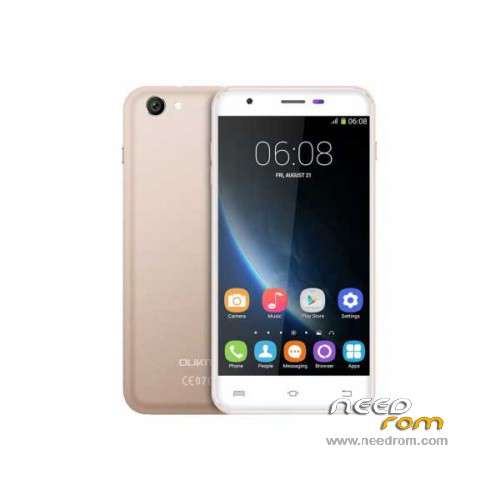
- Title: Oukitel U7 Pro
- Listed: November, 2015
- Last modified: 09/21/2016 1:40 am
- Version: ROM Android 5.1
You must be logged for ROM download.
43541 total views, 1 today
35 Total favorites
 Member Info
DESCRIPTION
ROM Mobile Oukitel U7 Pro – ROM Android 5.1
ONLY MT6580
Update Official ROM Oukitel U7 Pro version: T825W_648_AW_OUKITEL_U7PRO_V2.12 – full_w825_648_aw_loq_oukitel-user 5.1 LMY47I - ONLY DDR2
—————————————————————————————————————————————————————————————————-
Official Update ROM Oukitel U7 Pro version: T825W_648_AW_OUKITEL_U7PRO_DDR3_V2.1_20160708 – full_w825_648_aw_loq_oukitel_ddr3-user 5.1 LMY47I - ONLY DDR3
—————————————————————————————————————————————————————————————————-
Official ROM Oukitel U7 Pro version: T825W_648_AW_OUKITEL_U7PRO_DDR3_V1.9_20160627 – full_w825_648_aw_loq_oukitel_ddr3-user 5.1 LMY47I - ONLY DDR3
—————————————————————————————————————————————————————————————————-
Official ROM Oukitel U7 Pro version: T825W_648_AW_OUKITEL_U7PRO_V2.8 – full_w825_648_aw_loq_oukitel-user 5.1 LMY47I - ONLY DDR2
Gapps include – No Rooted
Language support: Multilang
Install ROM:
Install with SP MDT:
1). Turn off the smartphone. Cable is not connected to the computer.
2). Remove the battery and insert it again
3). Connect your phone to a computer cable. The operating system detects a new device
4). Disconnect the cable from the computer.
5). Run SPMultiPortFlashDownloadProject.exe
6). Choose File> Open File Agent download and specify the file MTK_AllInOneDA.bin (it is in the folder SP_MDT).
7). Click Scatter File and select the MT6580_Android_scatter.txt file (it's in the folder with the rom).
8). Click "Start all".
9). Connect your phone to a computer cable. The program should see and blink. If the phone is not detected, then unplug it from the computer,
remove and insert the battery (if the battery is removable) and reconnect it to the computer.
10). After (OK) click Stop and disable any phone.
11). Completed.
※Please make a backup of your device before installing or updating ROM
Hello Oukitel U7Pro out of the box was a version 1.9. You have version 2.1. Where can I download the version 1.9? There is a suspicion that the 2.1 is not working correctly camera flash.send to mrschkodnik@gmail.com
wait few hours and i'll uploaded 1.9
Hi, I have 1.9 version and flash does not work properly. It seems that problem with flast begun after I installed google camera. Pictures in the dark are totally black.
Hello, can you help me? I cannot flast the ROM since I am receiving error message: COM ports number repetitive or invalid, Brom and Preloader have the same comport number….
has anyone been able to get otg adapters to work with the microusb port?
same here… COM ports number repetitive or invalid…
hi.i follow the instructions but nothing.my phone not recognised .all the drivers are installed and I cannot flast the ROM since I am receiving error message: COM ports number repetitive or invalid, Brom and Preloader have the same comport number….
to flash new rom or old rom .. do not use the flashing tool come with the firmware it just dose not work , instaed use SP Flash Tool , just google it , i have made a youtube tutorial to how to root and install recovery on the u7 pro and included the flashing tool . check it out
https://www.youtube.com/watch?.....eature=youtu.be
thx root tool works on U7 PRO V2.8
Question for SPMultiPortFlashDownloadProject tool. The default option is "Format and Download All". Just wondering will that option format your NVRam too?
In a version 2.8 touch don't work where i can fin the version 2.9 or resolve this problem?? thanks a lot
Hi,
after trying to install xposed Framework, the phone is now bootlooping.
I can use TWRP so i removed the Xposed Framework via Deinstaller Zip, but it is not possible for me to install the Rom from PC.
Is it possible to flash the rom with TWRP?
Or may be someone have a Backup, that i can flash via TWRP?
Would be nice.
Greetings