
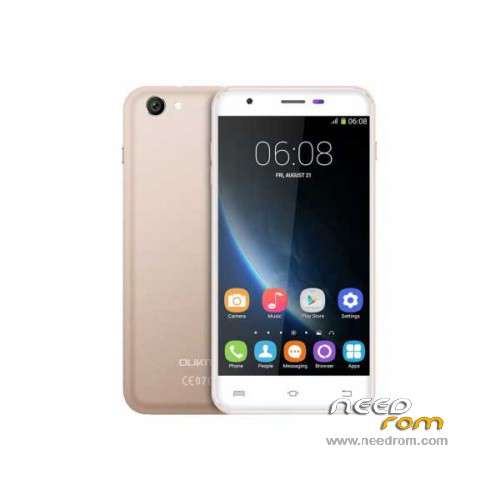
- Title: Oukitel U7 Pro
- Listed: November, 2015
- Last modified: 09/21/2016 1:40 am
- Version: ROM Android 5.1
You must be logged for ROM download.
43542 total views, 2 today
35 Total favorites
 Member Info
DESCRIPTION
ROM Mobile Oukitel U7 Pro – ROM Android 5.1
ONLY MT6580
Update Official ROM Oukitel U7 Pro version: T825W_648_AW_OUKITEL_U7PRO_V2.12 – full_w825_648_aw_loq_oukitel-user 5.1 LMY47I - ONLY DDR2
—————————————————————————————————————————————————————————————————-
Official Update ROM Oukitel U7 Pro version: T825W_648_AW_OUKITEL_U7PRO_DDR3_V2.1_20160708 – full_w825_648_aw_loq_oukitel_ddr3-user 5.1 LMY47I - ONLY DDR3
—————————————————————————————————————————————————————————————————-
Official ROM Oukitel U7 Pro version: T825W_648_AW_OUKITEL_U7PRO_DDR3_V1.9_20160627 – full_w825_648_aw_loq_oukitel_ddr3-user 5.1 LMY47I - ONLY DDR3
—————————————————————————————————————————————————————————————————-
Official ROM Oukitel U7 Pro version: T825W_648_AW_OUKITEL_U7PRO_V2.8 – full_w825_648_aw_loq_oukitel-user 5.1 LMY47I - ONLY DDR2
Gapps include – No Rooted
Language support: Multilang
Install ROM:
Install with SP MDT:
1). Turn off the smartphone. Cable is not connected to the computer.
2). Remove the battery and insert it again
3). Connect your phone to a computer cable. The operating system detects a new device
4). Disconnect the cable from the computer.
5). Run SPMultiPortFlashDownloadProject.exe
6). Choose File> Open File Agent download and specify the file MTK_AllInOneDA.bin (it is in the folder SP_MDT).
7). Click Scatter File and select the MT6580_Android_scatter.txt file (it's in the folder with the rom).
8). Click "Start all".
9). Connect your phone to a computer cable. The program should see and blink. If the phone is not detected, then unplug it from the computer,
remove and insert the battery (if the battery is removable) and reconnect it to the computer.
10). After (OK) click Stop and disable any phone.
11). Completed.
※Please make a backup of your device before installing or updating ROM
Same Problem:
"COM ports number repetitive or invalid……"
I tried in different computers….
Help please
encontraste la solucion ???
Hello, please help me ! ! !
Touch screen of my Oukitel U7 Pro doesn't work after 1-2 minute of using. When I tap the screen, it doesn't react. I have to bring out battery and put in again, and click power button – then oukitel works again for 1-2 minute as far as the problem appear again. I upgraded android by automatic updates icon in menu. I think the problem appeared after that.
It's very unpleasant, cause I can't using new smartphone (
(
I will be grateful for any prompts. Greetings guys!
Thanks!!
como le hiciste flash ? a mi me da muchos errores esta inservible el movil
flashed to version 2.8, the phone will not turn on, what to do? error 4032
any solution ? i can`t flash my oukitel u7 pro, many errors with SPflash tool, and the other….

error 4010 – 4008 ……………..
Hi, the price for Oukitel U7 Pro is acceptable. Watch the description video: https://goo.gl/8heVVr, Bu.....t I think there will be better choice for smartphone around 70 USD. My friend suggest me to get Bluboo Maya with 2GB RAM, 16GB ROM, 13MP camera, Android 6.0 OS and same. What do you think?
Thanks… good job
а как с помощью флешки все это установить а то через рекавери захожу.. и ноль.. говорит нет файлов.. что именно закинуть на флешку надо? поскольку теоефон включить не могу,заблокировал.. и комп его не видет
What does it mean DDR2 or DDR3? How can I know which kind I need?
I think it is the type of memoryof teh phone. You can check in the ROM version you already have. I think DDR2 is useless for DDR3 and viceversa. I have opneed a question about it
Thanks for the info @SoCr@Te, I'm far from being an expert but I guess If you r previous ROM is DDR3 you must use DDR3 ROM don't you? Is DDR3 /DDR2 the type of memory u7Pro uses?
Thanks!
Hello fellow ‘Oukitelers’! Please has anyone been able to flash TWRP recovery on their Oukitel U7 Pro DDR3 version? Please upload the recovery and post a link for us so we can begin to port and flash custom ROMs. I’ve never met such a stubborn phone in all my life! It won’t just bulge for recovery with everything I’ve put through. I might as well just drown it in water(ha! ha!