
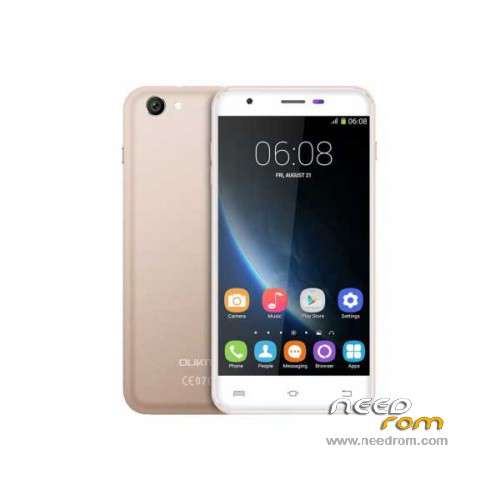
- Title: Oukitel U7 Pro
- Listed: November, 2015
- Last modified: 09/21/2016 1:40 am
- Version: ROM Android 5.1
You must be logged for ROM download.
43542 total views, 2 today
35 Total favorites
 Member Info
DESCRIPTION
ROM Mobile Oukitel U7 Pro – ROM Android 5.1
ONLY MT6580
Update Official ROM Oukitel U7 Pro version: T825W_648_AW_OUKITEL_U7PRO_V2.12 – full_w825_648_aw_loq_oukitel-user 5.1 LMY47I - ONLY DDR2
—————————————————————————————————————————————————————————————————-
Official Update ROM Oukitel U7 Pro version: T825W_648_AW_OUKITEL_U7PRO_DDR3_V2.1_20160708 – full_w825_648_aw_loq_oukitel_ddr3-user 5.1 LMY47I - ONLY DDR3
—————————————————————————————————————————————————————————————————-
Official ROM Oukitel U7 Pro version: T825W_648_AW_OUKITEL_U7PRO_DDR3_V1.9_20160627 – full_w825_648_aw_loq_oukitel_ddr3-user 5.1 LMY47I - ONLY DDR3
—————————————————————————————————————————————————————————————————-
Official ROM Oukitel U7 Pro version: T825W_648_AW_OUKITEL_U7PRO_V2.8 – full_w825_648_aw_loq_oukitel-user 5.1 LMY47I - ONLY DDR2
Gapps include – No Rooted
Language support: Multilang
Install ROM:
Install with SP MDT:
1). Turn off the smartphone. Cable is not connected to the computer.
2). Remove the battery and insert it again
3). Connect your phone to a computer cable. The operating system detects a new device
4). Disconnect the cable from the computer.
5). Run SPMultiPortFlashDownloadProject.exe
6). Choose File> Open File Agent download and specify the file MTK_AllInOneDA.bin (it is in the folder SP_MDT).
7). Click Scatter File and select the MT6580_Android_scatter.txt file (it's in the folder with the rom).
8). Click "Start all".
9). Connect your phone to a computer cable. The program should see and blink. If the phone is not detected, then unplug it from the computer,
remove and insert the battery (if the battery is removable) and reconnect it to the computer.
10). After (OK) click Stop and disable any phone.
11). Completed.
※Please make a backup of your device before installing or updating ROM
First I have installed v1.9 DDR3 but that gave me the test version. Then I have tried v2.1 on my Oukitel u7 Pro which is the best version in my opinion. One disadvantage : you can't root it!
FYI : The DDR3 is way better than DDR2 – better screen and faster (I had them both)
Hello
I just tried all of the ROM above, none of them works perfect … the DDR3 didn't work i can't boot an see nothing on the screen.
The DDR2 works but v2.12 works fine, but i can'T disable the chinese symbol on the bottom (as i read somewhre it means test version)
On the version below 2.12, if i press the volume button "System-UI wurde beendet" it means "System-UI has closed" and the UI restarts.
anyone can help?
you flew IMEI, restore and inscription disappears, or delete a folder on the path writeimei application system / app / writeimei (need root)
v2.12 not work. back to v2.8
I am de acccord with RAKE74 the best version Oukitel U7 Pro – DDR3 – Update V2.1 …
sometimes for do the rom procees you must have sd card inside….
I have problem with mi microphone , somebody can help …
people said that are apps to calibrate sound ouput….
Snapchat & instagram: Anahealings
Soon i would like to but OUKITEL U7 PRO PLUS
Oukitel U7 Pro has a black screen compare to the OUKITEL U7 Plus
Oukitel U7 Plus is slightly faster but is better for gaming and has a better speaker
Do you mean microphone or speaker?
if you have issues with the microphone (people can't hear you over the phone) than you should you into SETTINGS, SOUND & NOTIFICATION, SOUND ENHACEMENT and turn on BESAUDENH
If the speaker is not loud enough you can also turn on BESLOUDNESS
The speaker is really weak on the Oukitel U7 Pro but much better on the Oukitel U7 Plus
There is an app that can boost your volume : VOLUME BOOSTER GOODEV
Hello Rake , i had to come back to version DDR2
now i had problem with batery & yes the speaker ( people cant hear me )
Please help me , i dont find
SOUND ENHACEMENT and turn on BESAUDENH
If the speaker is not loud enough you can also turn on BESLOUDNESS
i have root divice with KINGOROOT
app booster sound etc i have been used to fix .- but still ….. broken , people listen like sounds but not my voice
Anahealings: instagram inbox for contact …..
guys i have a problem while on 1.9 on bottom left corner shows test mode watermark with red letters.
Hola flashee mi oukitel u7 pro con la primera rom que dice oukitel u7 pro porque se me brickeo pero se instalo bien y todo pero ahora no prende ni carga que puedo hacer xd
which rom did you used to flash?
google account
merci