
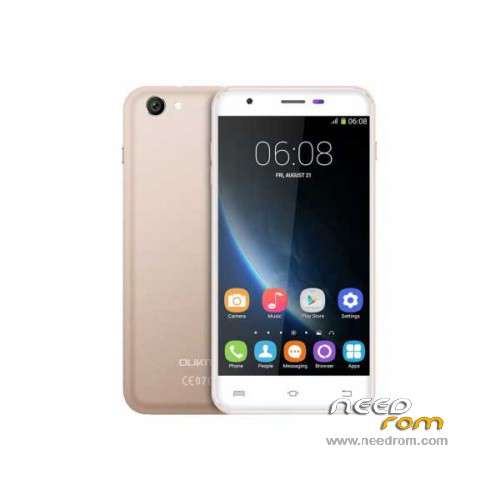
- Title: Oukitel U7 Pro
- Listed: November, 2015
- Last modified: 09/21/2016 1:40 am
- Version: ROM Android 5.1
You must be logged for ROM download.
43542 total views, 2 today
35 Total favorites
 Member Info
DESCRIPTION
ROM Mobile Oukitel U7 Pro – ROM Android 5.1
ONLY MT6580
Update Official ROM Oukitel U7 Pro version: T825W_648_AW_OUKITEL_U7PRO_V2.12 – full_w825_648_aw_loq_oukitel-user 5.1 LMY47I - ONLY DDR2
—————————————————————————————————————————————————————————————————-
Official Update ROM Oukitel U7 Pro version: T825W_648_AW_OUKITEL_U7PRO_DDR3_V2.1_20160708 – full_w825_648_aw_loq_oukitel_ddr3-user 5.1 LMY47I - ONLY DDR3
—————————————————————————————————————————————————————————————————-
Official ROM Oukitel U7 Pro version: T825W_648_AW_OUKITEL_U7PRO_DDR3_V1.9_20160627 – full_w825_648_aw_loq_oukitel_ddr3-user 5.1 LMY47I - ONLY DDR3
—————————————————————————————————————————————————————————————————-
Official ROM Oukitel U7 Pro version: T825W_648_AW_OUKITEL_U7PRO_V2.8 – full_w825_648_aw_loq_oukitel-user 5.1 LMY47I - ONLY DDR2
Gapps include – No Rooted
Language support: Multilang
Install ROM:
Install with SP MDT:
1). Turn off the smartphone. Cable is not connected to the computer.
2). Remove the battery and insert it again
3). Connect your phone to a computer cable. The operating system detects a new device
4). Disconnect the cable from the computer.
5). Run SPMultiPortFlashDownloadProject.exe
6). Choose File> Open File Agent download and specify the file MTK_AllInOneDA.bin (it is in the folder SP_MDT).
7). Click Scatter File and select the MT6580_Android_scatter.txt file (it's in the folder with the rom).
8). Click "Start all".
9). Connect your phone to a computer cable. The program should see and blink. If the phone is not detected, then unplug it from the computer,
remove and insert the battery (if the battery is removable) and reconnect it to the computer.
10). After (OK) click Stop and disable any phone.
11). Completed.
※Please make a backup of your device before installing or updating ROM
Now I have still managed with the Smart Phone Flash Tool.
touch screen of my oukitel u7 pro don't work in lock screen. what i resolve my problem? i flash all rom that are here. help meeeeee
HELLO
I INSTALL 2.8 BUT CANNOT OPEN THE PHONE ASKING PREVIOUS USER GOOGLE ACCOUNT
THANK YOU
Help! come faccio a sapere se il U7 PRO della mia compagna ha DDR2 oppure DDR3?
HELLO
I INSTALL 2.8 BUT CANNOT OPEN THE PHONE ASKING PREVIOUS USER GOOGLE ACCOUNT
so what can i do to fix that issue
THANK YOU
V1.2 old update or new?
how do I know if my oukitel u7 Pro is a DDR2 or DDR3 ?
I do not know if I can install the latest two versions of the ROM
regards
Dear Friends!!!
How I know if my phone (u7 pro) is a DDR2 or DDR3????????
mi movil se ha quededado pegado en la pantalla oukitel
me podeis ayudar a solucionarlo
Gracias
How to enter preloader in my oukitel it is with the battery installed, if anyone removing it does not work