
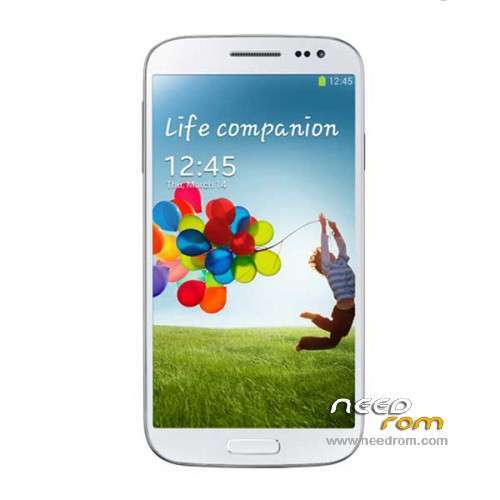
- Title: STAR U9592
- Listed: March, 2014
- Last modified: 03/07/2014 2:26 am
- Version: ROM Android 4.2.2
You must be logged for ROM download.
32672 total views, 6 today
50 Total favorites
 Member Info
DESCRIPTION
ROM Mobiles STAR&Ulefone U9592 – ROM Android 4.2.2
Rom Official STAR U9592 and Ulefone version : 2706_v92_gq3009fw_20140123
MT6592 + 2G Ram + 16G Rom + 854×480 + Dual sim
Gapps include – No Rooted
Language support : Multilang
Install ROM :
- Unpack FlashTools, and Click on Flash_tool.exe
- Select a the MT6592_Android_scatter_emmc.txt in ROM
- Wait file to be added into Flash Tool
- choose Option->USB Model,click USB Model
–> Choose Option->DA DownLoad All->Speed->High Speed, click High Speed
- Turn off your phone, remove the battery.
- "Press F9 (hit Download button)" OR " if upgrade ROM Firmware->Upgrade "
- and connect your phone into the computer via USB data cable.
- The process will start and a red progress bar will appear after color purple, yellow.
- And green circles display
- Finish !
- You can now safely disconnect your phone and turn it on.
※Please make a backup of your device before installing or updating ROM
MTK_Preloader drivers for windows, one of these: https://mega.co.nz/#!2RV0nQAI!.....HdHxNRPCO432JMQ
https://mega.co.nz/#!CIt3iRxK!.....0HQoEXCG4l5NuFU
I have W7 64bit and these drivers work.
Thank you for the driver links. The same drivers I had already. And they worked on my laptop but did not on the PC. (both have the exact same Windows version though)
If I connect the phone to the computer that I used to update the firmware previously, all that happens now is that the computer keeps giving peep sounds that it finds new hardware (continiously). If I look in the window (printers and hardware) I see that it repeats in finding MT65xx preloader and 3 or 4 others and then they disappear again.
It is normal to disappear, (also happens to me) note that this off without battery.
For this reason when you press SCAN must then connect the smartphone.
When the green bar is at 100% off the phone.
You press START port the green bar and reconnect the phone. and load the firmware.
Oke, I tried at a different computer with same Windows 7 version. I got errors on installing the SP 1.5 drivers. Either Windows gave an error at the install screen that it could not find the file or it told me that it was forbidden.
But I just opened the SP program and did the instructions above and the SP program found my phone(Com4). This time I unchecked all the com options and also the "BootRom+Preloader COM Sel All".
This time the flashing worked and my phone is on the 20140318 version.
Now we will see if the charging problems are solved. Beside that problem the phone is really the best dual sim phone I ever had. Fast and limitless for installing apps(huge amount of internal phone storage (3.8Gb free)
Thank you for the support.
I have the same problem that the EMEI numbers are not there. I checked this after I wanted to turn the phone function on and the phone said that there were no sim cards available.(I did put the simcard back in really)
I opened the engineering mode as said in the previous post.
After clicking on the CDS information – Radio information. I have 2 options: Phone 1 or Phone 2
I clicked on Phone 1.
the there is the box for the command. There is already 'AT+' prefilled.
As soon as I type 'EGMR' there is a suggestion for: AT+EGMR=1,7,""
I type in my first EMEI number between the "", but as soon as I click on the 'SEND AT COMMAND' there is a popup message that says; 'AT command is failed to send'.
What can I do?
I tried 'factory reset' , but that does not work. Still error: 'AT command is failed to send'
I tried MTK droid tools. I could click on the 'Edit EMEI' button. I filled in both correct EMEI numbers and clicked to save. MTK droid gave me a message that it was succesfull and that I had to 'Reset'. I clicked on the 'REBOOT' button in MTKdroid. My phone rebooted, but still no EMEI numbers…
it also shows, unkown baseband.
I checked in the NVRAM folder and replaced the MPPB_001 file I had from my backup. But still can not change the EMEI numbers.
It still say; 'AT COMMAND SAVE failed', when I try to safe it.
How can I get my Baseband back?
He repeats the update, I did it with micro sd sim card and placed on the phone. try another usb cable.
I did not have any problem IMEI and Baseband. He left the update successfully.
Important: you have to unzip the application again (SP_MDT_src_v3.1344.00.00-Testversion-2) and not work with that you have used previously, because it keeps the data from the previous project.
Thank you very much @Gcuad. It finally worked out.
I did a fresh install of Windows 7 on a PC and installed only the SP 1.5 drivers from the ule-fone website and I used another usb cable.
Than a fresh unziped version of the SP_MDT_src_v3.1344.00.00-Testversion-2 . Than I did the instructions exactly as you described.
This time I after the yellow bar, I clicked on 'Stop all'(don't know if this makes any difference), then unplugged the usb cable and closed the flash program.
I started the phone without any simcards en no SD card. When started I looked at the phone settings(about the phone) and there was the baseband back. Then I looked at the emei information(also in the about the phone menu) and both simcard numbers were shown. So I did not have to go in engineering mode etc.
I'm really happy! I really think this is the best dual sim phone at the moment! Fast + most memory for installing apps + 5" screen(whick is large enough for me)! And hopefully the battery charging will be correct now!
Thank you!
Ciao,
scrivo in italiano per tentare di spiegarmi meglio.
oggi,mentre era in stand by il cellulare U9592 si è spento e riavviato,dopo di che al riavvio si blocca di continuo e non si riesce a far nulla se non togliere la batteria e riavviare.
Ho scaricato questa rom e caricata nel cellulare,ma si blocca ugualmente.
Facendo un memory test mi dice error:nand flash not detected!
cosa potrei fare?
grazie