
- Title: STAR U9592
- Listed: March, 2014
- Last modified: 03/07/2014 2:26 am
- Version: ROM Android 4.2.2
You must be logged for ROM download.
32674 total views, 8 today
50 Total favorites
 Member Info
DESCRIPTION
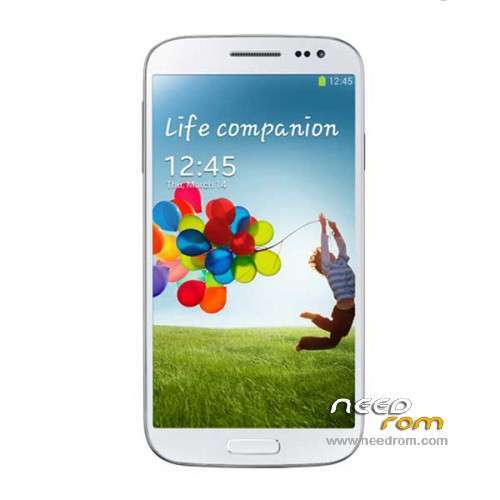
ROM Mobiles STAR&Ulefone U9592 – ROM Android 4.2.2
Rom Official STAR U9592 and Ulefone version : 2706_v92_gq3009fw_20140123
MT6592 + 2G Ram + 16G Rom + 854×480 + Dual sim
Gapps include – No Rooted
Language support : Multilang
Install ROM :
- Unpack FlashTools, and Click on Flash_tool.exe
- Select a the MT6592_Android_scatter_emmc.txt in ROM
- Wait file to be added into Flash Tool
- choose Option->USB Model,click USB Model
–> Choose Option->DA DownLoad All->Speed->High Speed, click High Speed
- Turn off your phone, remove the battery.
- "Press F9 (hit Download button)" OR " if upgrade ROM Firmware->Upgrade "
- and connect your phone into the computer via USB data cable.
- The process will start and a red progress bar will appear after color purple, yellow.
- And green circles display
- Finish !
- You can now safely disconnect your phone and turn it on.
※Please make a backup of your device before installing or updating ROM
Once found the IMEI number (the guide is done on a DualSIM terminal), what we do is enter the terminal engineer menu. To do this we introduce the following code: * # * # 3646633 # * # *. If for some reason your phone will not allowed to enter the engineer mode with this sequence, you can also get this from Uncle Mobile Tools application.
1.-After entering the code to get a screen like this (screen we've seen in other guides):
2.-This time we will slide horizontally to the Connectivity tab.
3.-And select the option: CDS Information (Common Data Service).
4.-On the next screen select the option of Radio information.
In case you have a Dual SIM phone we will ask you about which of the two banks want to work. If you missed the EFS folder, logically you have lost both IMEI, therefore you will have to put first one and then the other. The screen to change the SIM slot one at two is this.
5.-Marked on option 1 or 2 as appropriate and the following screen appears:
6.-Do not worry, I know that this screen looks very complicated, but in principle gives us a little like everything you put. Simply you have to locate the button all the way up which puts SEND AT COMMAND.
7.-After pressing this button will enter the following code:
To change the IMEI 1:
The code to be introduced is the following: AT + EGMR = 1.7, * imei_de_15_dígitos *
To change the IMEI 2:
The code to enter is: AT + EGMR = 1.10 * imei_de_15_dígitos *
Well, have IMEI numbers assigned to your phone again. To go back to the beginning just with the [Back].
If you enter the code * # 06 # us our / s IMEI codes should appear.
Thanks everyone could help.
I have made a backup of the ROM version 20140116 without rooting my Phone, through extracting the scatter file, boot.img and recovery.img and succesfully downloading CWM.
Now I want to upgrade to the 20140318 version, but the SP multi-port download tool v3.1344.00 version from the Ulefone website, but gives me a floating point error. Also when I have found the right comport and click on 'Start ALL' and connect my Smartphone(without battery) I see a red bar for DA and a green bar after a few seconds and then the whole application crashes.
Now I want to do the update with the SP Flash Tool v5.1352.01 and preferably keep my CWM. Can I do this? If Yes, which parts do I have to check/unckeck after loading the scatter file?
I guess you have to uncheck the 'Cache' and 'Userdata' for sure!? (has this to do with the fact that @hacsek and @drejko78 lost their IMEI numbers? If they did not uncheck this 2?
Thank you for your help in advance!
I have made a backup of the ROM version 20140116 without rooting my Phone, through extracting the scatter file, boot.img and recovery.img and succesfully downloading CWM.
Now I want to upgrade to the 20140318 version, but the SP multi-port download tool v3.1344.00 version from the Ulefone website gives me a floating point error. Also when I have found the right comport and click on 'Start ALL' and connect my Smartphone(without battery) I see a red bar for DA and a green bar after a few seconds and then the whole application crashes.
Now I want to do the upgrade with the SP Flash Tool v5.1352.01 and preferably keep my CWM. Can I do this? If Yes, which parts do I have to check/unckeck after loading the scatter file?
I guess you have to uncheck the 'CACHE' and 'USERDATA' for sure!? (has this to do with the fact that @hacsek and @drejko78 lost their IMEI numbers? If they did not uncheck this 2? Maybe I have to uncheck the 'RECOVERY' as well?
Thank you for your help in advance!
I do not know, that application quehacsek performed the upgrade and @ drejko78.
I did the upgrade with (SP_MDT_src_v3.1344.00.00-Testversion-2) and also gave me error floating point and I had no problem.
Possibly they made the upgrade to SP Flash Tools.
Important: you have to unzip the application again (SP_MDT_src_v3.1344.00.00-Testversion-2) and not work with that you have used previously, because it keeps the data from the previous project.
When selecting the scatter file, you have to close the application and reopen it.
Go back out the error mesaje coma, accept.
And without changing any parameters, Preload Port Scan brands. And you close the window.
BootRom select COM + Preloader Sel All (1), tap Scan (2) and connect the phone off (I did without battery, put the Sim and MicroSD).
When loading 100% green press Stop all (3).
4.-uncheck all other ports not detected. And off the phone.
Click Start (4) of the detected port (not Start all). And connect the phone.
When 100% appears DL_OK in yellow is already updated.
You put the battery and start the phone.
And all ok.
P. D. If you close the application and re-open and continuous in point 4 of my comment is blocked.
helo!
Thanks for your help! Has been installed newest fw .Each works well !! Antutu reviews !! 34040
Thank you for your reply. I tried it on a different windows 7 computer.(same version as previous one), but now I ran into the probelem that Windows can't find the drivers needed. I downloaded the SP drivers 1.5, but Windows only searches on the net, and results in the screen below.. (sorry, it is in Dutch, but the Window and icons say enough I think.)
I found out that this doesn't matter. Just scan in SP tool as described in the tutorial and be patient. SP tool will find your phone on one COM port with succes.
Well, I tried it back on my other pc(laptop). This time I got to this last step DL-OK in Yellow. But then I did not know if I could just disconnect the phone or had to click on 'Stop' or 'Stop all' before disconnecting. I just closed the application(SP_MDT_src_v3.1344.00.00-Testversion-2) and unplugged the phone. When exiting the application Windows gave an error that the application was not terminated well or something. I just clicked on 'Close'.
Now my phone does really nothing anymore. The screen stays black when I click on the power button. Even in combination with volume+ or – it does not react. Even when I plug in the charger the charge icon doesn't appear anymore.. (Yes I did put in the battery!) I did not insert a Simcard and also not an SD-card.
Any help would be appreciated. I think it al started that I wanted to be helpfull to one of the other users to export the original 20140116 firmware in my phone. I had to change the recover.img for a CWM version.(which worked well) So I did the update to 20140318 from a 20140116 version with CWM and not rooted. I guess the phone is dead now!? And I can not go back, because the backup is not complete, because the system.img is missing..
I think I know what went wrong and how I bricked my phone.
After the scan I did not uncheck the 'BootRom+Preloader COM Sel All'…
I read somewhere that if you leave the 'preloader' option checked, you will brick your phone. This is a very important step in the update. The MsWord manual that Chaud posted does display the right screenshot with the right setting.
I think if you try it again, you can install the firmware.
But back to unzip the application, clean install.