
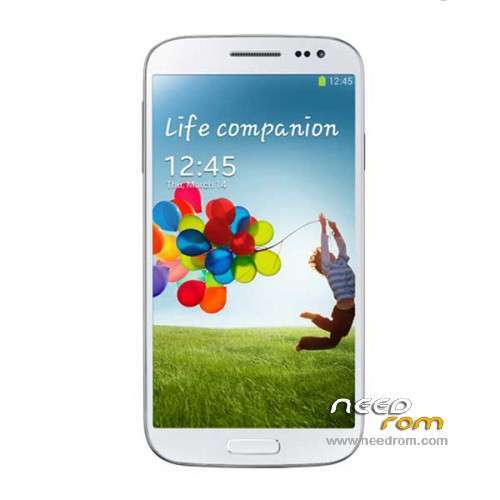
- Title: STAR U9592
- Listed: March, 2014
- Last modified: 03/07/2014 2:26 am
- Version: ROM Android 4.2.2
You must be logged for ROM download.
32672 total views, 6 today
50 Total favorites
 Member Info
DESCRIPTION
ROM Mobiles STAR&Ulefone U9592 – ROM Android 4.2.2
Rom Official STAR U9592 and Ulefone version : 2706_v92_gq3009fw_20140123
MT6592 + 2G Ram + 16G Rom + 854×480 + Dual sim
Gapps include – No Rooted
Language support : Multilang
Install ROM :
- Unpack FlashTools, and Click on Flash_tool.exe
- Select a the MT6592_Android_scatter_emmc.txt in ROM
- Wait file to be added into Flash Tool
- choose Option->USB Model,click USB Model
–> Choose Option->DA DownLoad All->Speed->High Speed, click High Speed
- Turn off your phone, remove the battery.
- "Press F9 (hit Download button)" OR " if upgrade ROM Firmware->Upgrade "
- and connect your phone into the computer via USB data cable.
- The process will start and a red progress bar will appear after color purple, yellow.
- And green circles display
- Finish !
- You can now safely disconnect your phone and turn it on.
※Please make a backup of your device before installing or updating ROM
(With the new update AnTuTu) Con la nueva actualización de Antutú.
Everything works perfect. On E-Compass and Acceleration.
Data from the official brand Ulefone tool.
Not modify any parameters of cameras and screen.
Greetings.
The connection between the USB and Pc always disconnect within two secunds when i try to update the firmware. The phone is rooted with 1.9 framaroot. Please help how to i solve the problem. Thanks!
That's right, the pc detects the phone. With the phone turned off and without battery. And connect the Smartphone to PC.
1 Start the application and seek SmartPhone MDT scatter file updating firmware. Without connecting your smartphone to your PC.
2 Close the application. and re-launch the application and choose the settings for camera sensors and LCD screen, we click Scan Preloader port, We closed window. In the application we click SP_MDT BootRom + Preloader and click Scan.
3 We connect the smartphone via USB to the PC, I detect and activate a COM port and the green bar at 100%. We press all stop and disconnect the smartphone.
4. uncheck all other ports and leave the port only detectado.y press Start port detected and re-connect the Smartphone begin to install the new firmware, when the yellow bar (DL OK) finished. Disconnect the USB
We can now put the battery and start the smartphone.
Tutorial:
http://pan.baidu.com/s/1mgLowE.....Q#comment_panel
@Gcuad, thanks for the tutorial. I didn't understand the one from Ulefone(powerpoint) jet, because it was too much Chinese.
I did not the update jet and am still on the 20140123 version.(original without root)
This week I found that some suspisous apps(gfirewall and gsearch was one of them) that I saw earlier became active and start showing fullscreens Google Adds.
I searched and found a German Forum where someone found that these apps make connections to Chinese websites. Some have more persmissions on your phone than you would want. You can uninstall or block them, but they come back. Also someone else had the experience of new apps that were installed on the phone and started to sent sms messages…
I installed No root Firewall as this was the first Firewall app in the Play store and works for Not rooted phones. Within a couple of minutes I found many apps that wanted to make connection to Chines IP numbers….
I hope that this new ROM (20140318) does not have these apps. Can you please notify it you don't experience these behavior?
Dingy, download the rom was on the official website of the manufacturer.
The rom does not carry any malicious file Adware. The type of adware that is presented in full screen advertising, this advertising the lead free applications. Because of the policy of free android google, that allows it. Even google search it contains advertising of multinationals.
The solution to this type of adware are applications that play have disappeared from store such as (Adfree, F-Droid, Luchy Patcher …) That as block these ads, take away benefits to multinationals.
So no problem with the ROM, it's official.
Upgraded to new current firmware and IMEI no .Please help?
Hi!
Please help me! My IMEI number disapeared after i updated the new firmware, how to get it back?
Thanks!
I have same problem!!! HELP!
Have you done something wrong, I have not had any problems.