
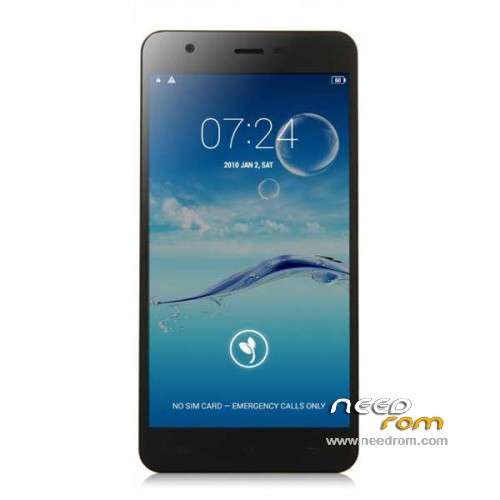
- Title: JIAYU S3
- Listed: January, 2015
- Last modified: 05/08/2015 7:28 pm
- Version: ROM Android 4.4.4
You must be logged for ROM download.
259088 total views, 4 today
217 Total favorites
 Member Info
DESCRIPTION
ROM Phone JIAYU S3 – ROM Android 4.4.4
ONLY MT6752
Update ROM 1 - S3S 20150507-083407- mt6752_h560_s3s_jyt_cc_128-24_kk_lte_5m-cs_tphone – KTU84P – Advanced – 3G Ram – no gapps – Multilang
Install Flash or OTA
———————————————————————————————————————————————————————————
Update ROM 2 – S3 20150430-131240 – mt6752_h560_s3_jyt_cc_kk_lte_5m-cs_tphone – KTU84P – Basic – 2G Ram - no gapps – Multilang
Install Flash or OTA
———————————————————————————————————————————————————————————
Update ROM 1 – S3S 20150411-154516 – mt6752_h560_s3s_jyt_cc_128-24_kk_lte_5m-cs_tphone – KTU84P – Advanced – 3G Ram – no gapps – Multilang
Install Flash or OTA
———————————————————————————————————————————————————————————
Update ROM 2 – S3 20150411-155027 – mt6752_h560_s3_jyt_cc_kk_lte_5m-cs_tphone – KTU84P – Basic – 2G Ram - no gapps – Multilang
Install Flash or OTA
———————————————————————————————————————————————————————————
ROM 4 – S3SW 20150314-141844 – mt6752_h560_s3sw_jyt_cc_128-24_kk_lte_5m-cs_mul_tphone – KTU84P – Advanced – 3G Ram – gapps – Multilang
———————————————————————————————————————————————————————————
Update ROM 2 – S3 20150319-073039 – mt6752_h560_s3_jyt_cc_kk_lte_5m-cs_tphone – KTU84P – Basic – 2G Ram - no gapps – Multilang
You've a Tuto for install
———————————————————————————————————————————————————————————
Update ROM 1 – S3S 20150127-151447 – mt6752_h560_s3s_jyt_cc_kk_lte_5m-cs_ldata_tphone – KTU84P – Advanced – 3G Ram – no gapps – Multilang
Update ROM 2 – S3 20150204-161147 – mt6752_h560_s3_jyt_cc_kk_lte_5m-cs_tphone – KTU84P – Basic – 2G Ram - no gapps – Multilang
Update ROM 3 – S3W 20150205-141543 – mt6752_h560_s3w_jyt_cc_kk_lte_5m-cs_mul_tphone – KTU84P – Basic – 2G Ram - gapps – Multilang
———————————————————————————————————————————————————————————
ROM 3 – S3W 20150123-225823 – mt6752_h560_s3w_jyt_cc_kk_lte_5m-cs_mul_tphone – KTU84P – Basic – 2G Ram
ONLY WCDMA
Gapps include – No Rooted
Language support: Multilang
———————————————————————————————————————————————————————————
Update ROM 2 – S3 20150120-121651 – mt6752_h560_s3_jyt_cc_kk_lte_5m-cs_tphone – KTU84P – Basic – 2G Ram
———————————————————————————————————————————————————————————
Official ROM JIAYU S3 version :
ATTENTION Two version :
ROM 1 – S3S 20150113-142450 – mt6752_h560_s3s_jyt_cc_kk_lte_5m-cs_ldata_tphone – KTU84P – Advanced – 3G Ram
ROM 2 – S3 20150117-172407 – mt6752_h560_s3_jyt_cc_kk_lte_5m-cs_tphone – KTU84P – Basic – 2G Ram
Gapps not include – No Rooted
Language support: Multilang
Install ROM :
- Unpack FlashTools, and Click on Flash_tool.exe
- Select a the MT6752_Android_scatter.txt in ROM
- Wait file to be added into Flash Tool
- choose Option->USB Model,click USB Model
–> Choose Option->DA DownLoad All->Speed->High Speed, click High Speed
- Turn off your phone
- "Press F9 (hit Download button)" OR " if upgrade ROM Firmware->Upgrade "
- and connect your phone into the computer via USB data cable.
- The process will start and a red progress bar will appear after color purple, yellow.
- And green circles display
- Finish !
- You can now safely disconnect your phone and turn it on.
※Please make a backup of your device before installing or updating ROM
Thank you so much for this, flashed it and it works líke a charme Now I have all the google apps working,
good, works fine. but jiayu needs to work on camera a little more
Jiayu is releasing a ROM every 7-10 days … the one with gapps is already old. Take a look to pictures in gizchina.com review. It's not outstanding, but it's noticeable.
Hi, can you tell me exactly how to do the update to ROM3/WCDMA for Jiayu S3.
I will explain what I'm doing and how you could check this.
1. I turn on "superuser" in setings on Jiayu.
2. And turn off my phone.
3. Open flashtool, in tab "download" and I add file scatter…….txt
4. It is exactly 11 files, like: preloader, IK, boot, recovery … – I choose them all.
5. Next I click to "download".
6. Then I put usb cable to phone an wait.
7. Phone turn on and only charge the battery.
What I do wrong ? I need something else to install ?
If yes, can you upload the files for download.
Probably you're missing MTK preloader drivers. I googled a lot and I just found MT65XX family drivers. I didn't understand if they're the same for 67XX family chipset. Anyway, if you want to try them, search for "preloader MT65XX driver" (without quotes)
ooops, may I found newer drivers:
http://www.gizbeat.com/1273/pd.....er-for-windows/
ROM 3 is perfect; GAPPS are all include. I don't try 4G yet but it works perfectly. Chinese apps are removed
@cool 123
I install ROM3 with "firmware upgrad"e in flashtools
Do you activate developper option on your phone?
That's mean that you also included the Preloader file from the ROM3. That's right?
Found a method to install CWM recovery: just use jiayu.es app !!! It looks like it's working
… and , another ROM from Jiayu , distribuited by using OTA, this is copy-paste changelog from google translate:
1. Repair earpiece sound sharp, open, popping and other issues.
2, repair loud speaker sonic boom, and poor sound quality.
3, when the repair part of the machine caller listening echo problems.
4, repair parts of the machine when charging low battery charging slow.
5. Optimized Desktop Caton, WIFI dropped the issue.
6, optimizing several other BUG.
Yes but the update I got did not include Gapps. (I had 20150120-something and it went to 20150204-161147)
So it seems that manually flashing ROM 3 is still the only option. (NB This does not install via the Jiayu original recovery so you need Flashtool. I see there's now a Linux version of this but not a Mac one ).
).
WARNING: the new OTA ROM will reset the phone to factory settings, so make a backup before!
@bendjago: use jiayu.es app to install a CWM recovery. installing gapps from recovery should make the gapps are reteined even after ROM update (maybe non this one, this one will reset everything)
@Demetrio or somebody
Do you have a link for the MTK usb drivers. usable with the S3 and Flashtools
I didn't test it but drivers from http://pdanet.co/ should work
Anyone tested ROM 3 – JIAYU S3 – Update 02/05/2015 ?
Drivers and sptool from Jiayu
http://pan.baidu.com/s/1jGvcBj.....g
merci