
- Title: AOSP v1.8
- Listed: June, 2014
- Last modified: 06/29/2014 12:55 am
- Version: ROM Android 4.4.2
You must be logged for ROM download.
43939 total views, 5 today
2 Total favorites
CUSTOM
 Member Info
DESCRIPTION
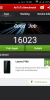
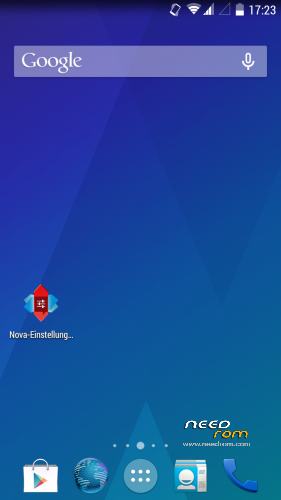
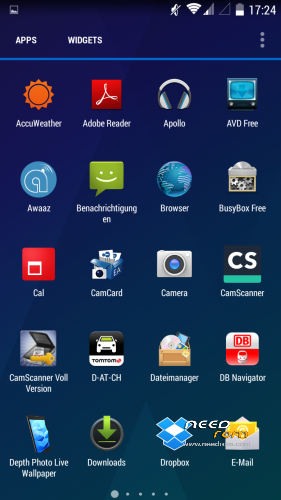
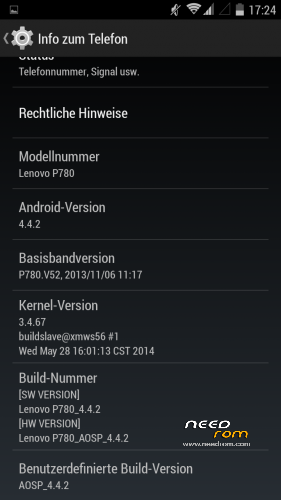
Here is my first posting after I searched a while for a propper 4.4 ROM
I did not create this ROM by myself so give credits to the developer powar19 from 4pda.ru. ( http://4pda.ru/forum/index.php?showuser=3551826)
Original Source ( http://4pda.ru/forum/index.php?showtopic=576986&st=160#entry31923226 )
This ROM needs to be copied on the sd-card and flashed over a chinese ROM-Version.
Until know everything works great and it is multilanguage!
06/28/2014- Update 1.8 added.
※Please make a backup of your device before installing or updating ROM
Okay so I followed your topic, I flashed the chinese rom first without problems, then added the aosp rom v1.7 to the sd card, entered recovery and after install, it showed that the phone lost root and ofered me to fix it, I clicked NO.
After reboot, it shows white LENOVO sign and nothing happens, it is stuck on that.
I think its better to let the recovery fix root.
But that shouldn't be your problem. Maybe you made a dirty install, without wipe?
I tried after rebooting to wipe cache, dalvik cache and factory reset, then reboot again and still blocked on Lenovo. I left phone for more than 20 minutes and still no luck.
Any suggestions guys?
please make your factory reset before installing that rom.
Ok, these are the steps that I did now:
Flashed the chinese rom, started it, it worked.
Than I rebooted to recovery, did a factory reset, cache and dalvik cache reset.
After that I installed the rom via recovery, it didn't work (stuck on lenovo logo again).
Another rom that is similar to this one is working fine: https://www.needrom.com/mobile.....ure-gapps-root/
Any suggestions ? This is not my first time flashing, so I can't see where or what am I doing wrong, it just doesn't work?
I think you have done right. Sorry, I missunderstood your post above.
I have no idea about your problems with that AOSP-Rom, maybe your downloaded .zip is corrupted?
Any error message while flashing?
sorry wrong position ;(
Hmm I don't think that it is corrupted, I downloaded it like 3-4 times.
No errors at all, everything is clean and as it should be, when the flashing finishes it writes Successful.
I can make screenshots if that could help. Is there any way for you to make a image file with mtk droid tools, so I could flash it via SP flash tools?
bruko I have two doubts to clarify
1. Can I flash this ROM without having SD card or without making SD card hosting all the data of phone.
2. Can I successfully use google maps ?
ibrahim52:
sorry for my late answer, I was travelling.
1) I don't know, but it should works.
2) Google Maps works, but not Google Navigation.
I've read from other users with chinese phones and Kitkat-Roms, that they have problems with Google Navigation too.
now after a few days, Google Navigation works fine!
I'm not sure, but I think there was an app-update.
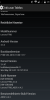
Hey, I have a Lenovo P780 4GB Indian Version which got updated to Android 4.4.2 Two days ago. Below is the Screen Shot of Build Number and etc. Plese tell me the Whole Procedure how to flash your ROM and even does both the Sim Cards work or not ?
Hello,
my problem is, that my calendar dont sychronize with google. Synchronisation with Contacts, picture etc is ok.
I tried to replace it with the google calendar from the play store, but the play store calendar isnt compatible with same user id. i tried to delete the app and all calender.apks from system with titanium or root uninstaller and install the google calender from play store again, but same error message.
I used three aosp versions: 1.7, 1.8 and pyros. Same problems.
All the other features seems to be ok, even the navigation works fine. Pls help. Thx.
Hi Mertin,
"my problem is, that my calendar dont sychronize with google"
Sometimes I had a similar problem after flashing a new rom, it was 2 or 3 times with different roms but not with AOSP.
i started flashing again. chinese s135 then aosp 1.7. everything works fine. calendar sync too. then factoryreset full wipe and flashing 1.8> no sync to the whole google account possible…
strange your problem.
In that case, I would use 1.7, because the difference between that both versions is unimportant.
the problem is the calendar app. i flashed the gapps full modular package (http://forum.xda-developers.co.....d.php?t=2397942) including the google calendar but without replacing the cam cause the lenovo cam doesnt work if u flash other gapps replacing it by google camera. everything is ok. in 2 cases the keyboard doesnt work. i flashed the addon modules google keyboard from this link. everything works.
then i tried other roms. dont like them and want to go back to aosp. but the solution above doesnt work again (connection to google server failure). so i went back to 1.7. right now everything works good.
the only thing is that the connection to the provider (o2 germany) swings a lot beeing at one place. maybe i have to replace the modem.img
any other good modem.img for germany avaiable? th
Can i use this ROM for 8GB version?
If I can, please tell me how to do it