
- Title: AOSP v1.8
- Listed: June, 2014
- Last modified: 06/29/2014 12:55 am
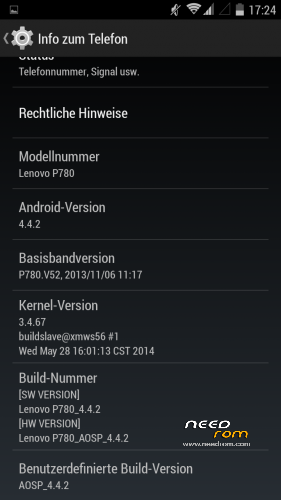
- Version: ROM Android 4.4.2
You must be logged for ROM download.
43939 total views, 5 today
2 Total favorites
CUSTOM
 Member Info
DESCRIPTION
Here is my first posting after I searched a while for a propper 4.4 ROM
I did not create this ROM by myself so give credits to the developer powar19 from 4pda.ru. ( http://4pda.ru/forum/index.php?showuser=3551826)
Original Source ( http://4pda.ru/forum/index.php?showtopic=576986&st=160#entry31923226 )
This ROM needs to be copied on the sd-card and flashed over a chinese ROM-Version.
Until know everything works great and it is multilanguage!
06/28/2014- Update 1.8 added.
※Please make a backup of your device before installing or updating ROM
@bruko I tried this 2 times. No way. In the forum by xda i found 2 other guys with the same problem.
The P780 he owns has a product date 03/2014 with the same build number as me (P780_S136_140306) and he think it is a problem with the preloader.
I don´t know if my P780 has this product date or later. I see only chinese letters.
Thx
maybe it is a good idea to tried first with a rom from the user baralajbi for flash tools.
@stoBer:
Try to flash this ROM first:
http://www.androidfilehost.com.....252070760972494
For me this worked quite well.
Also check that you set up all options in flashtool correct!
Remind to set "force to high-speed" in usb-options and check the box "dl ad all with check sums".
In my case the flash tool and mtkdroidtools work only at my usb 3.0-port.
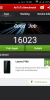
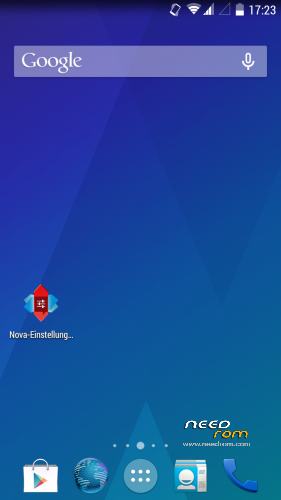
Thanks for the awesome rom. UI is perfect with blazing speed.
I love this rom but can't sign in to my google services such as Playstore and others.
Am also requesting if u could roll a patch for this rom so we can install and also enjoy CM themes in this wonderful rom.
Onces again thanks for the good work.
I installed AOSP 4.4.2 v.1.7 from here over a here mentioned P780_S135_130917_rooted_twrp_gapps.7z and everything runs OK. No extra TRWP recovery software needed, bcoz it is included.
Tried to flash AOSP 4.4.2 v1.8 over the original Chinese stock ROM and over P780_S135_130917_rooted_twrp_gapps.7z here. Both times it was impossible to sign in on my Google account, due to communication problems with Google servers. The problem occures on WLAN as well as on 3G.
@Eded77 any luck figuring this out? I'm having issues with Google sign in too
@strictlyonlinebiz: I installed new gapps from http://forum.xda-developers.co.....d.php?t=2397942 (Google stock package). Works now, except for the cam –> better use the modular package w/o Google Camera, I suppose…
I can't understand your problems. Did you a factory reset / full wipe before flashing AOSP?
Everytime during boot upto the first time my screem is switched off, my screen flashes in a variety of colors and whats supposed to be in the bottom half inch of the screen comes in the top. But, a screenshot of the problematic creen looks just fine. After the screen is locked once, this problem stops but I still experience periodic screen flicker problems. Am I missing something?
@sekman @bruko Thx my friends. I got it I flashed the rom from baralajbi with flashtools. I changed the PRELOADER and changed the recovery.img. I think my P780 is a phone with a production date after 03/2014. With this mobilephone there is a "problem" with the PRELOADER.
Thx for your help!
thank you for your feedback.
The last times I flashed always exlude preloader.
Do i have to install version 1.7 first before 1.8 OR can I just install 1.8 straight away?
shortly no, you can take 1.8 directly. But mind that you have the right base, see the description of sekman.
@@Eded77 There's no gapps for 4.4.2 in the link you provided. Can you give me the direct link to the one you downloaded? Thanks
Ok so here goes, I installed P780_S135_130917_rooted_twrp_gapps.7z booted once and ran setup briefly after which I switched off the phone and flashed AOSP 4.4.2 v.1.7 . Setup went just fine and Google play loaded just fine after which I shut down and installed AOSP 4.4.2 v.1.8.
Everything seems to be working fine with regards to Google play issues I had before. I didn't had to flash gapps at all