
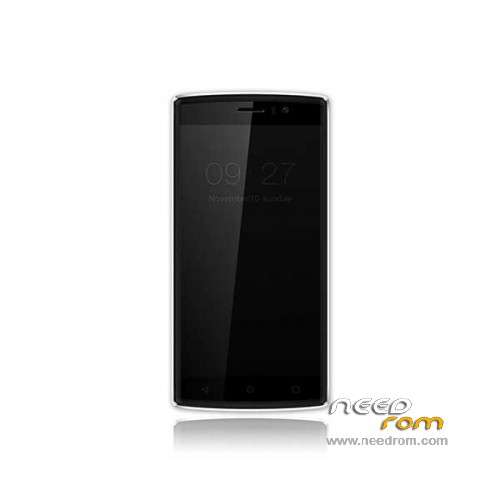
- Title: Doogee X5 Max Pro
- Listed: June, 2016
- Last modified: 03/15/2024 7:53 am
- Version: ROM Android 6.0
You must be logged for ROM download.
76519 total views, 13 today
73 Total favorites
 Member Info
DESCRIPTION
ROM Mobile Doogee X5 Max Pro – ROM Android 6.0
ONLY MT6737M
Update Official ROM Doogee X5 Max Pro version: DOOGEE-X5max_PRO-Android6.0-20180319 – full_n370b-user 6.0 MRA58K
————————————————————————————————————————————————————————————
Update Official ROM Doogee X5 Max Pro version: DOOGEE-X5max_PRO-Android6.0-20170116 – full_n370b-user 6.0 MRA58K
————————————————————————————————————————————————————————————
Official ROM Doogee X5 Max Pro version: DOOGEE-X5max_PRO-Android6.0-20161226 – full_n370b-user 6.0 MRA58K
mt6737_n370b_a48-4g_daoge_cc_128gbitp16d3_m_lte_3m-fdd-cs_mul
Gapps include – No Rooted
Language support: Multilang
Install ROM:
- Unpack FlashTools, and Click on Flash_tool.exe
- Select "scatter-Loading" and search MT6737M_Android_scatter.txt in ROM
- Wait file to be added into Flash Tool
- Select "Download Only" or if upgrade "Firmware upgrade"
- Turn off your phone, remove the battery (if the battery is removable) and replace it after some seconds (and don't turn on the phone).
- Press “Download” button to start
- and connect your phone into the computer via USB data cable.
- The process will start and a red progress bar will appear after color purple, yellow.
- And green circles display
- Finish !
- You can now safely disconnect your phone and turn it on.
※Please make a backup of your device before installing or updating ROM
Hola, tengo un x5 max pro , hay algun programa que pueda habilitar la banda de 4g para usar en Argentina. gracias,
only english.
Hi. I'm afraid it's not a software issue.
4g Band in Argentina are: 4G-LTE: B4 (1700-AWS) / B28 (APT700*)
X5 Max Pro hardware supports only these bands: GSM (850, 900, 1800, 1900), LTE (800, 900, 1800, 2100, 2600), UMTS (900, 1900, 2100)
Patch tools 1.01 has apeared again in sophos and in settings/apps, but I cannot find it on this rooted phone. Anyone any ideas?
i downloaded the first uodate on the list (without any date in front of it) and installed it.After the upgrade, my phone started showing a blank screen. someone should help me, what do i do now?
I am currently using the 2016-08-29 release it is 64 bit and everything works fine. the only annoying thing is the notification of an available firmware upgrade (ota 20161020). I have disabled the automatic download of the new firmware.
I flashed also with the 2016-11-23 firmware. it is a 32 bit version android.
since the MT6737 core is a 64 bit cpu, I prefer a 64 bit OS running on it, so I reverted to the 2016-08-29 firmware.
Since it is considered an upgrade, I would like to know which are the benefits of using a 32 bit OS on a 64 bit core. On the official doogee website, I cannot find the release notes about these official firmware releases, so it is difficult to understand the advantages of the last 20161123 32-bit firmware comared to the 64-bit 20160829 one.
Thanks for the information. How can you notice if a ROM is 64 bits or 32 bits? I would like to learn about it.
Solo me funciona la version Doogee X5 Max Pro – Update 11/23/2016, las demas se me enciende con la pantalla blanca y no hace nada, necesito poner una version anterior ya que con la ultima no funciona whatsapp web, alguna solucion?
i try several released system… 08.29 is final 64bit edition, 10.20 update changing system 64bit to 32bit…08.29 battery time 1,5day 4h30m display time with 67% battery usage, 11.23 update is best battery time,2,5day one chargeing 99% battery usage with 7h50m display time…08.29 and 11.23 avarge device using(fb,messenger,insta,gaming)
the last version 23-11 read QR code of whattapp dekstop/web? thanks
The last version is 2016-12-26
if i updated lastest update (20161226 cca. 174Mb) after restart failed in update progress. Enter to recovery, has an error "unexcepted content"! Any idea?