
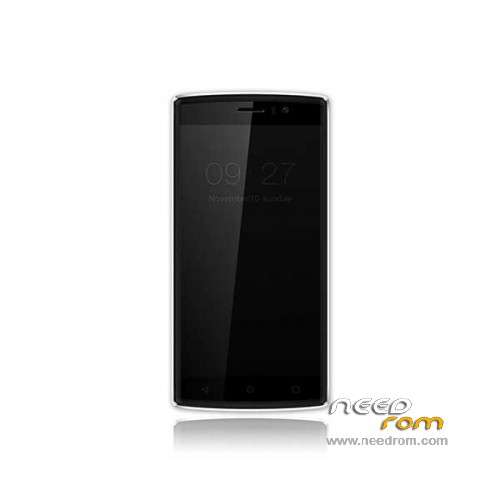
- Title: Doogee X5 Max Pro
- Listed: June, 2016
- Last modified: 03/15/2024 7:53 am
- Version: ROM Android 6.0
You must be logged for ROM download.
76511 total views, 5 today
73 Total favorites
 Member Info
DESCRIPTION
ROM Mobile Doogee X5 Max Pro – ROM Android 6.0
ONLY MT6737M
Update Official ROM Doogee X5 Max Pro version: DOOGEE-X5max_PRO-Android6.0-20180319 – full_n370b-user 6.0 MRA58K
————————————————————————————————————————————————————————————
Update Official ROM Doogee X5 Max Pro version: DOOGEE-X5max_PRO-Android6.0-20170116 – full_n370b-user 6.0 MRA58K
————————————————————————————————————————————————————————————
Official ROM Doogee X5 Max Pro version: DOOGEE-X5max_PRO-Android6.0-20161226 – full_n370b-user 6.0 MRA58K
mt6737_n370b_a48-4g_daoge_cc_128gbitp16d3_m_lte_3m-fdd-cs_mul
Gapps include – No Rooted
Language support: Multilang
Install ROM:
- Unpack FlashTools, and Click on Flash_tool.exe
- Select "scatter-Loading" and search MT6737M_Android_scatter.txt in ROM
- Wait file to be added into Flash Tool
- Select "Download Only" or if upgrade "Firmware upgrade"
- Turn off your phone, remove the battery (if the battery is removable) and replace it after some seconds (and don't turn on the phone).
- Press “Download” button to start
- and connect your phone into the computer via USB data cable.
- The process will start and a red progress bar will appear after color purple, yellow.
- And green circles display
- Finish !
- You can now safely disconnect your phone and turn it on.
※Please make a backup of your device before installing or updating ROM
guys where find zip with new version 20161020_152801?
is possibile instal only via OTA or also via TWRP?in italy no OTA update…
I am uploading now .. cheers
NEVERMIND! Forget what I said in my previous post. The multitouch seemed good after restarting but as I kept using the phone it got shitty again. I dont recommend this update, I'm going back to the previous version. I should've known it wasn't going to be fine after I saw the multitouch screwed again… Afff…
Adware filling my screens. Camera in face beauty mode. Check earlier posts about malware. Malware bytes cannot find anything anymore but it is Android System pushing the ads.
Are you in the last OTA Updated 20161020 firmware?
Ads are coming from SystemUI.apk – see the XDA thread. Doogee appear to have pre-packaged a full-on trojan!
Need to be able to root scan with just more than sophos in case it is a false +ve.
It's definitely not a false +ve – though only Sophos picks it up at the moment. I have logs of SystemUI.apk doing all sorts and adverts have been popping up on the phone. There's a lot more detail on xda.
I have DooGee X5 Max Pro with firmware from 2016-07-08 and I cannot disable the vibration when a call starts. Is it possible to disable this vibration in the newer versions?
Guy did that with custom ROM on here.
Don;t do the OTA update after that or it comes back I think.
I am not familiar with custom ROMs and I prefer using the official firmwares.
I found a checkbox regading this vibration.
It is here: Engineering menu > Telephony > Misc Features Config > Vibrate on outgoing call connected
However it was not working in firmware 2016-07-08
So I performed some test with the above firmwares.
Here is the test:
- upgrade firmware
- factory data reset
- uninstall "Bagan Keyboard Pro" app
- disable "Xender" app
- disable "com.android.snap" app (ver 1.2_160517)
- setup WIFI and Google Play
- download "AnTuTu" and "System Info for Android" apps
- do a performance test with "AnTuTu" app
- check CPU speed in "System Info for Android" app
- perform a test call to test the vibration feature
And here are the results:
firmware 2016-07-08
AnTuTu 6.2.1 – total(26859), 3D(2059), UX(11681), CPU(9037), RAM(4082)
CPU – 221 – 1092 MHz
disable vibration on outgoing call connected – not working
OTA update reports no new version
firmware 2016-08-04
AnTuTu 6.2.1 – total(29738), 3D(2399), UX(13167), CPU(10018), RAM(4154)
CPU: 221 – 1248 MHz
disable vibration on outgoing call connected – not working
OTA update reports no new version
firmware 2016-08-10
AnTuTu 6.2.1 – total(29439), 3D(2368), UX(13127), CPU(9721), RAM(4223)
CPU: 221 – 1248 MHz
disable vibration on outgoing call connected – not working
OTA update reports no new version
firmware 2016-08-26
AnTuTu 6.2.1 – total(29167), 3D(2343), UX(13048), CPU(9644), RAM(4132)
CPU: 221 – 1248 MHz
disable vibration on outgoing call connected – not working
OTA update reports no new version
firmware 2016-08-29
AnTuTu 6.2.1 – total(29718), 3D(2345), UX(13074), CPU(10100), RAM(4199)
CPU: 221 – 1248 MHz
disable vibration on outgoing call connected – not working
OTA update reports new version: 2016-10-20
updating firmware OTA to 2016-10-20
AnTuTu 6.2.1 – total(29056), 3D(2391), UX(11780), CPU(10614), RAM(4271)
CPU: 221 – 1248 MHz
disable vibration on outgoing call connected – not working
It looks like disabling this vibration feature is the hardest thing on earth for the Doogee engineers. The checkbox is there, however it is not working. Also this checkbox should not be in the engineerin menu but in the public menu, so everyone can disable this annoying vibration.
Hi guys, OOGEE-X5max_PRO-Android6.0-20160708
I have doogee x5 max pro with buid number
and I want to update firmware to the newest ver.- now I have a problem with WiFi, very offen phone is connected to my WiFi network but without any download/upload
when I connected my "Doogee x5 max pro" to the computer, system requested drivers for MT65XX preloader it's that correct??
Best regards
Gregory
I am having problem with battery over-count 39%
firmware 8/29
any suggestions cannot find whats causing it.. any suggestions..??
cheers
Can anyone confirm whether or not it wipes your phone? I don't really fancy losing everything on my phone just for updated firmware.