
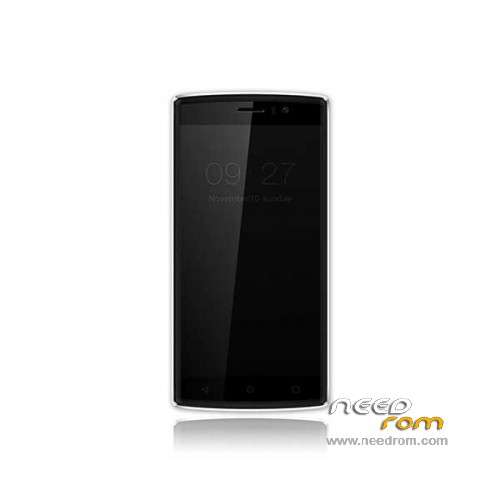
- Title: Doogee X5 Max Pro
- Listed: June, 2016
- Last modified: 03/15/2024 7:53 am
- Version: ROM Android 6.0
You must be logged for ROM download.
76522 total views, 16 today
73 Total favorites
 Member Info
DESCRIPTION
ROM Mobile Doogee X5 Max Pro – ROM Android 6.0
ONLY MT6737M
Update Official ROM Doogee X5 Max Pro version: DOOGEE-X5max_PRO-Android6.0-20180319 – full_n370b-user 6.0 MRA58K
————————————————————————————————————————————————————————————
Update Official ROM Doogee X5 Max Pro version: DOOGEE-X5max_PRO-Android6.0-20170116 – full_n370b-user 6.0 MRA58K
————————————————————————————————————————————————————————————
Official ROM Doogee X5 Max Pro version: DOOGEE-X5max_PRO-Android6.0-20161226 – full_n370b-user 6.0 MRA58K
mt6737_n370b_a48-4g_daoge_cc_128gbitp16d3_m_lte_3m-fdd-cs_mul
Gapps include – No Rooted
Language support: Multilang
Install ROM:
- Unpack FlashTools, and Click on Flash_tool.exe
- Select "scatter-Loading" and search MT6737M_Android_scatter.txt in ROM
- Wait file to be added into Flash Tool
- Select "Download Only" or if upgrade "Firmware upgrade"
- Turn off your phone, remove the battery (if the battery is removable) and replace it after some seconds (and don't turn on the phone).
- Press “Download” button to start
- and connect your phone into the computer via USB data cable.
- The process will start and a red progress bar will appear after color purple, yellow.
- And green circles display
- Finish !
- You can now safely disconnect your phone and turn it on.
※Please make a backup of your device before installing or updating ROM
Immediately after flashing official 20170116 version, OTA update showed a 20170217 version, which I installed and worked well. The only problem was with Whatsapp Web, solved by forcing landscape mode before capturing QR Code (I used Rotation Control app from Play Store).
Some alternative to install last version (other than the official one, it does not work for me)
great stuff these roms work for me.
please can someone upload a full stock backup with the old 64bit loader +nvram backup and full scatterfile?thanks
bloatware still in rom or already removed from rom?
the new update from OTA 2017/02/17 speaker dont work correctly
Otheer surprises come later. When Chrome gets crazy and jums every some minutes to an ad site. Even the Play Store has a strange behavior to jump suddenly to sensless apps. BTW, I just activated Chrome and installed Chrome BETA.
Just tried to install the Doogee X5 Max Pro – Update 08/29/2016 by the internal update function. I mean
Settings -> Telephon info -> Update -> Menu "local updates", select Doogee X5 Max Pro – Update 08/29/2016 copied to the micro-SD card
Start update
Some minutes a message box "inserting"
Some minutes the green Andorid sign,
reboot
Seems this zip file is not compatible with the internal update function.
Oh, "deacitvated" the preinstalled Chrome, repaced it by Chrome BETA
Phone not even a year old and battery is knackered. AccuBattery showing less than 50% health. I think I have now had enough of this malware ridden thing. I shouldn't have to root a phone, buy AFwall and run Sophos to make sure I have a reasonably safe handset.
Can't wait to be rid of this, I'm fed up being a masochist.
thank you very much.
Doogee X5 Max Pro – Update 01/16/2017 This ROM is X64?
No, 2016-08-29 was the last 64 Version, all later are 32
Сполшные вирусы
not a virus Adware.Appsad.2
(Рекламные программы)
/system/app/cn.xender/cn.xender.apk
not a virus Adware.Appsad.2
(Рекламные программы)
/system/app/cn.xender/oat/arm/cn.xender.odex
not a virus Adware.Batmobi.3
(Рекламные программы)
/system/etc/launcher/plugin.ext
Android.DownLoader.561 .origin
/system/priv-app/MediaService/oat/arm/MediaService.odex
Android. BackDoor.319
/system/priv-app/Settings/oat/arm/Settings.odex
Android.DownLoader.515.origin
/system/priv-app/SystemUI/oat/arm/SystemUl.odex
Thank you. This is the list of included malware in the 17/02 update?