
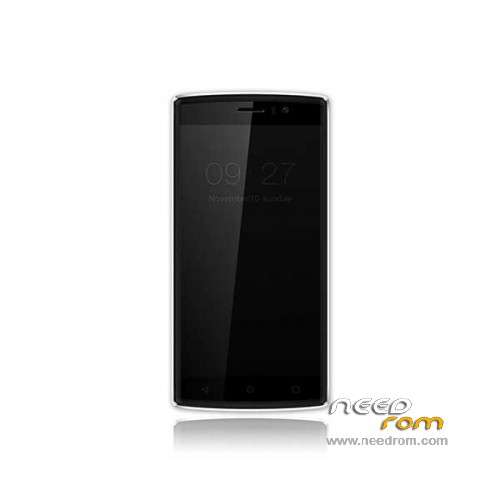
- Title: Doogee X5 Max Pro
- Listed: June, 2016
- Last modified: 03/15/2024 7:53 am
- Version: ROM Android 6.0
You must be logged for ROM download.
76512 total views, 6 today
73 Total favorites
 Member Info
DESCRIPTION
ROM Mobile Doogee X5 Max Pro – ROM Android 6.0
ONLY MT6737M
Update Official ROM Doogee X5 Max Pro version: DOOGEE-X5max_PRO-Android6.0-20180319 – full_n370b-user 6.0 MRA58K
————————————————————————————————————————————————————————————
Update Official ROM Doogee X5 Max Pro version: DOOGEE-X5max_PRO-Android6.0-20170116 – full_n370b-user 6.0 MRA58K
————————————————————————————————————————————————————————————
Official ROM Doogee X5 Max Pro version: DOOGEE-X5max_PRO-Android6.0-20161226 – full_n370b-user 6.0 MRA58K
mt6737_n370b_a48-4g_daoge_cc_128gbitp16d3_m_lte_3m-fdd-cs_mul
Gapps include – No Rooted
Language support: Multilang
Install ROM:
- Unpack FlashTools, and Click on Flash_tool.exe
- Select "scatter-Loading" and search MT6737M_Android_scatter.txt in ROM
- Wait file to be added into Flash Tool
- Select "Download Only" or if upgrade "Firmware upgrade"
- Turn off your phone, remove the battery (if the battery is removable) and replace it after some seconds (and don't turn on the phone).
- Press “Download” button to start
- and connect your phone into the computer via USB data cable.
- The process will start and a red progress bar will appear after color purple, yellow.
- And green circles display
- Finish !
- You can now safely disconnect your phone and turn it on.
※Please make a backup of your device before installing or updating ROM
I'm just repeating what mawlware bytes told me about beautysnap. On xda website someone says that it would only be installed on phones in some parts of the world. Might be a Chinese App only installed on Chinese phones, but it was there.
On Xda Website there is a rom download dated september. How do I exactly go about installing a new or older firmware via TWRP please?
I do not want to lose everything I have installed and setup in this phone now.
Thank you.
You need TWRP flashable version to do it. For example: http://altrom.ru/2016/08/11/do.....%bb%d1%8f-twrp/
I see. I have no idea what that site is and am wary of any custom ROM that isn't from cyangoenmod or the manufacturer.
So, if I backup using twrp, and then I do a normal flash, will that overwrite TWRP and I will have lost the ability to backup?
If I use Titanium PRO and I do a normal flash, have I lost root, and so titanium doesn;t work properly anymore.
I really want a way to backup my phone including the NOVA settings, and then flash normally and restore everything exactly the way it was. Anyone any idea how I can do that?
Thanks.
This site says how to increase volume and it really works. Careful to only do what the guy says.
http://forum.xda-developers.co.....dphone-t3245887
Does anyone know how to fix the mic quality? or is that even possible?
People keep telling me that I sound lo-fi using. I'm using the latest firmware. Tried both 3G & 4G. It remains the same.
Is it the same for you?
is there a way to update without whipe ? and why here is a diffrent room then on doogee site ?
Can someone please upload a copy of beautysnap apk from device somewhere? Thanks!
Hello,
I uploaded it:
http://wikisend.com/download/4......beautysnap.rar
Thanks Bandy! Seems different from the one on Play store. Disable it so it wont auto update.
Do you also have Finesearch, Adupsfota and com.android.snap ? Can you please upload them somewhere also? Let's list all preinstalled malware apps so Doogee can remove them in next rom update!
I dont have Finesearch, com.android.snap is beautysnap. Are you sure that Adupsfota is malware? I think its the firmware OTA update application.
Adups has a reputation of installing unwanted apps. Doogee needs to change its OTA service.
Can you please upload a copy of your adupsfota? Thanks!
Anyone else having a problem with cellular reception on this phone? I believe it's isolated to my carrier and maybe a few others so not much is heard about it. Had the same problem after updating a lenovo k5 note (also mtk chip!) to marshmallow. Problem went away after installing a cyanogenmod lollipop instead.
Very weak signal, lots of hunting for signal, quick battery drain. No issues with other phones in same areas. Been hoping that one of these updates might solve it but no luck even with the latest. Checked basics like apn, etc… Ideas?
What carrier and from what country? Ive only read about those from Canada and Australia having issues. Have you contacted your carrier about it?
IneedromD, my carrier is Rogers (fido) in Canada. I have not contacted them – didn't anticipate much help.
I fix it restoring factory settings (20160708)
Hi, I have same problem, signal drop off and mobile 3G and H not work, only H+ ,Please do you have any idea? Thanks