
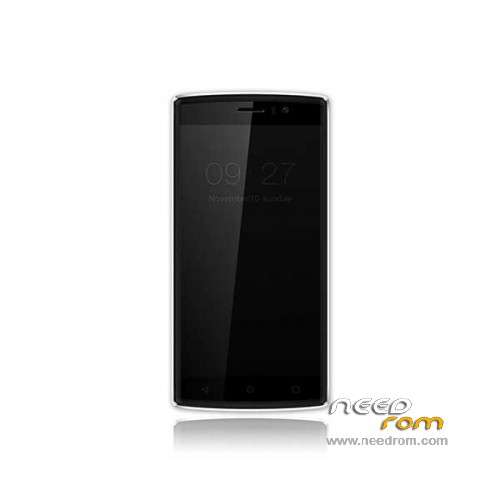
- Title: Doogee X5 Max Pro
- Listed: June, 2016
- Last modified: 03/15/2024 7:53 am
- Version: ROM Android 6.0
You must be logged for ROM download.
76517 total views, 11 today
73 Total favorites
 Member Info
DESCRIPTION
ROM Mobile Doogee X5 Max Pro – ROM Android 6.0
ONLY MT6737M
Update Official ROM Doogee X5 Max Pro version: DOOGEE-X5max_PRO-Android6.0-20180319 – full_n370b-user 6.0 MRA58K
————————————————————————————————————————————————————————————
Update Official ROM Doogee X5 Max Pro version: DOOGEE-X5max_PRO-Android6.0-20170116 – full_n370b-user 6.0 MRA58K
————————————————————————————————————————————————————————————
Official ROM Doogee X5 Max Pro version: DOOGEE-X5max_PRO-Android6.0-20161226 – full_n370b-user 6.0 MRA58K
mt6737_n370b_a48-4g_daoge_cc_128gbitp16d3_m_lte_3m-fdd-cs_mul
Gapps include – No Rooted
Language support: Multilang
Install ROM:
- Unpack FlashTools, and Click on Flash_tool.exe
- Select "scatter-Loading" and search MT6737M_Android_scatter.txt in ROM
- Wait file to be added into Flash Tool
- Select "Download Only" or if upgrade "Firmware upgrade"
- Turn off your phone, remove the battery (if the battery is removable) and replace it after some seconds (and don't turn on the phone).
- Press “Download” button to start
- and connect your phone into the computer via USB data cable.
- The process will start and a red progress bar will appear after color purple, yellow.
- And green circles display
- Finish !
- You can now safely disconnect your phone and turn it on.
※Please make a backup of your device before installing or updating ROM
Yes works great.. antutu 28765
@teretzis1
You mean update 20161226?
Can you read the QR code to use whattapp dekstop/web?
please give to us latest version 2016-12-26
@teretzis1
Can you read the QR code to use whattapp dekstop/web with the last update 26-12?
I also can not use it, I have tried several versions and nothing. With a QR code reader I see the link but it does not work. Which Version works for the whatsapp web?
same error here with whatsapp web, it doesnt read the QR code…. but only with whatsapp app. Any other app read the QR just fine.
Holy shit, its frustrating!
If I try to install a 64Bit android image, the screen remains blank. Any solution? I think the whatsapp web error can come from there, I have another x5 max pro with 64bit, and it works fine
yes whatt app work with the last x64,0810
after with x32 stop working.
is possibile that dooge not create a fix for this bug?
Have you tried contacting WhatsApp about it?
I have the same problem, only update that works is 12/26/2016,
Can someone please upload a copy of My Apps / com.viki.document apk from latest OTA? Thanks!
Hello,
Are they No virus or malware in this official rom ?
If I install TWRP and SuperSU, can I later on update manually to the 12/26 update?
Hello,
Are they No virus or malware in this official rom ?
I found some informations about watsapp, but in ma phone nor working
update doogee x5 max pro 8/10/2016 to 12/26/2016
thank