
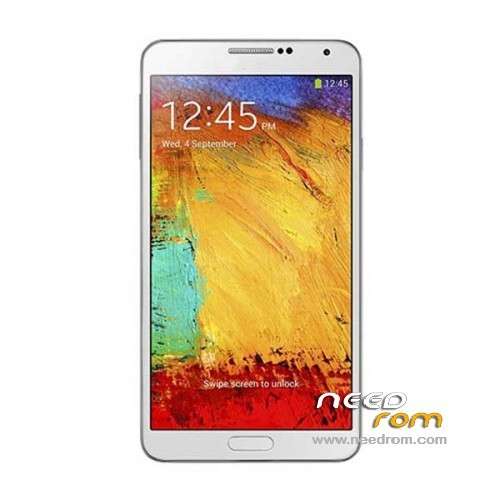
- Title: HDC Galaxy Note 3 N9006
- Listed: December, 2013
- Last modified: 09/18/2014 4:14 pm
- Version: ROM Android 4.4 (not Really)
You must be logged for ROM download.
173077 total views, 7 today
52 Total favorites
 Member Info
DESCRIPTION
ROM Mobile HDC Galaxy Note 3 N9006 - ROM Android 4.4 ( not Really )
ONLY MT6582
Features ROM:
Update Official Version : N9006V228En20140718 ( I don't know the changelog )
———————————————————————————————————————————————–
Update Official Version : N9006V224En20140529 ( I don't know the changelog )
———————————————————————————————————————————————–
Update Official Version : N9006V212En20140326 ( I don't know the changelog )
———————————————————————————————————————————————–
Update Official Version : N9006V206En20140305 ( I don't know the changelog )
———————————————————————————————————————————————–
Update Official Version : N9006V119En20131227 ( I don't know the changelog )
———————————————————————————————————————————————–
Official Version : N9006V112En20131128
Gapps include – No Rooted
Language support : Multilang
Install ROM:
- Unpack FlashTools, and Click on Flash_tool.exe
- Select a the MT6582_Android_scatter.txt in ROM
- Wait file to be added into Flash Tool
- choose Option->USB Model,click USB Model
–> Choose Option->DA DownLoad All->Speed->High Speed, click High Speed
- Turn off your phone, remove the battery.
- "Press F9 (hit Download button)" OR " if upgrade ROM Firmware->Upgrade "
- and connect your phone into the computer via USB data cable.
- The process will start and a red progress bar will appear after color purple, yellow.
- And green circles display
- Finish !
- You can now safely disconnect your phone and turn it on.
※Please make a backup of your device before installing or updating ROM
Best Rom, Thanks
Thanks for this..I'll try this..
Hi, MT6582 RAM 1GB ROM 4GB version?
Thanks
Tacci a teicapo pure qui te becco
so when you say remove the battery and then connect the phone via usb cale to pc…you mean conect it without the battery or with the battery???
This is how it worked for me
- Load the scatter file
- Turn on your phone. Then turn it off again. (Leave the battery in)
- The moment the phone turned off, fast click on the 'Download' button in FlashTools and immediately plug the USB cable in.
Note: The battery has to be in, else the phone won't be detected for some reason…
can anyone tell me how to insatll mtk preloader on this phone
the flash tool cant detect my device
thanks for your help Peter123….btw nothing relly changes…just the launcher.
How rooted??
root with "MTK Droid Tolls"
!00% Work
this ROM have samsung start and off?
The system say Android 4.2 and it is 4.2
Yes it does have samsung start and off, but you need to do a little trick.
Get 'Root Explorer' and go to /systen/media
Then rename "bootanimation1.zip" to "bootanimation.zip" and "shutanimation1.zip" to "shutanimation.zip"
Then go into the "images" folder there and remove "boot_logo" and rename "boot_logo1" to "boot_logo"
what android have this rom?
where can i find a zip stock rom for this, so i could port it to any custom…
i mean zip where inside there is the "META-INF" AND THE "SYSTEM" FOLDERS and the boot.img…please i can port any rom , i just need this
When you download the latest rom from this website, you have a boot.img.
And a system.img as well, which you can extract(Google helps you) and then you have the system folder you need. Only thing missing would be the META-INF…