
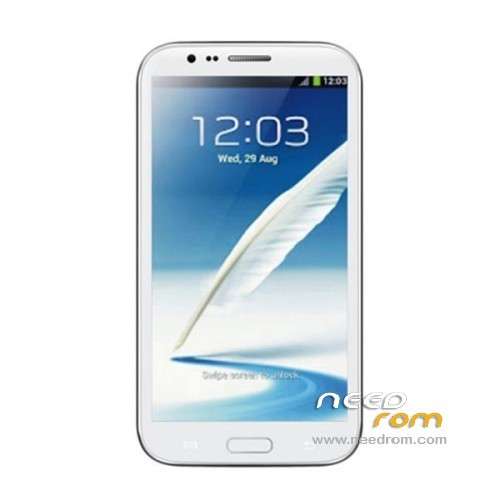
- Title: STAR S7589
- Listed: April, 2013
- Last modified: 12/21/2013 4:16 pm
- Version: ROM Android 4.2.1
You must be logged for ROM download.
62777 total views, 1 today
118 Total favorites
 Member Info
DESCRIPTION
ROM Mobile STAR S7589 – ROM Android 4.2.1
Update Official ROM STAR S7589 version :20131024_e2001_v89_jbl1a698
———————————————————————————————————————-
Update Official ROM STAR S7589 version :20131024_e2001_v89_jbl1a698
———————————————————————————————————————-
Update Official ROM STAR S7589 version :20130415_e2001_v89_jbl1a698
Changelog:
1. the direction of the gravity sensor calibration
2. touch screen multi- touch role
3. before optimization proactive 253
4. solve the problem of distance sensor distance, now the calibration divided into two
5. dial the area is truncated
6. wifi address conflict
7. Flashlight open after the release of the camera flash does not work
2 version 1GO and 2.4GO
———————————————————————————————————————-
Model name: Star S7589 4G/8G version Official : 20130320_e2001_v89_jbl1a698
Features ROM:
1. Solve the problem of address conflicts wifi
2. Optimize photo
3. Solve the problem much focus
4. Dialing display area is truncated
Language support: Multilang
Install ROM :
To unpack Flash run Flash_tool.exe
Select a the in MT6589_Android_scatter_emmc.txt in ROM
Click Flash_tool.exe interface Firmware-> Upgrade
Phone after taking the battery in put something
Connect the data cable
Brush finished with green circles appears
or
Install with SP MDT:
Unpack the archive N9589-SPM.zip and archive with the ROM
1). Turn off the smartphone. Cable is not connected to the computer.
2). Remove the battery and insert it again
3). Connect your phone to a computer cable. The operating system detects a new device
4). Disconnect the cable from the computer.
5). Run SPMultiPortFlashDownloadProject.exe
6). Choose Database Factory menu> Configuration File data source and specify the file MTK_DATABASE.mdb (it is in the folder SP_MDT).
7). Choose File> Open File Agent download and specify the file MTK_AllInOneDA.bin (it is in the folder SP_MDT).
8). Click File and select the MT6589_Android_scatter_emmc.txt file (it's in the folder with the rom).
9). The other parameters are fixed, as in the screenshot below.
10). Click "Start all".
11). Connect your phone to a computer cable. The program should see and blink. If the phone is not detected, then unplug it from the computer, remove and insert the battery and reconnect it to the computer.
12). After (OK) click Stop and disable any phone.
13). Completed.
※Please make a backup of your device before installing or updating ROM
TQ TQ TQ…. SoCr@Te
U are the EXPERT… This ROM i've been waiting for… OFFICIAL right?
I will test it ASAP…
Hope will solve my 3G / WCDMA issues…
TQ Again…
ROM is very good… smooth… faster startup & shutdown…
Wifi capture is also good…
Screen display is better…
3G (WVDMA 1900 / 2100) signal still jumble on and off… now using EDGE only… quite slow… but still can online…
TQ to SoCr@Te for this great helps…
for solving 3G issue there is only way to operate correctly, and this is one reported below :
http://www.movilesdualsim.com/.....ix-gps-y-3G-%29
sorry for the spanish language in this article; you can find also en eglish translation. the job to do, in substance, is to change some parameter according to an european version of the Zopo 810 in the flash rom and NOT depending by the base band version. I am still using baseband moly.wr8.w1248.md.wg.mp.v6.p1 2013/02/27 and 3G now works fine (in Italy, by the way)
I can ensure you there is no other way to solve the 3G issue — flashing other ROMs you can find actually on this site by SP Flash tool, believe me
this rom fixes the 3g bug? my phone work good on E connection , but when goes on 3g and hdspa it's very bad, often it doesn't make traffic upload or download.
nope… still on EDGE only… mine also got problem with 3G… try change the setting
in Phone Info > GSM only for EDGE signal. The codes are as below :
┌──────────────────────────────────────────────────┬───────────────────────┐
| Code | Description |
├──────────────────────────────────────────────────┼───────────────────────┤
| *#0011# | GSM Infos |
| *#0228# | Battery Infos |
| **05*<PUK>*<new PIN>*<new PIN for confirmation># | Unlock PIN |
| *#*#0588#*#* | Test Proximity sensor |
| *#06# | Show IMEI |
| *#*#1234#*#* | Firmware Info |
| *135# | Show your phone number|
| *#*#197328640#*#* | Service Menu |
| *#*#7378423#*#* (*#*#SERVICE#*#*) | Service Menu |
| *#*#2432546#*#* (*#*#CHECKIN#*#*) | Check for OTA Updates |
| *2767*3855# | Factory Format |
| #31#<phoneNumber> | anonymous call |
| *#*#3264#*#* | RAM Test |
| *#*#4636#*#* (*#*#INFO#*#*) | System Infos |
| *#*#7594#*#* | Customize PowerButton |
| *#*#7780#*#* | Factory Reset |
└──────────────────────────────────────────────────┴───────────────────────┘
Use at your own risk — some options might prove dangerous (e.g. the factory format) — especially if you don't know what they are supposed to mean, think twice or better avoid the option.
merci beaucoup
Hello thanks for this ROM she is pretty good.
Do the g sensors work with this rom "for apps"? (in terms of factory mode it seems o.k. with stock rom on all 3 axis, but not for the apps.)
Hi ALL… for those who want to LEARN Android Service Menu,
pls go to below link :
http://android.stackexchange.c.....enu-secret-menu
But bear in mind, USE AT YOUR OWN RISK…
p/s dont forget to post THANKS at the websites…
try change the setting in Phone Info > GSM only for EDGE signal.
where is this settings?
i have an umts operator so i can't go with EDGE connection.
pls go to this link : http://notesofgenius.com/how-t.....ndroid-only-3g/
just change to GSM only….
GOOD LUCK
Change 3G setting to GSM only :
Come into Engineer Mode (MTK)
*#*#3646633#*#* -> Network Selecting -> and selec GSM only
Hi all,
There is some french people here (salut les gars!)
Just wanted to see some screenshots of the rom. I also wanted to know if there are too many chinese apps on this rom or if it is suitable for european users.
hello mrvolcano !
Bon alors c'est exactement la meme rom qu'installer d'origine sur le s7589. Niveau appli chinoise la seul et unique presente c'est le clavier baidu. Après il n'y a rien d'autre en chinois qui polluerais la rom pour nous petit francais lol j'ai fait un petit antutu a 13200 point hier avec cette rom. Rien a signaler de particulier pour le moment tout fonctionne très bien.
Merci beaucoup footix64 pour ces informations. Je reviens à l'anglais pour que tout le monde comprenne!
I also wanted to know if there are still troubles with the sd card data loss. I don't know if it is the case of other people, but sometimes, my phone loses some data from the sd external card.
For example: I install an app from the market. When I restart, the app icon is on the desktop. When I press it to use, it says that the app cannot be found.
Does this rom solve this problem?