
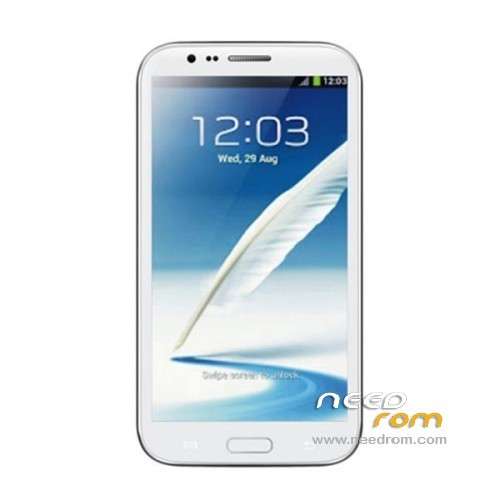
- Title: STAR S7589
- Listed: April, 2013
- Last modified: 12/21/2013 4:16 pm
- Version: ROM Android 4.2.1
You must be logged for ROM download.
62780 total views, 4 today
118 Total favorites
 Member Info
DESCRIPTION
ROM Mobile STAR S7589 – ROM Android 4.2.1
Update Official ROM STAR S7589 version :20131024_e2001_v89_jbl1a698
———————————————————————————————————————-
Update Official ROM STAR S7589 version :20131024_e2001_v89_jbl1a698
———————————————————————————————————————-
Update Official ROM STAR S7589 version :20130415_e2001_v89_jbl1a698
Changelog:
1. the direction of the gravity sensor calibration
2. touch screen multi- touch role
3. before optimization proactive 253
4. solve the problem of distance sensor distance, now the calibration divided into two
5. dial the area is truncated
6. wifi address conflict
7. Flashlight open after the release of the camera flash does not work
2 version 1GO and 2.4GO
———————————————————————————————————————-
Model name: Star S7589 4G/8G version Official : 20130320_e2001_v89_jbl1a698
Features ROM:
1. Solve the problem of address conflicts wifi
2. Optimize photo
3. Solve the problem much focus
4. Dialing display area is truncated
Language support: Multilang
Install ROM :
To unpack Flash run Flash_tool.exe
Select a the in MT6589_Android_scatter_emmc.txt in ROM
Click Flash_tool.exe interface Firmware-> Upgrade
Phone after taking the battery in put something
Connect the data cable
Brush finished with green circles appears
or
Install with SP MDT:
Unpack the archive N9589-SPM.zip and archive with the ROM
1). Turn off the smartphone. Cable is not connected to the computer.
2). Remove the battery and insert it again
3). Connect your phone to a computer cable. The operating system detects a new device
4). Disconnect the cable from the computer.
5). Run SPMultiPortFlashDownloadProject.exe
6). Choose Database Factory menu> Configuration File data source and specify the file MTK_DATABASE.mdb (it is in the folder SP_MDT).
7). Choose File> Open File Agent download and specify the file MTK_AllInOneDA.bin (it is in the folder SP_MDT).
8). Click File and select the MT6589_Android_scatter_emmc.txt file (it's in the folder with the rom).
9). The other parameters are fixed, as in the screenshot below.
10). Click "Start all".
11). Connect your phone to a computer cable. The program should see and blink. If the phone is not detected, then unplug it from the computer, remove and insert the battery and reconnect it to the computer.
12). After (OK) click Stop and disable any phone.
13). Completed.
※Please make a backup of your device before installing or updating ROM
Hi all,
I have issues while trying to update system apps (gmail, google search).
A dialog box appears saying that "application cannot be installed in the default install location".
What can I do to update these apps?
Hallo,
ganz einfach. Gehe auf Einstellungen, Speicher. Oben steht Bevorzugter Installationspfad.
Auswahwahl durch das System auswählen. Fertig.
Schöne Grüße
Hi There,
I have the same issues….did you arrive at a solution yet?
Thanks
it's enough easy: navigate to SETTINGS==> device ==> STORAGE
then look to "PREFERRED INSTALL LOCATION"
and check "let the system decide"
enjoy
pinggogo2 ผมลงรอมตัวนี้แล้วผมใช้ playstore ได้ครับแต่ ไดรฟ์เวอ ADB หายไปจากคอมลงแฟลช recovery ก็ไม่ได้ ปวดกระหมอมอยู่ตอนนี้ไม่รู้จะทำไงดี เปิดmass storage ก็ไม่ได้
why does my phone cant rotate anymore
?
same here… it seems that once u install a ROOTED ROM it stops rotating your home screen and apps screen and sometimes gallery.
I tried almost all roms here and they all r not working properly… I need a STOCK NOT TOUCHED NOT ROOTED ROM, and to be the latest in date.
Thank you. This firmware is really working the camera's focus!
Hey developers, Video levels are washed out . Probably aren’t set to 0-255!!!
Hi all,
my Problem is truoble with the app "runtastic" ore other sport-Apps on S7589-4GB-Rom
So I have some Questitions:
1. Which of the two Rome (1G or 2.4G) is for my device?
2. Do this rome fix my problem?
3. Are there any other known or new problems with the new Rom?
4. Is the downloadable original Rome really original without root (to go back fore anny warranty??
Please please help me because I often use my phone for jogging, and I'm not so fit in rome – changes…
custom mp3 ringtone reset to random default ringtone after roboot. please help..
Hi hutianyao.
I've been experiencing trouble with some data loss after reboot, and I solved this issue by changing the sd card. It seems that S7589 has some kind of problem while handling a kingston sd card. I replaced it with a sandisk and I have no more data loss. A friend of mine did exactly the same with the same results.
Give it a try.
i have an idea: why not change the bandbase clasic for this
BPLGUInfoCustomAppSrcP_MT6589_S00_MOLY_WR8_W1248_MD_WG_MP_V7
with maui meta 3g this is my idea.
help with this idea
thaaaaaaaaaaaaaaaaaaaaaaaaaaaaaaaanx
Hi, I have one "Orient N3" I think it's like the star s7589, It have Mtk 6589. Can I flash it wiyh this rom? Thanks