
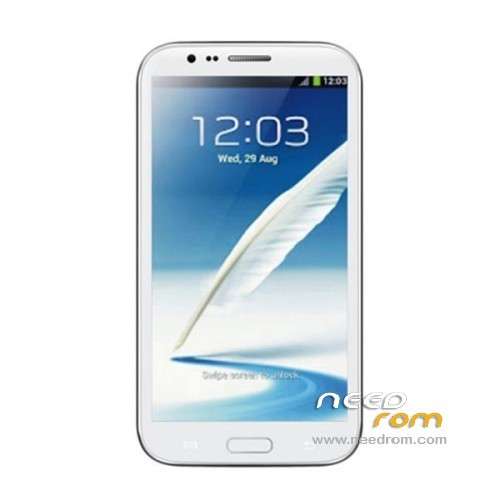
- Title: STAR S7589
- Listed: April, 2013
- Last modified: 12/21/2013 4:16 pm
- Version: ROM Android 4.2.1
You must be logged for ROM download.
62778 total views, 2 today
118 Total favorites
 Member Info
DESCRIPTION
ROM Mobile STAR S7589 – ROM Android 4.2.1
Update Official ROM STAR S7589 version :20131024_e2001_v89_jbl1a698
———————————————————————————————————————-
Update Official ROM STAR S7589 version :20131024_e2001_v89_jbl1a698
———————————————————————————————————————-
Update Official ROM STAR S7589 version :20130415_e2001_v89_jbl1a698
Changelog:
1. the direction of the gravity sensor calibration
2. touch screen multi- touch role
3. before optimization proactive 253
4. solve the problem of distance sensor distance, now the calibration divided into two
5. dial the area is truncated
6. wifi address conflict
7. Flashlight open after the release of the camera flash does not work
2 version 1GO and 2.4GO
———————————————————————————————————————-
Model name: Star S7589 4G/8G version Official : 20130320_e2001_v89_jbl1a698
Features ROM:
1. Solve the problem of address conflicts wifi
2. Optimize photo
3. Solve the problem much focus
4. Dialing display area is truncated
Language support: Multilang
Install ROM :
To unpack Flash run Flash_tool.exe
Select a the in MT6589_Android_scatter_emmc.txt in ROM
Click Flash_tool.exe interface Firmware-> Upgrade
Phone after taking the battery in put something
Connect the data cable
Brush finished with green circles appears
or
Install with SP MDT:
Unpack the archive N9589-SPM.zip and archive with the ROM
1). Turn off the smartphone. Cable is not connected to the computer.
2). Remove the battery and insert it again
3). Connect your phone to a computer cable. The operating system detects a new device
4). Disconnect the cable from the computer.
5). Run SPMultiPortFlashDownloadProject.exe
6). Choose Database Factory menu> Configuration File data source and specify the file MTK_DATABASE.mdb (it is in the folder SP_MDT).
7). Choose File> Open File Agent download and specify the file MTK_AllInOneDA.bin (it is in the folder SP_MDT).
8). Click File and select the MT6589_Android_scatter_emmc.txt file (it's in the folder with the rom).
9). The other parameters are fixed, as in the screenshot below.
10). Click "Start all".
11). Connect your phone to a computer cable. The program should see and blink. If the phone is not detected, then unplug it from the computer, remove and insert the battery and reconnect it to the computer.
12). After (OK) click Stop and disable any phone.
13). Completed.
※Please make a backup of your device before installing or updating ROM
In this firmware not work proximity sensor. Calibration does not solve the problem
Is it rooted?
Same here proximity sensor not working when calling i’ll hope for a fix.
Anyone knows if rolling back to the old stock firmware 4.1.2 (https://www.needrom.com/mobile...../star-s7589-4/) proximity sensor works well again ?
I am not sure that with LeWa ROM proximity sensor works, in my case. Mine is STAR Kingelon S7589.
anyone could indicate a downloadable firmware with 100% working proximity sensor, just for being sure it is not an hardware problem. Thanks in advance
thank you….
So, the proximity sensor is not working? oh… what a pity. I really need a 24/7 stable rom with all features working. I was using the s7589_EN, but I need to reinstall every week because the accelerometer stops working correctly after a few days, and I have frequent data loss on the SD.
Which rom is the best for you?
Still no good with 3G signal.. EDGE very weak…. anyone that could help is very appreciated… TQ
у стара нет официального сайта,как и нет официальных прошивок,все прошивки кросс-платформа для референсного дизайна
What is difference between 1G and 2.4G rom? Now I have Star model S7589 8GB rom but i dont know what kind of rom i'll choose to donwload.
Since i upgraded to Jelly Bean 4.2.1, i've been having some problems with the gps, it takes a lot to find my ubication, and mostly didn't even find it. I tried with the first version on this rom (20130320) and newest one (20130415) and the results are the same. Any ideas of what's happening to me? thank you, in advance.
P.S. About the 3G problem, i'm just having problems with one of the carriers (movistar), the other one (telcel) always keep me connected in H+ and pretty fast. If i try to connect to movistar my signal just keeps on and off, and mostly just get connect to edge. I'm going to try with others carriers in a few days and gonna tell you the result, btw my country is Mexico.
Hi, Could you tell me which one (1G or 2.4G) is for Star S7589 4G rom?
1G