
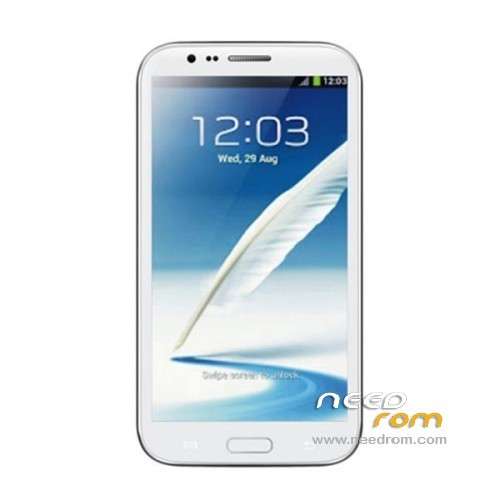
- Title: STAR S7589
- Listed: April, 2013
- Last modified: 12/21/2013 4:16 pm
- Version: ROM Android 4.2.1
You must be logged for ROM download.
62780 total views, 4 today
118 Total favorites
 Member Info
DESCRIPTION
ROM Mobile STAR S7589 – ROM Android 4.2.1
Update Official ROM STAR S7589 version :20131024_e2001_v89_jbl1a698
———————————————————————————————————————-
Update Official ROM STAR S7589 version :20131024_e2001_v89_jbl1a698
———————————————————————————————————————-
Update Official ROM STAR S7589 version :20130415_e2001_v89_jbl1a698
Changelog:
1. the direction of the gravity sensor calibration
2. touch screen multi- touch role
3. before optimization proactive 253
4. solve the problem of distance sensor distance, now the calibration divided into two
5. dial the area is truncated
6. wifi address conflict
7. Flashlight open after the release of the camera flash does not work
2 version 1GO and 2.4GO
———————————————————————————————————————-
Model name: Star S7589 4G/8G version Official : 20130320_e2001_v89_jbl1a698
Features ROM:
1. Solve the problem of address conflicts wifi
2. Optimize photo
3. Solve the problem much focus
4. Dialing display area is truncated
Language support: Multilang
Install ROM :
To unpack Flash run Flash_tool.exe
Select a the in MT6589_Android_scatter_emmc.txt in ROM
Click Flash_tool.exe interface Firmware-> Upgrade
Phone after taking the battery in put something
Connect the data cable
Brush finished with green circles appears
or
Install with SP MDT:
Unpack the archive N9589-SPM.zip and archive with the ROM
1). Turn off the smartphone. Cable is not connected to the computer.
2). Remove the battery and insert it again
3). Connect your phone to a computer cable. The operating system detects a new device
4). Disconnect the cable from the computer.
5). Run SPMultiPortFlashDownloadProject.exe
6). Choose Database Factory menu> Configuration File data source and specify the file MTK_DATABASE.mdb (it is in the folder SP_MDT).
7). Choose File> Open File Agent download and specify the file MTK_AllInOneDA.bin (it is in the folder SP_MDT).
8). Click File and select the MT6589_Android_scatter_emmc.txt file (it's in the folder with the rom).
9). The other parameters are fixed, as in the screenshot below.
10). Click "Start all".
11). Connect your phone to a computer cable. The program should see and blink. If the phone is not detected, then unplug it from the computer, remove and insert the battery and reconnect it to the computer.
12). After (OK) click Stop and disable any phone.
13). Completed.
※Please make a backup of your device before installing or updating ROM
Thanks………..DeBell
So 1G is for 4G rom?
2.4G is for 8G rom?
Tested v2. Not so smooth. I have some problems with..
1. Root program provided is in Chinese, and I can not read.
2. Anututu score is only 75xx. I notice a big drop on FPS score during graphic test part. Same score as Dual core. Why?
3. Lag in some games, such as Subway Surfer, which I have not notice in other roms.
For those who has problem with 3G. I would like to mentioned that S7589 is only supporting 850, 2100 mhz.( I know I know, the sticker on the back of the phone said it support 900, etc also. But it is not.) So, you may have to check that your 3G cell-phone provider is 900 or 850. 2G on all mhz will work on this phone. Also, on some cellphone providers only provide 3G service like TOT and 3GX, in Thailand, you have to manually set to WCDMA (Setting–>More.–>Mobile Network–>3G service–>Network mode change to WCDMA ) Otherwise it will not working. No idea why. -.-''
Hi, I only have below value only on my Band Mode :
wcdma-imt-2000, wcdma-pcs-1900, wcdma-clr-850, wcdma-800
Still cannot get faster 3G signal… anyone that could help?
How bout u all? mind to share… TQ
Yessss one more problem some app which is Play store cannot install or update (even you removed ex. version from root) Swing signal. and just want to ask you compared with original rom which one is better sorry for my poor english.
ในรอมตัวที่ติดมากับเครื่อง ผมก็มีปัญหากับอาการที่แอปบางตัวอัพเดตไม่ได้ต้องลบแล้วลงใหม่ แต่ playstore นี่ไม่ได้เลยเฮ้ออ แล้วตัวนี้มันโอเคมั้ยครับพีถ้าพี่เป็นคนก็ขอฝากตัวด้วยนะครับ
@HijauTech. You can try to solve using "Mobile Uncle Tools" (make sure that you have root permition) go to "Engineer Mode" –>Engineer (MTK) –>Network Selecting —>Change to "GSM/WCDMA (Auto)". I found this fix in Zopo site. I wish it solve your problem. Did you get 3G or H+ sign? If not i think it may be a signal problem in your area. Also as I mentioned before, ask your phone provider about the frequency thet use. I tested my speed (my provider has 2100mhz), and I got something around 5.6m/s, which is normal for H+/3g.
@Herteria ของผมก็อับไม่ได้นะ เป็นที่official romเลย คงแก้ยากด้วย หวังว่าเค้าแก้ได้ อาจจะแก้ได้โดยการลบplay store แล้วลงตัวที่ใหม่กว่า แต่ไม่อยากลองครับ เสียเวลาป่าวๆ
My phone looks bricked… (dead)
Win7 detect phone on USB cable whan battery is out and pluged to USB, but when i use Smart Phone Flash Tool, detected is MTK USB Port (on com31) and in few secont after first file try to be uploaded to the phone i get error: BROM ERROR: S_FT_ENABLE_DRAM_FAIL (4032) – [EMI] Enable DRAM Failed.
Phone dont start , screeen is black, no volume up + power menu , no service menu on the phone…
Maybe no more bootloader on the phone?
Any solution to fix this?
Have you got a readback rom ?
It will help u.
Sorry to hear that.
Mine also got into this, after try to flash using Flash Tool. So, I used that SP_MDT tools instead. And my phone boot again… and still alive until today…
Maybe u can try that SP MDT… Good Luck…
what version for S7589 8gb?
Is it rooted?
This rom is not absolutly rooted.Pls fix it.
Thank you! The Rom is verry good and rooted. Akusino press the left button wen root APP ASK.
Diable fast Boot and then the root ok
how to disable fastboot ?
Hi,
I have problem with flashing or rooting the phone.
When I try rooting it with mtk droid tools, It ask me to press the restore button, I press it and nothing happens, it just keeps on going.
Tried also to flash this Rom with sp flash tool, Always get an error message (8200 or something like this).
Please help.
For the proximity sensor, it can be fixed by making calibration in the display menu use als ps calibration and follow the instructions.