
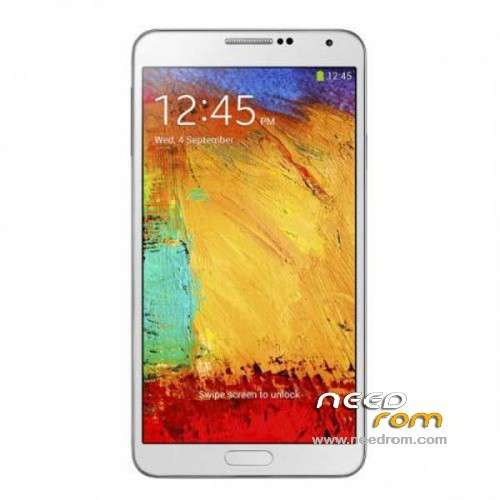
- Title: 1:1 Note3 SM-N900
- Listed: November, 2013
- Last modified: 01/19/2014 6:31 am
- Version: ROM Android 4.3
You must be logged for ROM download.
103074 total views, 3 today
153 Total favorites
 Member Info
DESCRIPTION
ROM Mobile 1:1 Note3 SM-N900 – ROM Android 4.3
Official ROM For 1:1 Note3 SM-N900 Version: JSS15J.N900UBUBMJ2_SM_N900_V05_12212013 ( I don't know the changelog )
ATTENTION This ROM is given For version 16G ROM !!!!!!!!!!!!!!!!!!!!!!
———————————————————————————————————————————————-
Update Official ROM For 1:1 Note3 SM-N900 Version: JSS15J.N900UBUBMJ2_SM_N900_V02_11292013 ( I don't know the changelog )
———————————————————————————————————————————————-
Official ROM For 1:1 Note3 SM-N900 Version: JSS15J.N900UBUBMJ2_SM_N900_V01_11122013
MTK6589 Quad cores 1.5GHz Cortex A9 + SGX544 GPU
1G Ram + 8G Rom
5.7 inch Touch Screen Resolution, 1280*720IPS
Single SIM Cards
Gapps include - no Rooted
Language support: Multilang
Install ROM :
- Unpack FlashTools, and Click on Flash_tool.exe
- Select a the MT6589_Android_scatter_emmc.txt in ROM
- Wait file to be added into Flash Tool
- choose Option->USB Model,click USB Model
–> Choose Option->DA DownLoad All->Speed->High Speed, click High Speed
- Turn off your phone, remove the battery.
- "Press F9 (hit Download button)" OR " if upgrade ROM Firmware->Upgrade "
- and connect your phone into the computer via USB data cable.
- The process will start and a red progress bar will appear after color purple, yellow.
- And green circles display
- Finish !
- You can now safely disconnect your phone and turn it on.
※Please make a backup of your device before installing or updating ROM
I Just changed my logo.bin and I’mm done to flash it and unfortunately no Samsung logo
Hey I'm back I mixed this rom: SM-N9006-s7288__v1.10_20140108_1733.tar.gz with the actually V5 I just exchange the "system.img" file and it work but not perfectly the screen blink sometimes but here inside this rom what I was interested for it was the function of the S-Pen and when I installed it I saw my services bar full :O i'm in a place where it's rare to have good service with this phone but with an iPhone (a real one) I have good service I wonder if somebody could help me to mix this rom with the actual V5?
ps: the weather widget on it worked great also. this rom is just perfect we gotta mix it!
For Mtk5689 2gb ram, 16gb rom, Rom v05, the code Samsung logo is *#5588# or *#0077#
Thank you Hypnos, *#5588# works for me. Now I have a V05 firmware with updated Google Services/working Hangouts, rooted, with updated busybox tools and now also with correct Samsung boot logo.
Hypnos i can flash this rom for mt6582?
Awesome Hypnos it works great! Me I finally success to install the real weather of the samsung (If somebody is interested just let me know I'll up the files)
@puma9one, can you send me please??
@Puma9@one, Can you send me please?
check your pm
There's a fix for the GPS on this V5 please? Because the GPS doesn't work at all! And Somebody knows hot to modify the air command please? like which APK it is? I wanna delete it and integrate another one with the real "write on display" at least somebody already did it and can share it please?
I fixed the GPS "Normally" lol. Now I just search for the Air command and everything is perfect I also got an App to take photo and audio and track the smartphone (for free with a little trick. Works like a charm!). another little thing. Everytime I uninstall Samsung app and Tripadvisor or earth it comes back. Do you have an idea how to delete it? when all will be fix I will dump my rom and post it here. I'm actually also creating a forum for our phone and maybe the other copy (I don't know yet for the other copy because it's a lot of work. At leat somebody will help me).
You can go to this page to help you.http://www.forocoches.com/foro.....00&page=55.
I send you a mp. Can you help me?
Thanks. Check your PM