
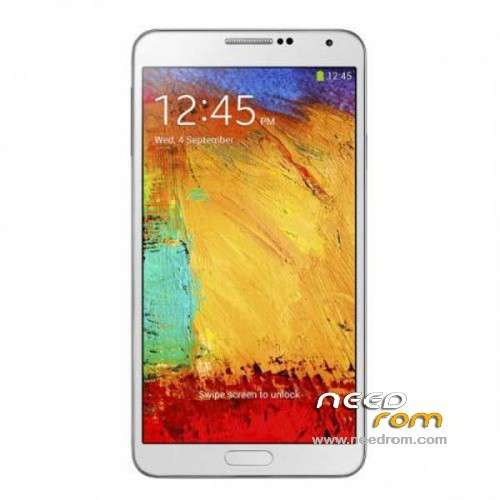
- Title: 1:1 Note3 SM-N900
- Listed: November, 2013
- Last modified: 01/19/2014 6:31 am
- Version: ROM Android 4.3
You must be logged for ROM download.
103082 total views, 11 today
153 Total favorites
 Member Info
DESCRIPTION
ROM Mobile 1:1 Note3 SM-N900 – ROM Android 4.3
Official ROM For 1:1 Note3 SM-N900 Version: JSS15J.N900UBUBMJ2_SM_N900_V05_12212013 ( I don't know the changelog )
ATTENTION This ROM is given For version 16G ROM !!!!!!!!!!!!!!!!!!!!!!
———————————————————————————————————————————————-
Update Official ROM For 1:1 Note3 SM-N900 Version: JSS15J.N900UBUBMJ2_SM_N900_V02_11292013 ( I don't know the changelog )
———————————————————————————————————————————————-
Official ROM For 1:1 Note3 SM-N900 Version: JSS15J.N900UBUBMJ2_SM_N900_V01_11122013
MTK6589 Quad cores 1.5GHz Cortex A9 + SGX544 GPU
1G Ram + 8G Rom
5.7 inch Touch Screen Resolution, 1280*720IPS
Single SIM Cards
Gapps include - no Rooted
Language support: Multilang
Install ROM :
- Unpack FlashTools, and Click on Flash_tool.exe
- Select a the MT6589_Android_scatter_emmc.txt in ROM
- Wait file to be added into Flash Tool
- choose Option->USB Model,click USB Model
–> Choose Option->DA DownLoad All->Speed->High Speed, click High Speed
- Turn off your phone, remove the battery.
- "Press F9 (hit Download button)" OR " if upgrade ROM Firmware->Upgrade "
- and connect your phone into the computer via USB data cable.
- The process will start and a red progress bar will appear after color purple, yellow.
- And green circles display
- Finish !
- You can now safely disconnect your phone and turn it on.
※Please make a backup of your device before installing or updating ROM
how abt the battery life after this update?
mine on ver2 can last not even half a day with 4200mah battery
update the firmware over the air (SM900 V8), it is set, and shows the old version. Someone tell me what to do???
I have the exact same problem as Soldat2036. The poster of this rom, or the HDC brand, should give us solutions.
https://www.needrom.com/mobile.....589-single-sim/ if this solves our problem
https://www.needrom.com/mobile.....mtk6589-rom-8gb
josebegines this firmware did not try to put https://www.needrom.com/mobile...../…..89-rom-8gb
I have it then why not put
Soldat2036 Can you flash that rom to your phone and tell me what happens?
update the firmware over the air (SM900 V8), it is set, and shows the old version. Someone tell me what to do???
else noticed that the serial number of the phone 1234567890ABCDEF the wrong Do not know how to change it
I have clone SM-N900. When I bought it t was running software version 7. Everything worked great except for wifi. It would find wifi connections but never be able to connect. Under software updates the phone siad there was a FOTA to version 8. I downloaded update – rebooted – phone looked like it was going through update – rebooted – it still said version 7 and no wifi fix. I tried the 3 other roms I could find. Software version 5, 2 & 1. (I am now on version1) All had same wifi problems. Last night I tried FOTA update again to version 8. Phone rebooted & looked like it was updating. When it booted back up it said Version1 (NO UPDATE!) and wifi still not working. HELP!!!! Anybody have the latest rom for version 8 or any rom that will fix wifi issue? What should I do?
…about empty "invisible" mSD-slot inside, it easy to open and seen it. Only a few screws that you see when the backside is open. For put a mSD inside you must unlock the screw at electricboard to because the vibration-(?) …