
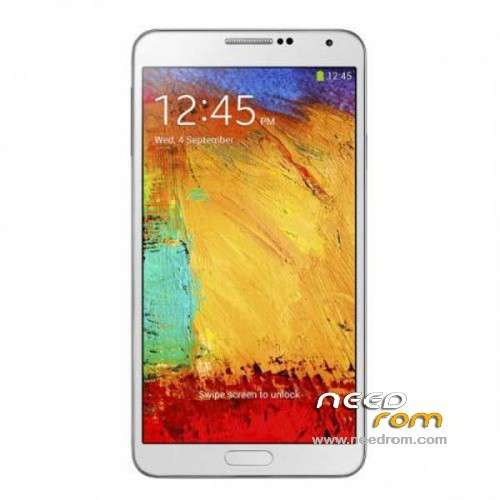
- Title: 1:1 Note3 SM-N900
- Listed: November, 2013
- Last modified: 01/19/2014 6:31 am
- Version: ROM Android 4.3
You must be logged for ROM download.
103073 total views, 2 today
153 Total favorites
 Member Info
DESCRIPTION
ROM Mobile 1:1 Note3 SM-N900 – ROM Android 4.3
Official ROM For 1:1 Note3 SM-N900 Version: JSS15J.N900UBUBMJ2_SM_N900_V05_12212013 ( I don't know the changelog )
ATTENTION This ROM is given For version 16G ROM !!!!!!!!!!!!!!!!!!!!!!
———————————————————————————————————————————————-
Update Official ROM For 1:1 Note3 SM-N900 Version: JSS15J.N900UBUBMJ2_SM_N900_V02_11292013 ( I don't know the changelog )
———————————————————————————————————————————————-
Official ROM For 1:1 Note3 SM-N900 Version: JSS15J.N900UBUBMJ2_SM_N900_V01_11122013
MTK6589 Quad cores 1.5GHz Cortex A9 + SGX544 GPU
1G Ram + 8G Rom
5.7 inch Touch Screen Resolution, 1280*720IPS
Single SIM Cards
Gapps include - no Rooted
Language support: Multilang
Install ROM :
- Unpack FlashTools, and Click on Flash_tool.exe
- Select a the MT6589_Android_scatter_emmc.txt in ROM
- Wait file to be added into Flash Tool
- choose Option->USB Model,click USB Model
–> Choose Option->DA DownLoad All->Speed->High Speed, click High Speed
- Turn off your phone, remove the battery.
- "Press F9 (hit Download button)" OR " if upgrade ROM Firmware->Upgrade "
- and connect your phone into the computer via USB data cable.
- The process will start and a red progress bar will appear after color purple, yellow.
- And green circles display
- Finish !
- You can now safely disconnect your phone and turn it on.
※Please make a backup of your device before installing or updating ROM
mine is a 2gb ram 32gb rom version
i’m unable to unbrick using my backup
i flashed my phone using this rom
great all are working bur i’m wondering why i only hv 16gb now
has a google play services issue has been settled using the version 2? just bought it today ..
mine 2.5gb RAM m 16gb internal storage
build no JSS15J.N900UBUBMJ2
BASEBAND N900UBUBMJ2
the wheater widget only show beijing and can´t add another location, anyone have this problem too?
Thanks!!
yes it is Beijing, this is not true accuweather samsung, the real is on the N9006 ROM but can not install it on another ROM! Anyone know how to install a samsung application? Because at the time of install ela told me "application not installed" grrr
the wheater widget only show beijing
got play store problem. install foursquare and get the error rely on. flash back using jiake.
any1 knows how to change back the startup samsung logo?
to change logo wr *#0077#
Ozo….tq…bro…now google play services…issue settled and logo settled……nice……
Hello Ajstar7.
Can you please tell me how did you settle the google play services problem?
Thank you.
Hi, is it possible to flash with MTK-Tools (Windows7) ? Flashtool don't work, nothing's happens…
jose…root first….then install CWM via MTK droid tools…..go to wipe data …wipe cache and dalvik cache in CWM …then flash g apps for 4.2.2
good luck
Hi Ajstar7. Did that really work for you? God…i've tried flashing ALL gapps versions to the phone until now, and no one has worked: the system always becomes unstable after flashing them. And i'm afraid to do that again because i will have to install the software again if it doesn't work…did it really work?..