
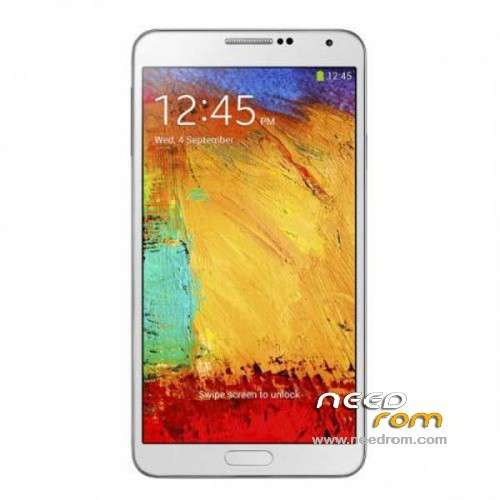
- Title: 1:1 Note3 SM-N900
- Listed: November, 2013
- Last modified: 01/19/2014 6:31 am
- Version: ROM Android 4.3
You must be logged for ROM download.
103077 total views, 6 today
153 Total favorites
 Member Info
DESCRIPTION
ROM Mobile 1:1 Note3 SM-N900 – ROM Android 4.3
Official ROM For 1:1 Note3 SM-N900 Version: JSS15J.N900UBUBMJ2_SM_N900_V05_12212013 ( I don't know the changelog )
ATTENTION This ROM is given For version 16G ROM !!!!!!!!!!!!!!!!!!!!!!
———————————————————————————————————————————————-
Update Official ROM For 1:1 Note3 SM-N900 Version: JSS15J.N900UBUBMJ2_SM_N900_V02_11292013 ( I don't know the changelog )
———————————————————————————————————————————————-
Official ROM For 1:1 Note3 SM-N900 Version: JSS15J.N900UBUBMJ2_SM_N900_V01_11122013
MTK6589 Quad cores 1.5GHz Cortex A9 + SGX544 GPU
1G Ram + 8G Rom
5.7 inch Touch Screen Resolution, 1280*720IPS
Single SIM Cards
Gapps include - no Rooted
Language support: Multilang
Install ROM :
- Unpack FlashTools, and Click on Flash_tool.exe
- Select a the MT6589_Android_scatter_emmc.txt in ROM
- Wait file to be added into Flash Tool
- choose Option->USB Model,click USB Model
–> Choose Option->DA DownLoad All->Speed->High Speed, click High Speed
- Turn off your phone, remove the battery.
- "Press F9 (hit Download button)" OR " if upgrade ROM Firmware->Upgrade "
- and connect your phone into the computer via USB data cable.
- The process will start and a red progress bar will appear after color purple, yellow.
- And green circles display
- Finish !
- You can now safely disconnect your phone and turn it on.
※Please make a backup of your device before installing or updating ROM
1. Download GApps "gapps-jb-20121212-signed.zip" from wiki.rootzwiki.com/Google_Apps and put it into your SD-card.
2. Enter CWM recovery and make Wipe data/factory reset, Wipe cache and Wipe dalvik cache
3. Don't exit recovery and enter "install zip from sdcard" and install GApps from SD-card
After that reboot your phone.
How do i get the Galaxy Note 3 Logo Back when the phone power up and shut down ?
I succesfully install this room, but i want Samsung Logo back…
push dial *#0077# pop up message then restart manually
hello, you have to replace the "bontannimation" file in / system / bin, I took the "bootannimation" the DEKDROID ROM.
Correction MAJ V_08 the code * # 0077 # works
got a phone with … v04-version and Samsung-screens.
Witch File of CWM can i use? Will then Backup, factory reset and dump rom to share it.
how to adjust the gps problem ??
how to get back the samsung bootanimation? did try the *#0077# with no luck
Yeah, the *#0077# code dont work, i tried different codes with no succes…in my last attempt, i place the original Galaxy Note 3 boot files .qmg from xda-developers in system/media …
again, no succes…the author of this ROM should warn us before or at least add a description to say that we will loose the Samsung logo after installation…
Im still looking for a solution to bring back Samsung Logo…
Hi. My notification light doesn't work , anybody else have this prob. AND BATTERY DRAIN IS INSANE>
Thanks
my notification lights are working, and this room has improved my battery level, the previous room that i have it ( original chinesee seller modded room ) was having battery problem, while charging is stop at 99%, with this room im getting fully charged… try to flash again the room, maybe this will help, or before do a factory reset…
if you want to install this ROM you need to press F9 and after 1 seconds connect your phone to pc , be sure it's powered off and be sure you have previously installed proper ADB Drivers for android…
…sorry, won't send so fast.
My question is about what to do to flash the rom. F9 or F8, what is the different?
press F9 to flash this room… and after 1 sec connect your phone to pc and watch the magic happens…