
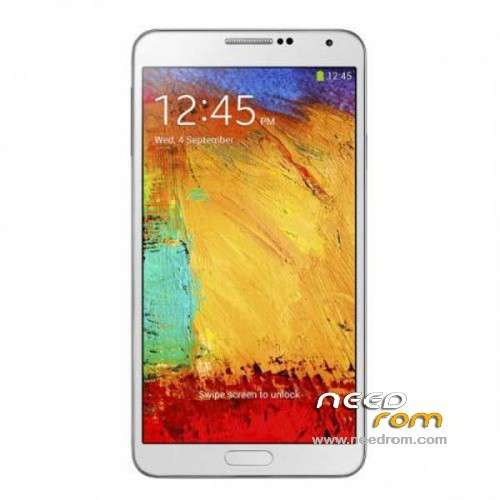
- Title: 1:1 Note3 SM-N900
- Listed: November, 2013
- Last modified: 01/19/2014 6:31 am
- Version: ROM Android 4.3
You must be logged for ROM download.
103086 total views, 15 today
153 Total favorites
 Member Info
DESCRIPTION
ROM Mobile 1:1 Note3 SM-N900 – ROM Android 4.3
Official ROM For 1:1 Note3 SM-N900 Version: JSS15J.N900UBUBMJ2_SM_N900_V05_12212013 ( I don't know the changelog )
ATTENTION This ROM is given For version 16G ROM !!!!!!!!!!!!!!!!!!!!!!
———————————————————————————————————————————————-
Update Official ROM For 1:1 Note3 SM-N900 Version: JSS15J.N900UBUBMJ2_SM_N900_V02_11292013 ( I don't know the changelog )
———————————————————————————————————————————————-
Official ROM For 1:1 Note3 SM-N900 Version: JSS15J.N900UBUBMJ2_SM_N900_V01_11122013
MTK6589 Quad cores 1.5GHz Cortex A9 + SGX544 GPU
1G Ram + 8G Rom
5.7 inch Touch Screen Resolution, 1280*720IPS
Single SIM Cards
Gapps include - no Rooted
Language support: Multilang
Install ROM :
- Unpack FlashTools, and Click on Flash_tool.exe
- Select a the MT6589_Android_scatter_emmc.txt in ROM
- Wait file to be added into Flash Tool
- choose Option->USB Model,click USB Model
–> Choose Option->DA DownLoad All->Speed->High Speed, click High Speed
- Turn off your phone, remove the battery.
- "Press F9 (hit Download button)" OR " if upgrade ROM Firmware->Upgrade "
- and connect your phone into the computer via USB data cable.
- The process will start and a red progress bar will appear after color purple, yellow.
- And green circles display
- Finish !
- You can now safely disconnect your phone and turn it on.
※Please make a backup of your device before installing or updating ROM
Can someone give solutions for the owners of the 32gb version? PLEASE………………………………
Guys….backup your factory rom via mtk droid tools……then try to check software update from settngs….about device just like original software updates from samsung…
Mine now in version 7.0 normal samsung bootlogo……rooted…no google play services issues….and just now the software update prompt for a version 8.0 firmware update…..
But since i am in the cwm mode…the update cant be done….well…just stay in version 7 for now….
I think for those who cant change the samsung bootlogo using *#0077# ….so sorry since mine one working….
Cheers
Hi Ajstar7. I've come back to my stock rom and the fota upgrade says that v08 is available. When i download it, i choose "update now", the phone reboots and the recovery says "installing software upgrade". But then, when the phone reboots again, the phone's still in the v01 version. It doesn't upgrade. I've tried to do it again several times with no success. Can you please help me man?
Hi man. If your device is the 32gb version, could you please backup your current rom via mtk droid tools and share it? I would appreciate it so much man…
to install v_08, lets download the software update update.zip, then explore with art recovered in the folder and places the Fota in / cahe then restarts in CWM and install from the cache, it fontionne for me, good chance
i'm getting confused with this phone.when i first bought it was 32gb rom and all working fine.i did factory setting clear emmc and i lost my samsung bootanimation so i tried to flash with version 2 in hope that i can get back that bootanimation.to my surprise,my phone now showing only 16gb in the setting menu but when i check with antutu it only has about 2gb internal storage in total of 8gb.
now i can't flash my backup because of missing preloader,android and cache files.will this version 5 solve issues that i'm facing now? or maybe someone out there with the working 32gb version please upload your complete backup files for me to try.
your phone was tricked to show 32GB, SM-900 only comes with 4GB and 8Gb ROM, you have the 1GB RAM 8GB ROM…
i install this ROM 2 times until now, and my device works better than before, with the modified chinesee ROM…
you have to install MTK65xx Preloader Driver in your machine, then flash this ROM
i manage to install CWM with MTK Droid Tools also… soo far, this is the best Clone that i have seen…
Hye guys… I've found tips from other site…for those who had battery drains quick try this one..first go to setting – general – battery cell standby – time without signal..see how many %..then press and hold power button untill it shows option..select flight mode…wait a few second then switch off the flight mode..then see how the % drops..i just try it and i dont know the result..but all the viewer gives positive respons..go here for more info http://androidforums.com/epic-.....y-draining.html…anyway i cant find any solution about samsung logo..hope to find it soon..
i've tried out both version here and its working fine except for the diskspace issues and samsung bootanimation.did the 0077 code and the /system/media technic but still fails me
for as the * # 0077 # does not work
fonctionne en v_08
I've come back to my stock rom and the fota upgrade says that v08 is available. When i download it, i choose "update now", the phone reboots and the recovery says "installing software upgrade". But then, when the phone reboots again, the phone's still in the v01 version. It doesn't upgrade. I've tried to do it again several times with no success. Can you please help me people? I'm sick of this phone.
…big problem.device intern sdcard unuseable cause is 0mb. Someone knowing solution or how disconect sd0 ?
This is a message to SoCr@Te, the poster of these roms: When will you release a new version? Thank you.
Are you going to put new versions for this rom???
Thanks.
The wifi is looking for ip and only it connects if i swich of and swich on the router… i need solucionate this.