
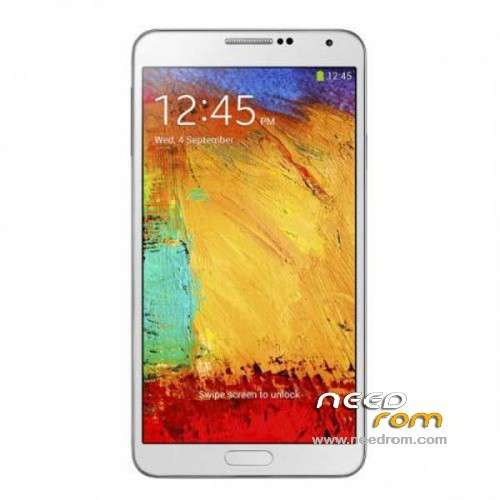
- Title: 1:1 Note3 SM-N900
- Listed: November, 2013
- Last modified: 01/19/2014 6:31 am
- Version: ROM Android 4.3
You must be logged for ROM download.
103080 total views, 9 today
153 Total favorites
 Member Info
DESCRIPTION
ROM Mobile 1:1 Note3 SM-N900 – ROM Android 4.3
Official ROM For 1:1 Note3 SM-N900 Version: JSS15J.N900UBUBMJ2_SM_N900_V05_12212013 ( I don't know the changelog )
ATTENTION This ROM is given For version 16G ROM !!!!!!!!!!!!!!!!!!!!!!
———————————————————————————————————————————————-
Update Official ROM For 1:1 Note3 SM-N900 Version: JSS15J.N900UBUBMJ2_SM_N900_V02_11292013 ( I don't know the changelog )
———————————————————————————————————————————————-
Official ROM For 1:1 Note3 SM-N900 Version: JSS15J.N900UBUBMJ2_SM_N900_V01_11122013
MTK6589 Quad cores 1.5GHz Cortex A9 + SGX544 GPU
1G Ram + 8G Rom
5.7 inch Touch Screen Resolution, 1280*720IPS
Single SIM Cards
Gapps include - no Rooted
Language support: Multilang
Install ROM :
- Unpack FlashTools, and Click on Flash_tool.exe
- Select a the MT6589_Android_scatter_emmc.txt in ROM
- Wait file to be added into Flash Tool
- choose Option->USB Model,click USB Model
–> Choose Option->DA DownLoad All->Speed->High Speed, click High Speed
- Turn off your phone, remove the battery.
- "Press F9 (hit Download button)" OR " if upgrade ROM Firmware->Upgrade "
- and connect your phone into the computer via USB data cable.
- The process will start and a red progress bar will appear after color purple, yellow.
- And green circles display
- Finish !
- You can now safely disconnect your phone and turn it on.
※Please make a backup of your device before installing or updating ROM
amigo los archivos estan malos v05 el archivo esta dañado o es ilegible
I have done that steps but 00/100 progress …………….
Install ROM :
- Unpack FlashTools, and Click on Flash_tool.exe
- Select a the MT6589_Android_scatter_emmc.txt in ROM
- Wait file to be added into Flash Tool
- choose Option->USB Model,click USB Model
–> Choose Option->DA DownLoad All->Speed->High Speed, click High Speed
- Turn off your phone, remove the battery.
- "Press F9 (hit Download button)" OR " if upgrade ROM Firmware->Upgrade "
- and connect your phone into the computer via USB data cable.
- The process will start and a red progress bar will appear after color purple, yellow.
- And green circles display
- Finish !………………..
this rom is fine for my device?
if no good that I can install?
hola amigo podrias decirme Donde CONSIGO Una rom para el celular Mismo? la necesito urgente con las mismas especificaciones de este ccelular que mostras en las imagenes
hola amigo podrias decirme Donde CONSIGO Una rom para el celular Mismo? la necesito urgente con las mismas especificaciones de este ccelular que mostras en las imagenes
How would i know if i have either v1 or v2 MT6589 SN-900 device?