
- Title: MIUI V7 for ZP980+
- Listed: September, 2015
- Last modified: 12/09/2016 2:20 pm
- Version: MIUI V7 6.5.19
You must be logged for ROM download.
76515 total views, 7 today
39 Total favorites

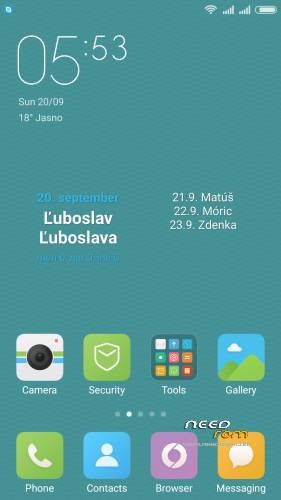
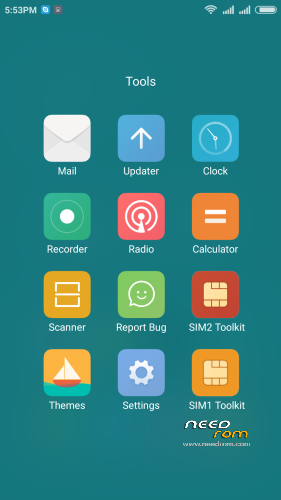
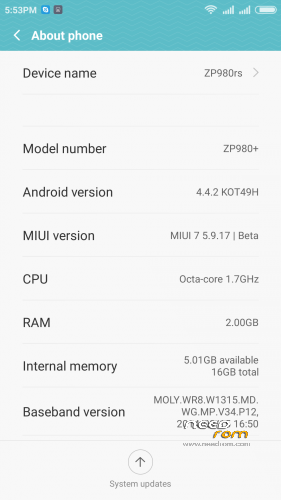
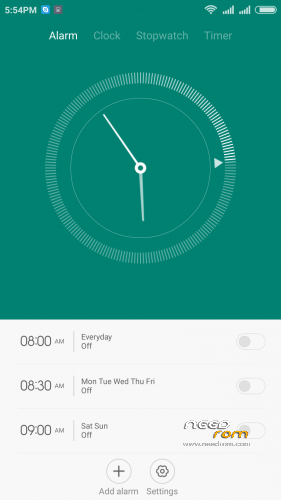
 Member Info
DESCRIPTION
05.21.2016 – added MIUI V7 6.5.19
03.20.2016 – added MIUI V7 6.3.17
01.26.2016 – added MIUI V7 6.1.21
12.29.2015 – added MIUI V7 5.12.24
11.21.2015 – added MIUI V7 5.11.19
ROM is ported from official ROM for Xiaomi Redmi Note 3G (xiaomi.eu_multi_lcsh92_wet_jb9_6.x.x_v7-4.4)
ROM is multi lang.
Please always make backup before install! Flash at your own risk. I am not responsible for bricked devices or any damages caused due to the ROM.
For first Installation:
1. Download the. zip file and put it in to internal memory,
2. Go to Recovery – recomended TWRP 2.8.1, or newer
3. Do factory reset (wipe Data, System, Davlik cache, Cache),
4. Reboot recovery,
5. Select Install – choose zip file with ROM,
6. After install reboot your device.
For update from my previous version of MIUI V6, V7:
1. Download the. zip file and put it in to internal memory,
2. Go to Recovery – recomended TWRP 2.8.1, or newer
3. Select Install – choose zip file with ROM,
4. After install, do cache and dalvik wipe only, then reboot your device.
For backup and restore lost IMEI look at here: http://tvoje.blogspot.sk/
※Please make a backup of your device before installing or updating ROM
I'm keen to try this rom but the IMEI disappearing is a little worrying. I'm going to flash from stock to 5.5.29. Does anyone have IMEI working with this version? Are there any other major bugs with this version?
Hi Pmerrill,
I have the same problem. I have tried in in several ways but lost also the IMEI. Also after restoring the IMEI it will be lost again. As long this issue will occurred i will not install the rom anymore, because it takes a lot of time to reinstall the old rom again. I will hope someone will get a solution for this issue, then i will try again.
Hi pmerrill and marconi. I hawe the same problem on imei, Please solution fix this proble. Thanks.
good job
skipping MD5 check: no MD5 file found !!! I can’t install !!! Help me please !!! (((
(((
which recovery you used? check your settings in TWRP recovery: http://s25.postimg.org/7of9l1f.....01_16_58_29.jpg
@pmerrill and others
I am really don't know why some people have problem with IMEI. I would like to resolve this problem but i didn't have such problems never. I also tried to install stock ROM 4.4 through SP Flash tools with full formatting the phone, so my phone was in a state as if he came from the factory, and then i installed my MIUI V6 5.5.29 ROM without any problems. possible different revision of phone hardware? I guess not. My phone is with 2GB RAM and 16GB ROM.
Hi Norton,
My stock rom i have restored is the one from the Zopo Mobile website. Is is version 4.4.2. from 18/10/14. If it is installed everything is OK. When i going to the TWRP and install the MIUI rom the IMEI problem is there again. I have also 2GB RAM and 16GB ROM. So it is unclear for me why we have problems with it. The last restore of the Zopo stock rom i have also the IMEI issue. After a restore of the IMEI with MTKDroidtools i could restore the IMEI. But with the MIUI ROM i cannot restore the IMEI with the MTKDroidtools. Within MTKDroidTools after you click on restore the IMEI there is an error msg: "pttycmd1 device NOT found!. This message was not there with the stock rom IMEI restore.
I have not yet tried the ROM for fear of loosing the IMEI and having to reflash the old ROM. My phone according to Hardware Info has 1GB System RAM, 4GB Internal Storage and a 32GB external SDcard (which I installed). I have not had any luck with Mobile Uncle backing up the IMEI as Mobile Uncle says it can't find either the Internal Storage nor the external SD Card, though both seem to be working properly.
Does anyone know whether my 1GB/4GB Zopo 980+ is capable of using this MIUI ROM?
Marconi, have you tried going into engineering mode from the keypad and setting the IMEI number as below?
1. Go to Engineering Mode with this code * # * # 3646633 # * # *
2. Type it on call pad
3. Engineering Mode show on your phone screen
4. Go to CDS info
5. Go to Radio info
6. then go to Phone1 (For the first IMEI No)
7. At the top there is a command line which begins "AT+" just type there "AT +EGMR=1,7,"IMEI_1" (Instead of IMEI_1 put your first IMEI No)
8. Hit send command
9. If you done just reboot the phone
10. If you change the second IMEI No then go to step 2 and select "Phone2"
11. And enter the code "AT +EGMR=1,10,"IMEI_2" (Instead of IMEI_2 put your second IMEI No)
12. Hit send command
13. Reboot your phone
Hi Pmerril,
I have tried the steps above earlier but after the send command nothing happens. Also from out the mobileuncle tool this part was not working for me. But that was a few weeks ago, so i can try later again.
Supposedly, another approach is to download a terminal emulator and type at the prompt. I suspect that the phone needs to be rooted to do this.
echo ‘AT +EGMR=1,7, “IMEI_NUMBER” ‘ >/dev/pttycmd1
Just remember the AT command is as below. There is a space between the AT and the +, so it's not AT+EGMR but AT +EGMR, note the space!
AT +EGMR=1,7,"IMEI_1"
Hi Pmerril!
I also have version with 1gb, working quite smooth also if there is not a lot of Ram available. Had IMEI problems with version 5.5.8 and had to flash original Rom. Lost Imei with Miui but restored it with Mobile Uncle Tool. Till then working great!
Thanks Norton for your great job and big effort!
Thanks, I’ll give it a shot on the weekend. I not that if you do an ls /dev command pttycmd1 does not exist on my phone so that’s probably a problem. I’m hoping that the AT command will restore the imei of its lost. I will burn the 29 version from stock. Wish me luck!
For the MD5 problem, you have just to wait a little bit. Don’t click the botton on the top left screen, but wait a few minutes. Had the same problem, flash twrp 2.7 by Sevemaxs and there the button is not active and after a few minutes it goes on. So I think you should just wait with twrp 2.8.1
Ok, now completely stuffed. I finally got up the nerve, booted to recovery burned the rom and nothing works. I can't get into recovery again and the phone does not boot. I get the ZOPO and the get the MI logo but it just stays on for 20 seconds, blinks out and then comes back on for 20 seconds on an infinite loop. I guess this the the boot loop?
So, tell me, is the phone completely stuffed?
Ok, got into recovery finally. Reburnt ROM, cleared Cache and Davik and tried again. Again no luck, all I get is a boot loop displaying the MI logo over and over.
Ideas?