
- Title: CWM/TWRP ZP998 V 1.08
- Listed: March, 2014
- Last modified: 03/13/2014 2:31 pm
- Version: 4.2.2 13032014
You must be logged for ROM download.
41331 total views, 5 today
1 Total favorites
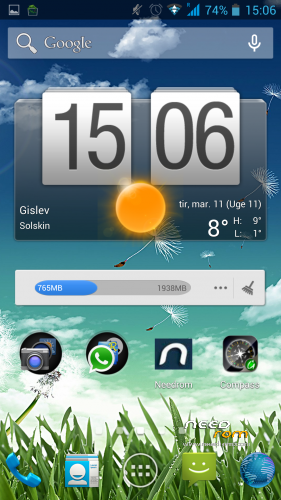
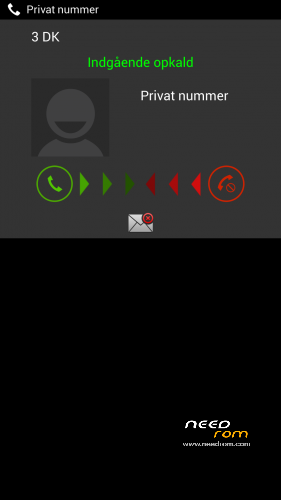

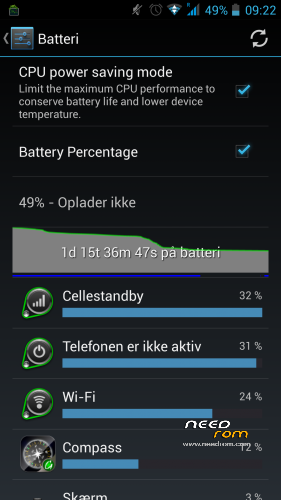
 Member Info
DESCRIPTION
Description
V1.08.1 uploadet without system wipe to install data/app
custom rom for ZP998
Â
NEW UPLOAD MADE SO SHUT WORK NOW
Â
REMEMBER TO MAKE BACKUP BEFORE FLASHING THIS ROM
NOW I HAVE REMOVED FORMAT BEFORE FLASHING I WILL WRITE THAT IT DOES BUT IT DONT SO DONT WORRY
 BUT REMEMBER U NEED TO WIPE DALVIK CACHE/CACHE/SYSTEM OTHERWISE U WONT BE ABLE TO GET ROOT PERMISSION
CHANGELOG 13.03.14
NEW ROM IS UNDER THE HOOD
WITH MORE SMOOTH NESS
BETTER WIFI
BETTER GPS (u need to go to engernier then location
then location based service
then ygps
set times to 999
interval 999
hit need 3D fix go outsite hit start let it run until it gets a fix
wen u get fix it will show were u are down to 1-3 meters
)
BETTER FLOAT
LESS RAM USE
S-VIEW WORKS
it will automatic delete wipe system now
Â
u may use my work just remember to ask
an give prober credit
Â
an fore wipe please use twrp recovery there u can wipe cache/dalvikcache/factory_reset/
Â
based on new base 05032014
new camera
new libs
new moduels
odexed
zipalig
————————————————
TO ENABLE ADVANCE SETTINGS
GO TO SYSTEM/ABOUT PHONE
NOW DOWN TO VERSION NUMBER
HIT IT 5 OR 6 TIMES
U HAVE NOW ENABLE ADVANCE SETTING
Â
BASED ON LATEST RELEASE FROM ZOPO
THIS IS STOCK WITH SOME SMALL TWEAKS
FOR NOW
STILL WORKING ON BLACK SCREEN OPTIONS
Â
rooted
removed china app
put zip on sdcard
reboot into recovery
wipe cache/ dalvik cache/factor reset/
flash zip from sdcard
Â
an for last
why do people qoute bad stars insted off stating there problems
so dont give bad stars remember we are only doing this in our sparetime
Â
※Please make a backup of your device before installing or updating ROM
jander klander no i have change kernel an modem so this is right
Hi, fluffy. Sorry, I haven't understood you very well… do you meant that these kernel and modem are the same that in v1.07?? or you have changed them? In this case, why?
yo fluffy
what do you mean from your log? [fixing gps]
i've entered mtk engineer mode and in the log you told us to make a 3D fix but there are 2 blank boxes which is Times 0-999, Interval 0-999(s) and Test restart type.
What should i do next? I can't start 3dfix by leaving those boxes empty
Very nice rom…Is there anything you can do with very inaccurate gps. I get fix in 10 sec but gps is very poor and for example Endomondo or maps lose signal frequently.
May I flash it over ver 1.0.7?
GPS is a catastrophy, it does not have a clue where I am, 150 meters error, no positioning for 30 – 40 seconds time after time.Zopo did do something wrong in the firmware after 18.2.2014. It did do much better before – Starter Pack goes back.
I hope Zopos firmware be better at next update, because this is not acceptable. (It's NOT fluffys fault, he just cleans up the firmware and spices with some goodies)
mohdazahan
set the 2 emty field to 999 an start 3dfix
jander klander
i have changed them because they toke all the ram an used alot off batt
OK, thank you, fluffy
Yeah, GPS is not working correctly. funny enough YGPS gets a fix after 10 seconds or so but as soon as it is closed, any other app can't get a fix. So it's a software problem but still, can't understand why chinese phones always have these massive gps problems.
laszlok /
05/10/2013

Posts: 12
u need to go to engernier then location
then location based service
then ygps
set times to 999
interval 999
hit need 3D fix go outsite hit start let it run until it gets a fix
wen u get fix it will show were u are down to 1-3 meters
i even gets lock on gps insite now