
- Title: CWM/TWRP ZP998 V 1.08
- Listed: March, 2014
- Last modified: 03/13/2014 2:31 pm
- Version: 4.2.2 13032014
You must be logged for ROM download.
41331 total views, 5 today
1 Total favorites
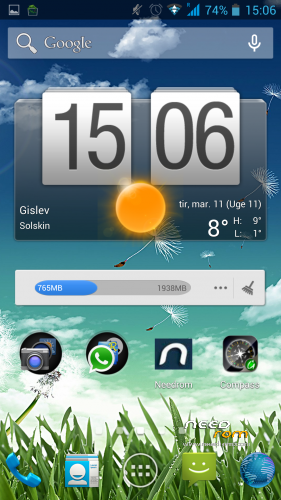

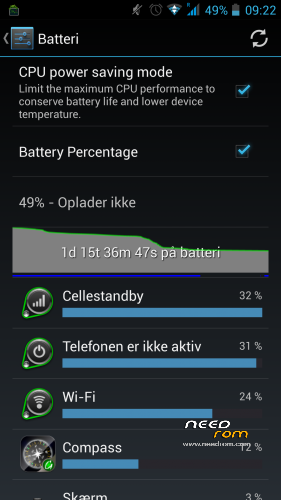
 Member Info
DESCRIPTION
Description
V1.08.1 uploadet without system wipe to install data/app
custom rom for ZP998
Â
NEW UPLOAD MADE SO SHUT WORK NOW
Â
REMEMBER TO MAKE BACKUP BEFORE FLASHING THIS ROM
NOW I HAVE REMOVED FORMAT BEFORE FLASHING I WILL WRITE THAT IT DOES BUT IT DONT SO DONT WORRY
 BUT REMEMBER U NEED TO WIPE DALVIK CACHE/CACHE/SYSTEM OTHERWISE U WONT BE ABLE TO GET ROOT PERMISSION
CHANGELOG 13.03.14
NEW ROM IS UNDER THE HOOD
WITH MORE SMOOTH NESS
BETTER WIFI
BETTER GPS (u need to go to engernier then location
then location based service
then ygps
set times to 999
interval 999
hit need 3D fix go outsite hit start let it run until it gets a fix
wen u get fix it will show were u are down to 1-3 meters
)
BETTER FLOAT
LESS RAM USE
S-VIEW WORKS
it will automatic delete wipe system now
Â
u may use my work just remember to ask
an give prober credit
Â
an fore wipe please use twrp recovery there u can wipe cache/dalvikcache/factory_reset/
Â
based on new base 05032014
new camera
new libs
new moduels
odexed
zipalig
————————————————
TO ENABLE ADVANCE SETTINGS
GO TO SYSTEM/ABOUT PHONE
NOW DOWN TO VERSION NUMBER
HIT IT 5 OR 6 TIMES
U HAVE NOW ENABLE ADVANCE SETTING
Â
BASED ON LATEST RELEASE FROM ZOPO
THIS IS STOCK WITH SOME SMALL TWEAKS
FOR NOW
STILL WORKING ON BLACK SCREEN OPTIONS
Â
rooted
removed china app
put zip on sdcard
reboot into recovery
wipe cache/ dalvik cache/factor reset/
flash zip from sdcard
Â
an for last
why do people qoute bad stars insted off stating there problems
so dont give bad stars remember we are only doing this in our sparetime
Â
※Please make a backup of your device before installing or updating ROM
Mine gets fix indoor as well. But as soon as I move, ex. driving car – it gets crazy. Suddenly I'm out in a medow or in the sea, on some roads 100 – 200 meters away, or it justs drops my position and never gets back. I tried with Waze and also with Google Navigation.
Now I've gone back to Starter – but the GPS is just as crap, so it's not the firmware version. Tried to recalibrate the 3 axis, downloaded AGPS, all the rubbish with Mobile Uncle – still crap. So now I'm going back to your newest again, that is at least a nice smooth ROM.
gps and sygic works perfectly
Hi fluffy i installed your rom but it shows a bug “unfortunatley galler is stoped”.and then i restored my backup but my phone still shows your boot animation logo screen which is write “fluffy zp998″ near zopo logo.how can i delete that screen now?
u need to flash logo.bin from flashtools
Strange.. 2x clean install and NO wifi..(keeps asking for ip)
u need to wipe system
I did with cmw…
Try it now with twrp..
cannot change to twrp mobileuncle says partition is read only…
I flashed with flashtool this stock ROM : ZP998_zopomobileshop_140218
WiFi connect OK..
Installed framaroot and mobileuncle and installed TWRP recovery..
Reboot to recovery and did SWIPE and installed your ROM and NO wifi..
How strange….
But i copied your ZIP to ext SD and phone but installed from EMMC..
why in this version does not work thesincronitaion of the bluetooth with the car.In the v1.7 it worked well
3D fix doesn't change nothing. As I said, YGPS always gets a fix after seconds with 4-6 satelites. No matter if I do a 3d fix after flashing or not.
But only YGPS, If I start GPS Status or any other App that uses GPS it eventually gets a fix after a very long time, one minute or so, but then loses it again and the position is only accurate to 1 square km or so. I have no idea why that is but it is a software/firmware issue.
Would it make any change if i first flash an old zopo (prior 20140218) rom via flashtool and then any custom rom?
BTW could someone with "perfect" gps please post a screenshot of ygps or gps status which shows the bars (would like to compare them to mine to rule out an additional hardware problem)