
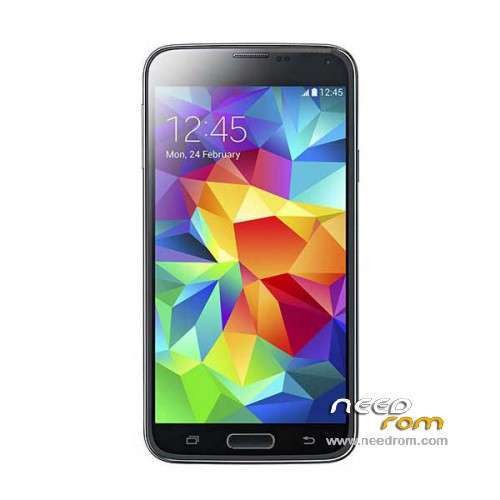
- Title: HDC S5 SM-G900S
- Listed: June, 2014
- Last modified: 12/17/2014 6:20 pm
- Version: ROM Android 4.4.2
You must be logged for ROM download.
100143 total views, 17 today
167 Total favorites
 Member Info
DESCRIPTION
ROM Mobile HDC S5 SM-G900S – ROM Android 4.4.2
ONLY MT6582
Config HDC : MT6582 + 2G Ram (real 1G) + 4G Rom + 1280×720 + Single sim
Update Official ROM HDC S5 SM-G900S version: KOT49H.G900SKSU1AND3 – S105_XLF – SM-G900S_V16
———————————————————————————————————————————————
Update Official ROM HDC S5 SM-G900S version: KOT49H.G900SKSU1AND3 – S105_XLF – SM-G900S_V10
———————————————————————————————————————————————
Update Official ROM HDC S5 SM-G900S version: KOT49H.G900SKSU1AND3 – S105_XLF – SM-G900S_V09
———————————————————————————————————————————————
Official ROM HDC S5 SM-G900S version: KOT49H.G900SKSU1AND3 – S105_XLF – SM-G900S_V08
Gapps include - No Rooted
Language support : Multilang
Install ROM :
- Unpack FlashTools, and Click on Flash_tool.exe
- Select a the MT6582_Android_scatter_emmc.txt in ROM
- Wait file to be added into Flash Tool
- choose Option->USB Model,click USB Model
–> Choose Option->DA DownLoad All->Speed->High Speed, click High Speed
- Turn off your phone, remove the battery.
- "Press F9 (hit Download button)" OR " if upgrade ROM Firmware->Upgrade "
- and connect your phone into the computer via USB data cable.
- The process will start and a red progress bar will appear after color purple, yellow.
- And green circles display
- Finish !
- You can now safely disconnect your phone and turn it on.
※Please make a backup of your device before installing or updating ROM
I got all files need.
Now, i see these options:
1) reboot system now
2) apply update from adb
3) apply update from sdcard
4) apply from cache
5) wipe data/factory reset
6) wipe cache partition
7) backup user data
Whta's the nest stage?
shall i use No3?
chinese ghosts are hunting this phone!
I changed battery and now is everything fine!!
did an update in the beginning.
This is my first smartphone and i learned so many things about androids in just a few days.
Thanks againf for everything Panagioti, eisai protos
You are welcome my friend anytime i can help i am here
Just in case take a back up
Hi Panagiotis!
A technical question:
I'm flashing the phone, then i put some files in device storage (new folders, photos etc) and then i'm flashing again the phone.
Why's still there all these new files after the flashing?
Normally should have clean the sdcard0, like a nomal format!
I use "firmware upgrade" in sp tool.
How can i total clean the phone and flash it from ZERO point?
When you flash or wipe cache you do that at system the internal storage does not harm the system or changing it in worst occasion it may not work a application re installation solves the problem
Something that may help
think of deleting in Windows a folder in program files usually the program will not start
think of deleting the folder Windows your computer will not start
If i understand well, it's like flasing the bios of a computer.
It's not a typical format of a PC, installing again Windows from the beginning!
Or better, re-installing only the folder "windows"…
Something like that
bios is read only memory Rom
please help
I have a problem …. when the battery up to 40% turns off mobile and I bought a new battery, but the same problem please help
Try wipe battery stats
if same happens to your new battery that obvious must be software problem
but how can i do this please ?