
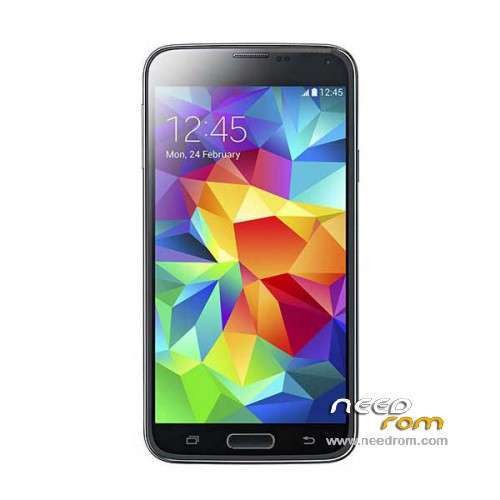
- Title: HDC S5 SM-G900S
- Listed: June, 2014
- Last modified: 12/17/2014 6:20 pm
- Version: ROM Android 4.4.2
You must be logged for ROM download.
100138 total views, 12 today
167 Total favorites
 Member Info
DESCRIPTION
ROM Mobile HDC S5 SM-G900S – ROM Android 4.4.2
ONLY MT6582
Config HDC : MT6582 + 2G Ram (real 1G) + 4G Rom + 1280×720 + Single sim
Update Official ROM HDC S5 SM-G900S version: KOT49H.G900SKSU1AND3 – S105_XLF – SM-G900S_V16
———————————————————————————————————————————————
Update Official ROM HDC S5 SM-G900S version: KOT49H.G900SKSU1AND3 – S105_XLF – SM-G900S_V10
———————————————————————————————————————————————
Update Official ROM HDC S5 SM-G900S version: KOT49H.G900SKSU1AND3 – S105_XLF – SM-G900S_V09
———————————————————————————————————————————————
Official ROM HDC S5 SM-G900S version: KOT49H.G900SKSU1AND3 – S105_XLF – SM-G900S_V08
Gapps include - No Rooted
Language support : Multilang
Install ROM :
- Unpack FlashTools, and Click on Flash_tool.exe
- Select a the MT6582_Android_scatter_emmc.txt in ROM
- Wait file to be added into Flash Tool
- choose Option->USB Model,click USB Model
–> Choose Option->DA DownLoad All->Speed->High Speed, click High Speed
- Turn off your phone, remove the battery.
- "Press F9 (hit Download button)" OR " if upgrade ROM Firmware->Upgrade "
- and connect your phone into the computer via USB data cable.
- The process will start and a red progress bar will appear after color purple, yellow.
- And green circles display
- Finish !
- You can now safely disconnect your phone and turn it on.
※Please make a backup of your device before installing or updating ROM
does your gps work ?? mine is not !!!!
Gps does not work too. No signal from satellites at all. I guess there is no gps antenna.
No problems with gps, only clock crahses with alarm. Replaced it with kitkat clock from playstore. Battery is also fine, 1d11h with 1.5 hours display time.
Mayby you can try GPS toolbox from playstore, to download A-gps files for your region.
for GPS FIX PLS http://extrabuy.wordpress.com/.....id-smartphones/ THIS
THIS 
Cyber thanks for the link it is the most common solution but does not work for all
A-gps and EPG works fine, in view 15 satellites, but NO SIGNAL from any
https://onedrive.live.com/redi.....int=photo%2cpng
yes same problem here , i can view many aboyt 13 to 18 in do not lock only view
ygps epo and other staff was not helpful in mine
hi
I have this phone but the networks is that the hen I'm on the street is that this flash can solve this problem? I have version 09
thank you
i have tested both 3 roms gps did not work i will try one more i found and post if there any success
by the way i found how to flash cwm with droid tools and work perfect
if only i could make gps lock ,,,,,,,,,,,
I think gps fix problem is in hardware, not in firmware. May be not connected or missing gps antenna.
Yes ynosov that’s my first thoughts but i experience the same problem with Inew v3 then I flashed a rom modified with GPS fix and the gps resurrected ,
uncle tools and ygps are not for all helpful
As i read a lot in forums plenty of mtk phones have gps problem and the idiots who sell them do not do anything special
.
So also the company’s don’t give a damn can’t it be a global solution