
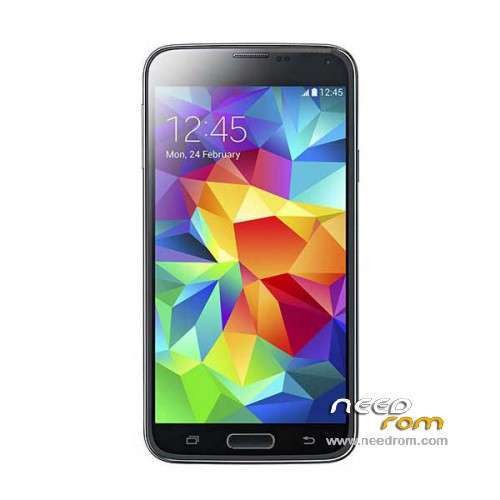
- Title: HDC S5 SM-G900S
- Listed: June, 2014
- Last modified: 12/17/2014 6:20 pm
- Version: ROM Android 4.4.2
You must be logged for ROM download.
100140 total views, 14 today
167 Total favorites
 Member Info
DESCRIPTION
ROM Mobile HDC S5 SM-G900S – ROM Android 4.4.2
ONLY MT6582
Config HDC : MT6582 + 2G Ram (real 1G) + 4G Rom + 1280×720 + Single sim
Update Official ROM HDC S5 SM-G900S version: KOT49H.G900SKSU1AND3 – S105_XLF – SM-G900S_V16
———————————————————————————————————————————————
Update Official ROM HDC S5 SM-G900S version: KOT49H.G900SKSU1AND3 – S105_XLF – SM-G900S_V10
———————————————————————————————————————————————
Update Official ROM HDC S5 SM-G900S version: KOT49H.G900SKSU1AND3 – S105_XLF – SM-G900S_V09
———————————————————————————————————————————————
Official ROM HDC S5 SM-G900S version: KOT49H.G900SKSU1AND3 – S105_XLF – SM-G900S_V08
Gapps include - No Rooted
Language support : Multilang
Install ROM :
- Unpack FlashTools, and Click on Flash_tool.exe
- Select a the MT6582_Android_scatter_emmc.txt in ROM
- Wait file to be added into Flash Tool
- choose Option->USB Model,click USB Model
–> Choose Option->DA DownLoad All->Speed->High Speed, click High Speed
- Turn off your phone, remove the battery.
- "Press F9 (hit Download button)" OR " if upgrade ROM Firmware->Upgrade "
- and connect your phone into the computer via USB data cable.
- The process will start and a red progress bar will appear after color purple, yellow.
- And green circles display
- Finish !
- You can now safely disconnect your phone and turn it on.
※Please make a backup of your device before installing or updating ROM
Hi, I can not get into download mode because when I press the keys "volume down + home + power on" I get a letter that says "factory mode" and automatically I access a menu with Chinese letters, and when I try to enter the recovery menu I get a picture of "no command" I press "power" key to automatically access my recovery menu but the phone starts perfect, but the problem is that I can not get the downdload way to change the room to v10 …
GPS not work in Spain,in any version, or the v8, or v9. this happens to someone else?
If you have the drivers installed you do not have to to anything to enter just PULL OUT BATTERY connect the phone with USB cable and hit the button in sp tools then ENTER YOUR BATTERY AND IT WILL START
give me please link from drivers .. and i can install rom v10 in my mobile galaxy s5 clon mtk6582 ??
it depends if you have the same phone yes you can install v10 , if you have different version it may not work
you must be sure which phone you have and which rom you flash
make a backup first before u flash just in case something goes wrong
so i upload for a little to my dropbox the the drivers u asked download them , because i will remove them in a few days
https://www.dropbox.com/s/uz34.....er%20mt65xx.rar
man install and thank you very much for your attention and help.
GPS Problem
i have a mtk6582 S5 – HDC S5 SM-G900S-V10.
The Phone is rooted, Open Mobile Uncle Tool, fast gps and others are installed.
I get the red dots in 2-4 seconds, after this nothing happens (tested 24h)
Know anybody the Problem? Please help
Broken or defective internal antenna
the gps is terible same here
NFC is fake
Can anybody tell me what is new in v10? What is the difference from v09
excelent!!!
V09 – Music and Clock alarm problem
+ S-View Camera is not upside down
V10 – S-View Camera is upside down
+ Music and Clock alarm fixed
please fix the S-View Camera in V10, because it's UPSIDE DOWN!
The bar off Smart Phone Flask take to long to start?