
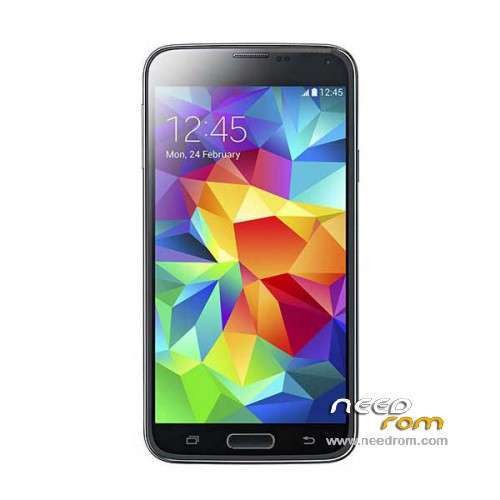
- Title: HDC S5 SM-G900S
- Listed: June, 2014
- Last modified: 12/17/2014 6:20 pm
- Version: ROM Android 4.4.2
You must be logged for ROM download.
100142 total views, 16 today
167 Total favorites
 Member Info
DESCRIPTION
ROM Mobile HDC S5 SM-G900S – ROM Android 4.4.2
ONLY MT6582
Config HDC : MT6582 + 2G Ram (real 1G) + 4G Rom + 1280×720 + Single sim
Update Official ROM HDC S5 SM-G900S version: KOT49H.G900SKSU1AND3 – S105_XLF – SM-G900S_V16
———————————————————————————————————————————————
Update Official ROM HDC S5 SM-G900S version: KOT49H.G900SKSU1AND3 – S105_XLF – SM-G900S_V10
———————————————————————————————————————————————
Update Official ROM HDC S5 SM-G900S version: KOT49H.G900SKSU1AND3 – S105_XLF – SM-G900S_V09
———————————————————————————————————————————————
Official ROM HDC S5 SM-G900S version: KOT49H.G900SKSU1AND3 – S105_XLF – SM-G900S_V08
Gapps include - No Rooted
Language support : Multilang
Install ROM :
- Unpack FlashTools, and Click on Flash_tool.exe
- Select a the MT6582_Android_scatter_emmc.txt in ROM
- Wait file to be added into Flash Tool
- choose Option->USB Model,click USB Model
–> Choose Option->DA DownLoad All->Speed->High Speed, click High Speed
- Turn off your phone, remove the battery.
- "Press F9 (hit Download button)" OR " if upgrade ROM Firmware->Upgrade "
- and connect your phone into the computer via USB data cable.
- The process will start and a red progress bar will appear after color purple, yellow.
- And green circles display
- Finish !
- You can now safely disconnect your phone and turn it on.
※Please make a backup of your device before installing or updating ROM
First you need to be rooted
then if you have custom clockworkmod usually it is on the advanced menu
There are some programs on the play store that do it
of course they rrequire root access
thank you alot i will try it ….
there is new update sm-g900s_v16
The update sm-g900s_v16 appeared today, but I cannot upgrade because of a checksum mismatch on LatinIME.apk. Were you able to upgrade succesfully?
yes i do it successfully but there is a problem about maps not exist and you can't dawnlode it
i saw the update 3 days ago and tried to install it but in recovery i have installation aborted. can't mount storage. my phone is rooted with vroot and then download super su from playstore and delete the kinguser. any ideas how to install the update?
Hi to all, is this rom for my s5 6582 – 2GB RAM – 4GB ROM – IR remore real – 1280*720?
i think is real 2GB ram because system info droid apk and CPU identifiere reports me this information.
ro.build.version.sdk=17 FAKE KITKAT
Hi again Panagiotis!
Hope you're fine man.
Another one problem with my 'broken' clone:
Till now i had WIND sim on phone, everything was quite normal as you know,
today i put a Vodafone sim card, phone lost IMEI, so 'no sim card' anymore!
I fixed IMEI with Droid tools but afterwards, phone can't recognise any sim card from any of the Greek networks!!
WTF man!? What happened again with my crappy clone??
OK, no bother, went to technician, broken pin/sideraki epafis.
hey larry !! thanks for asking i am good friend !!! and hope the same to you
sorry bro for late replies but i am not monitoting this page
do an imei backup to sd card from mtk uncle tools its the fastest and easiest way
trust me i; ve been there
by the way these clones some of my friends have other versions but still the same quality
they are very bad
i moved on to inew v3 Much better screen NO FAKE GB either ram either rom
better hands feeling locks gps in 10 secs