
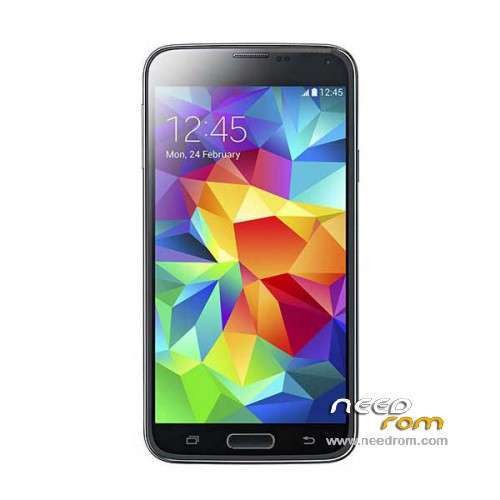
- Title: HDC S5 SM-G900S
- Listed: June, 2014
- Last modified: 12/17/2014 6:20 pm
- Version: ROM Android 4.4.2
You must be logged for ROM download.
100134 total views, 8 today
167 Total favorites
 Member Info
DESCRIPTION
ROM Mobile HDC S5 SM-G900S – ROM Android 4.4.2
ONLY MT6582
Config HDC : MT6582 + 2G Ram (real 1G) + 4G Rom + 1280×720 + Single sim
Update Official ROM HDC S5 SM-G900S version: KOT49H.G900SKSU1AND3 – S105_XLF – SM-G900S_V16
———————————————————————————————————————————————
Update Official ROM HDC S5 SM-G900S version: KOT49H.G900SKSU1AND3 – S105_XLF – SM-G900S_V10
———————————————————————————————————————————————
Update Official ROM HDC S5 SM-G900S version: KOT49H.G900SKSU1AND3 – S105_XLF – SM-G900S_V09
———————————————————————————————————————————————
Official ROM HDC S5 SM-G900S version: KOT49H.G900SKSU1AND3 – S105_XLF – SM-G900S_V08
Gapps include - No Rooted
Language support : Multilang
Install ROM :
- Unpack FlashTools, and Click on Flash_tool.exe
- Select a the MT6582_Android_scatter_emmc.txt in ROM
- Wait file to be added into Flash Tool
- choose Option->USB Model,click USB Model
–> Choose Option->DA DownLoad All->Speed->High Speed, click High Speed
- Turn off your phone, remove the battery.
- "Press F9 (hit Download button)" OR " if upgrade ROM Firmware->Upgrade "
- and connect your phone into the computer via USB data cable.
- The process will start and a red progress bar will appear after color purple, yellow.
- And green circles display
- Finish !
- You can now safely disconnect your phone and turn it on.
※Please make a backup of your device before installing or updating ROM
hello all,
I need a little help. This ROM is good on this phone?
This device link http://www.fastcardtech.com/go.....ds.php?id=11340.
I read it MTKdroidtools. Wireless update / Current: MS G900s_V07
Hardware : MT6582 (UNIVERSAL5420(exynos5) is Fake!)
Model : SM-G900
Build number : KOT49H.G900SKSU1ANCE
Build date UTC : 20140516-025042
Android v : 4.4.2
Baseband v: MOLY.WR8.W1315.MD.WG.MP.V15, 2014/02/18 02:04
Kernel v : 3.4.5 (zhanghongqiang@yaocong-desktop) (gcc version 4.6.x-google 20120106 (prerelease) (GCC) ) #1 SMP Fri May 16 10:48:37 CST 2014
Thank You in advance help
Janos
Yes … this ROM is for your smartphone.
please correct the error in the music application and alarm!
Hello,
having a probleme with the camera when i try to launch it is showing me the "gallery has stoped workign" any help please.
I have problems with GPS signal, Does this rom good width GPS signal? Thanks.
i installed it, all is good, but OTA shows V10 is available, when i download it and restart it shows error, does not install v10, how somebody are installed it?
same problem her !!! v 10 in recovery he says assert failed:apply_check("system/app/ApplicationsProvider.odex" Update is Not Correct
Installation aborted.
and we need a Recovery that can make screenhots PLS THX
same here
Model number: JXM NOTE3
Android version: 4.3.3
Baseband version: MT6582
Kernel version: 4 core 3.0.8
Build number: S6C_N3_V1.1.1
Hardware version: MT6582_V1.0.0
Will any of these roms work for me?
instala la aplicacion android system info en tu movil y comprueva tu hardware
v10 ;;; music and clock fixed !!! thx
Root no goes
error :dev/radio/pttycmd1 unzugänglich , sollte Root Shell
error :pttycmd1 device NOT found!
any same problem ??
rootgenius make it
does it require only the data cable it comes with? or can i use any other micro usb cable? as i connect it to the pc without battery and nothing happens , no sign from the pc that it is inserted either
Hello all, this rom is obviously a fake kitkat rom (is a 4.2.2 rom with some tweaks to appear as kitkat). Is anyone knows if there are a REAL 4.4.2 rom that works on this phone? Thanks